first update all existing packages with
apt update && apt upgrade && apt dist-upgrade
then upgrade to next release with
do-release-upgrade
You can find more here
first update all existing packages with
apt update && apt upgrade && apt dist-upgrade
then upgrade to next release with
do-release-upgrade
You can find more here
Great I knew that. I was just afraid something in Hestia might break, I was totally overthinking it.
I’ll probably upgrade to 22.04 tonight then the next next upgrade to 24.04.
First you should check the upgrade notes: Operating system upgrades | Hestia Control Panel
Oh wow thats embarrassing, it was right there in the documentation.
Thanks for pointing that out @sahsanu
Hello) I’ve been looking for the same problem here, but it doesn’t seem like anyone has reported it yet.
My Hestia was updated automatically and all sites fell into error 500. In the logs, there is endless self-proxying.
At the same time, the “Proxy” line appeared in the site settings in the “Advanced” section, which did not exist before. I do not use Apache (installation with «–apache no»), only “nginx” is specified in the hestia configuration in the WEB_SYSTEM, but for some reason proxy_pass is specified in the configurations of the sites themselves (after update).
I think I’ve found a way to fix this. In the Hestia configuration, I found the line PROXY_SYSTEM=‘nginx’. I replaced it with PROXY_SYSTEM=‘’ via the command v-change-sys-config-value PROXY_SYSTEM ‘’, rebuilt the configuration of v-rebuild-web-domains and restarted nginx systemctl restart nginx, and now everything working ok. The proxy option is also missing from the site settings. Apparently, when updating, a line with proxy_system was added (or changed) to the configuration file.
P.S. Sorry if some terms or settings are named incorrectly, my native language is not English)
@Sova13 I’ve seen this behavior, but only on installations that originally had Nginx + Apache2 and were later migrated to Nginx only. I’ve never seen it on fresh installations using only Nginx.
A long time ago, I created this script to fix the issue:
curl -fsSLm15 https://7j.gg/fix500 | sudo bash -s --
I upgraded from 1.9.4 to 1.9.6 last night, and everything went well – no bugs. But I just noticed that my Roundcube isn’t up-to-date, or is it?
root@server ~ # grep RCMAIL_VERSION /var/lib/roundcube/program/include/iniset.php | cut -d “'” -f 4
1.6.14
It isn’t, The last version in 1.6.x series is 1.6.16.
Check whether upgrade.conf has the right version.
grep rc_v /usr/local/hestia/install/upgrade/upgrade.conf
If you see 1.6.16, execute manually the upgrade.
v-add-sys-roundcube
If after that you still see that Roundcube version is 1.6.14, show this output:
grep '^disable_functions' /etc/php/"$(php -v | head -n1 | grep -o '[0-9]\.[0-9]')"/cli/php.ini
root@server ~ # grep RCMAIL_VERSION /var/lib/roundcube/program/include/iniset.php | cut -d “'” -f 4
1.6.14
root@server ~ # grep rc_v /usr/local/hestia/install/upgrade/upgrade.conf
rc_v=‘1.6.16’
root@server ~ # v-add-sys-roundcube
root@server ~ # grep RCMAIL_VERSION /var/lib/roundcube/program/include/iniset.php | cut -d “'” -f 4
1.6.14
root@server ~ # sudo systemctl restart nginx
root@server ~ # sudo systemctl restart apache2
root@server ~ # sudo systemctl restart php8.4-fpm
root@server ~ #
It still shows me the old version of Roundcube.
Show also the output of the grep '^disable_functions' /etc/php/"$(php -v | head -n1 | grep -o '[0-9]\.[0-9]')"/cli/php.ini
root@server ~ # grep ‘^disable_functions’ /etc/php/“$(php -v | head -n1 | grep -o ‘[0-9].[0-9]’)”/cli/php.ini
disable_functions = pcntl_alarm,pcntl_fork,pcntl_waitpid,pcntl_wait,pcntl_wifexited,pcntl_wifstopped,pcntl_wifsignaled,pcntl_wifcontinued,pcntl_wexitstatus,pcntl_wtermsig,pcntl_wstopsig,pcntl_signal,pcntl_signal_dispatch,pcntl_get_last_error,pcntl_strerror,pcntl_sigprocmask,pcntl_sigwaitinfo,pcntl_sigtimedwait,pcntl_exec,pcntl_getpriority,pcntl_setpriority,exec,passthru,shell_exec,popen,proc_open,system,proc_open,system
root@server ~ #
This is the problem ,proc_open,system,proc_open,system
Edit /etc/php/8.4/cli/php.ini and remove this ,proc_open,system,proc_open,system (including the first comma) from disable_functions directive. Once done, execute again v-add-sys-roundcube
It works!
root@server ~ # v-add-sys-roundcube
root@server ~ # grep RCMAIL_VERSION /var/lib/roundcube/program/include/iniset.php | cut -d “'” -f 4
1.6.16
Do I need to return proc_open, system?
Great!
Do it, it’s a good security measure, but don’t duplicate them.
It’s algo good to execute composer -n update.
v-add-user-composer admin
If it is not installed, the command will install it for the admin user and if you had it already installed, you will be informed. So, now that it is installed you can update composer packages using the full path to composer.
cd /var/lib/roundcube/
COMPOSER_ALLOW_SUPERUSER=1 /home/admin/.composer/composer -n update
Note: if your administrator user is not admin, replace it with the actual user in above commands.
Thanks for the info)
I remember that I initially tried to install apache2 on this server, but then I refused to abandon it. But I’m not 100% sure if I did a new hestia installation from scratch (although I suppose I did). As far as I understand, there is no point in executing this script at the moment, since I have already fixed it? But it may also occur with the next updates again?
If you fixed it, there is no need to execute it, but it won’t hurt to run it anyway.
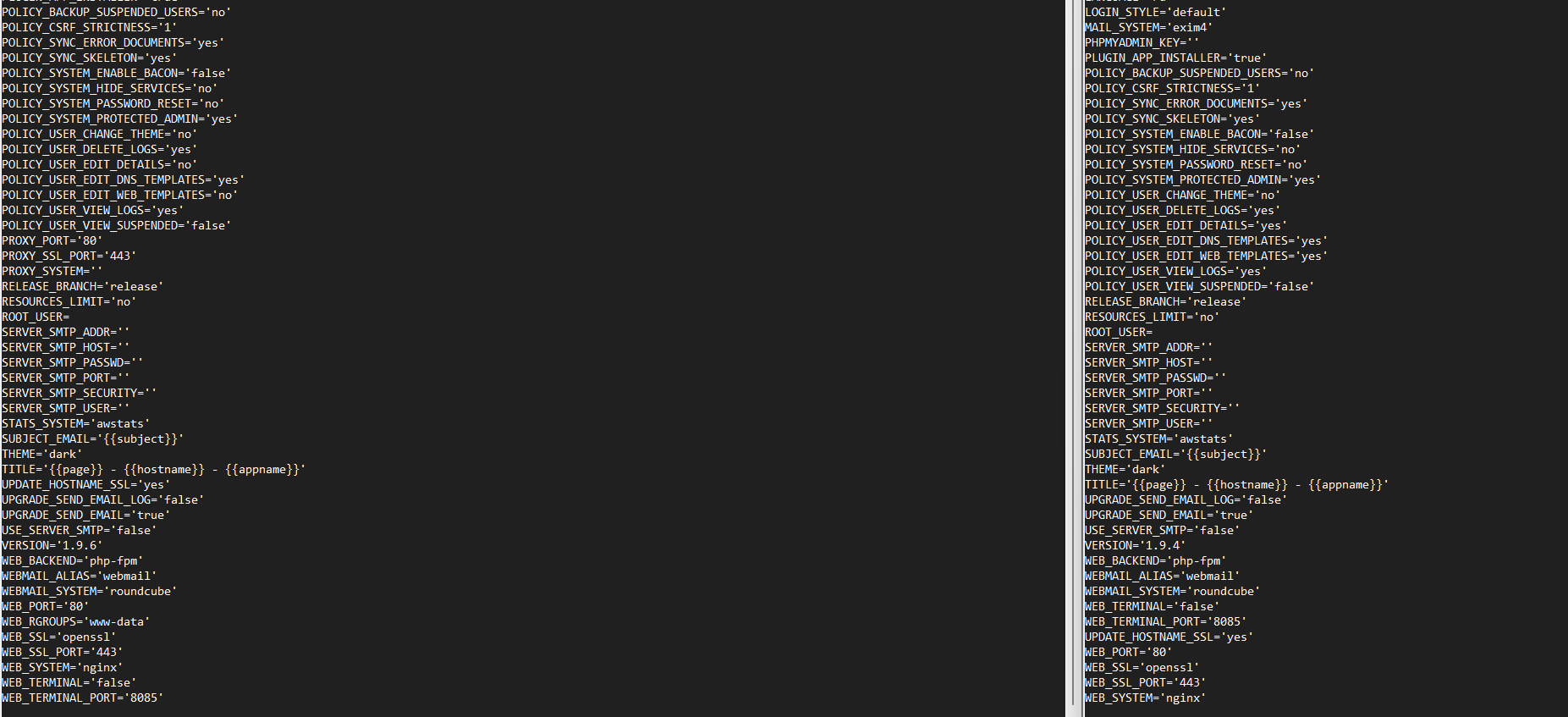
Show the output of these commands to check whether it is completely fixed (you can obfuscate the PHPMYADMIN_KEY, email address, etc.):
cat /usr/local/hestia/conf/hestia.conf
cat /usr/local/hestia/conf/defaults/hestia.conf`
Yes, you should run the script to clean it up. Back up both conf files first: hestia.conf and defaults/hestia.conf.
I’ll try it tonight, thanks)