I’m trying to do that although I’ve been busy with work.
Had permission issues on my last try to implement it as an alternative fm on hestiacp.
I would also like to try, as I use SFTP for now. Filegator is not an easy or prudent choice tbvh. 
Okay, I got it to work. So basically, I am using as root tbvh.
so 0755 for folder, with root:root
& 0644 for files with root:root.
Also, the path should be: /panel:port/foldernameforthis/filemanager.php (or whatever file name you set it as).
Example: https://domain:port/filemanager/filemanager.php
Update: Even though folders show up, files do not. Still trying I guess.

I’ve tried that method and it still had the permission problem (made use of session for directory). Files will show up but nothing happens. I’ve also tried using hestiacp file system commands and still same problem.
True. I banged my head for few hours. Trouble is, there is no log to define what maybe the issue here.
Will keep trying. BTW, there maybe couple of bugs, but first need this to work at least.
Just finished updating the filemanager (v2.5). Fixed some bugs. Will still try it on hestia
I hope you can get it working. I would very much like to use it.
Check your own system where it is already working. The path, owner & permissions? Maybe those can help.
Update: What should be the file & folder permission, what username & root_path to give. Also, .fm is not available, afaics, but your code looks for it. I am guessing, those also make for some bug/debugging?
$username = ""; // user
$root_path = ""; // path

// Configuration
$config = [
    "root_path" => $root_path,
    "allowed_extensions" => ["*"],
    "timezone" => "Africa/Lagos",
    "date_format" => "M j Y, g:i A",
    "font_size" => "16px",
];

if (file_exists("$root_path/.fm-config")) {
    $userConfig = "$root_path/.fm-config";
    $settings = json_decode(file_get_contents($userConfig), true);
.fm-config is the file manager user configuration file which overrides the timezone,date_format,font_size in the $config array when the filemanager settings is modified. I added Settings in v2.4.
For local testing, the $username can be anything (current user) and $root_path should be writable by the logged in user.
I run a LAMP server on my ubuntu desktop and set root path: /var/www/html/public with read/write access to it and modified the ownership also (joe:joe).
$username = "joe";
$root_path = "/var/www/html/public";

// Configuration
$config = [
    "root_path" => $root_path,
    "allowed_extensions" => ["*"],
    "timezone" => "Africa/Lagos",
    "date_format" => "M j Y, g:i A",
    "font_size" => "16px",
];

if (file_exists("$root_path/.fm-config")) {
    $userConfig = "$root_path/.fm-config";
    $settings = json_decode(file_get_contents($userConfig), true);

    $config['timezone'] = $settings['timezone'] ?? $config['timezone'];
    $config['date_format'] = $settings['date_format'] ?? $config['date_format'];
    $config['font_size'] = $settings['font_size'] ?? $config['font_size'];
}
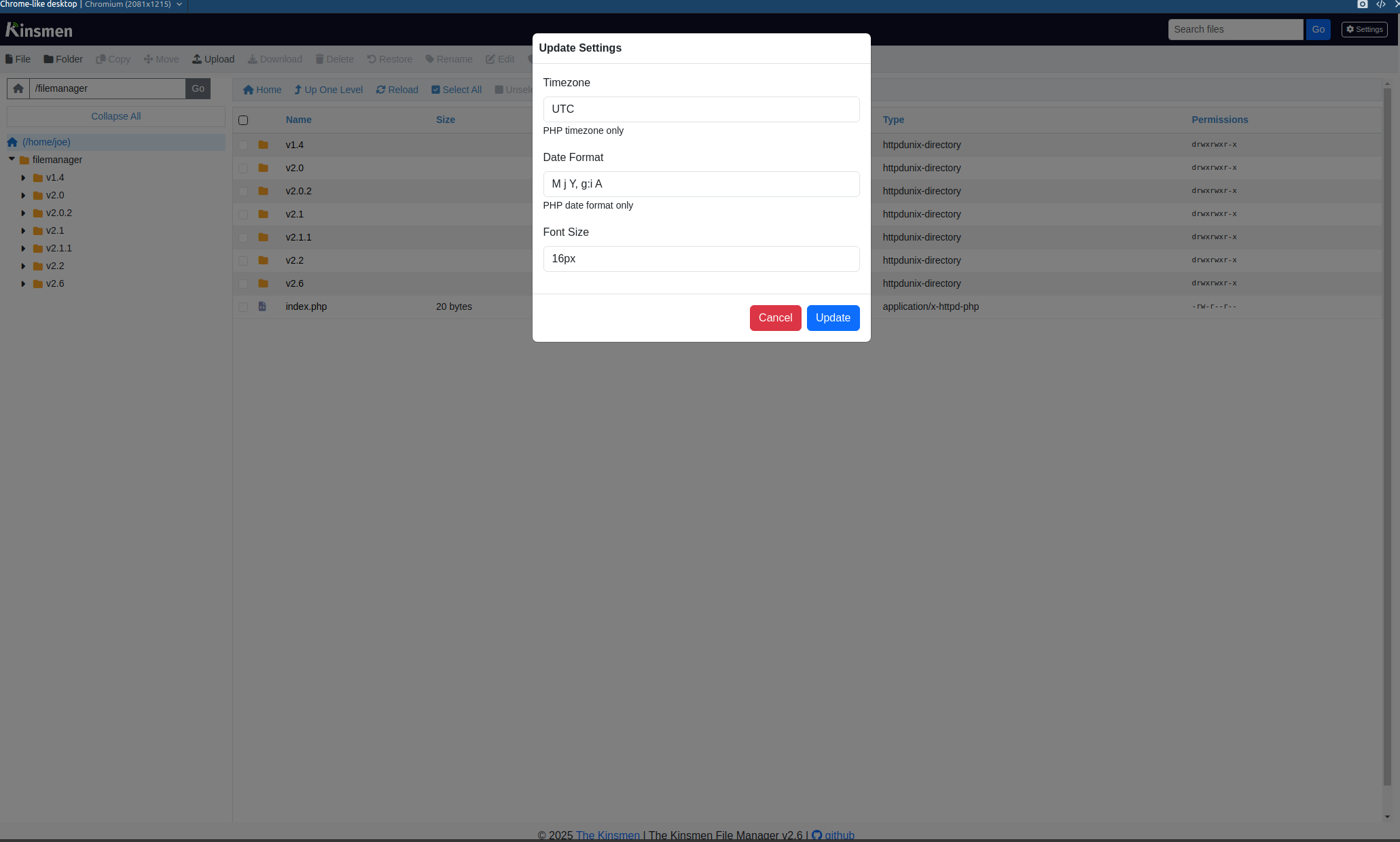
What I am guessing is: while it is able to read folder, the reason it cannot read files is maybe it needs some config like filegator does.
Also, the file mime-types, maybe should be present in the .php file of yours?
Also, it is able to read and edit other files, but only nothing after 2 “/./.”. What I mean is sub folders. It is able to read first level folders and their files, like backup folder, /bin folder /home folder, but the moment second level of folders (sub-folders and files inside them) come in, it is unable to read them. Maybe your code needs to have something there?
Are you making reference to HestiaCP?
If yes, then you’ll have to know the issue is from hestiacp file system.
I’m currently using the filemanager on Centos Web Panel with a slight tweak and it’s working fine.
// CWP Usage
$cwp = false;


if ($cwp) {
    $path = parse_url($_SERVER["REQUEST_URI"], PHP_URL_PATH);
    $segments = explode("/", trim($path, "/"));

    $url_token = null;
    $url_username = null;

    foreach ($segments as $index => $segment) {
        if ($segment === "filemanager.php" && $index > 0) {
            $url_username = $segments[$index - 1];
            if ($index > 1) {
                $url_token = $segments[$index - 2];
            }
            break;
        }
    }

    if (!$url_username || !$url_token) {
        header("HTTP/1.1 403 Forbidden");
        echo "Access denied. Invalid URL format.";
        exit();
    }

    $token_dir = "/home/$url_username/.tokens/";
    $token_file = $token_dir . $url_token;

    if (!file_exists($token_file)) {
        header("HTTP/1.1 403 Forbidden");
        echo "Access denied. Invalid token.";
        exit();
    }

    $token_data = json_decode(file_get_contents($token_file), true);

    if (time() > $token_data["expiry"]) {
        unlink($token_file);
        header("HTTP/1.1 403 Forbidden");
        echo "Access denied. Token expired.";
        exit();
    }

    if ($token_data["username"] !== $url_username) {
        header("HTTP/1.1 403 Forbidden");
        echo "Access denied. Username mismatch.";
        exit();
    }

    $username = $token_data["username"];
    $root_path = "/home/$username";
}
It would be good if you can integrate it in HCP! I know filegator is there, but lazy people like me are used to this kind of file manager or else explorer based file managing. Lols
I am no coder, else would have modified yours and made it work for me.
Currently the only way mine works on HestiaCP is when to public_html like /home/{username}/web/{domain}/public_html/filemanager.php but that’s not a good practice.
Agreed. Wish there was some other way.