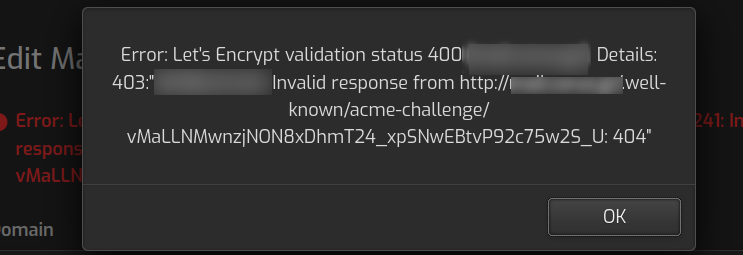
I am using the control panel to renew the SSL certificates for my email domains but it is failing with the error shown in the image.
The ACME directory is accessible and writeable so the problem must be that a process is failing to create them.
I have done lots of trouble shooting but to no avail
v-add-mail-domain-webmail user domain.com
example: v-add-mail-domain-webmail user domain.com snappymail
example: v-add-mail-domain-webmail user domain.com roundcube
I am maintaining privacy by not disclosing domain names.
Hestia is “work in progress” and I need to know what files are expected to be in the acme-challenge dir and I will create them with the expected contents. I am not new to either linux or software development. I even obtained certificates with certbot but they were missing the .ca filewhich Hestia expects in the backend textarea field
We create a nginx config that emulates the file it should work fine.
Check if http://domain.com/ is loading the under construction page and not the “success” page
No it does not. It shows “Success”. Like nginx is not redirecting to the software cgi-bin dir and it’s just the standard Successful server install page
When I do it, yes. I even rebooted server in my “agony”.
This is an AWS instance so I think there is a private IP and public IP from the pool of Amazon addresses which I’ve reserved. But this hadn’t caused any problem in a past install