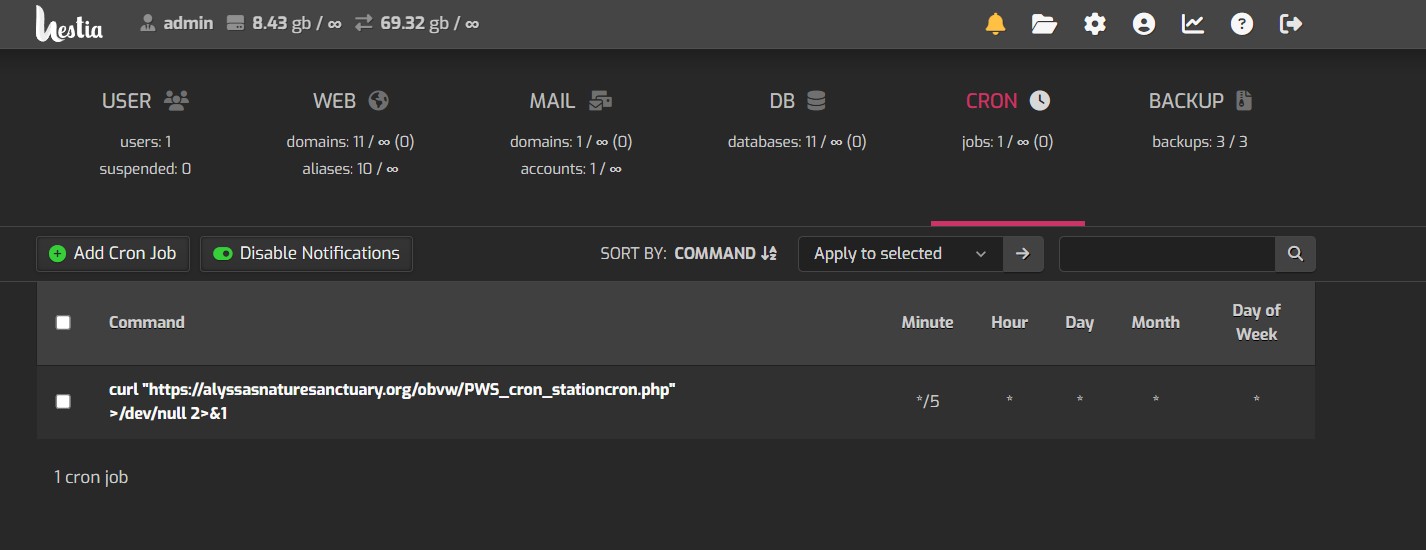
All the cron jobs are missing?

Does anybody know why all the Chrome jobs would be missing I’m assuming they have been seen for quite some time I just now noticed this.

Is there a way to be able to restore them to default?

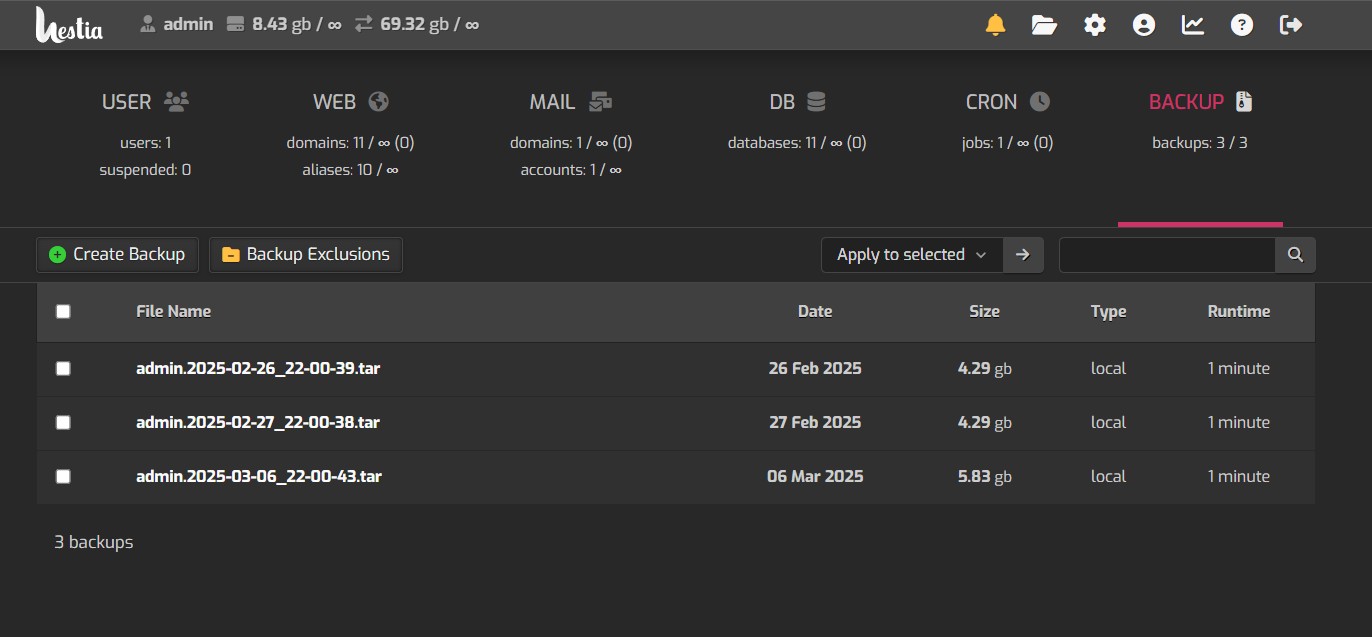
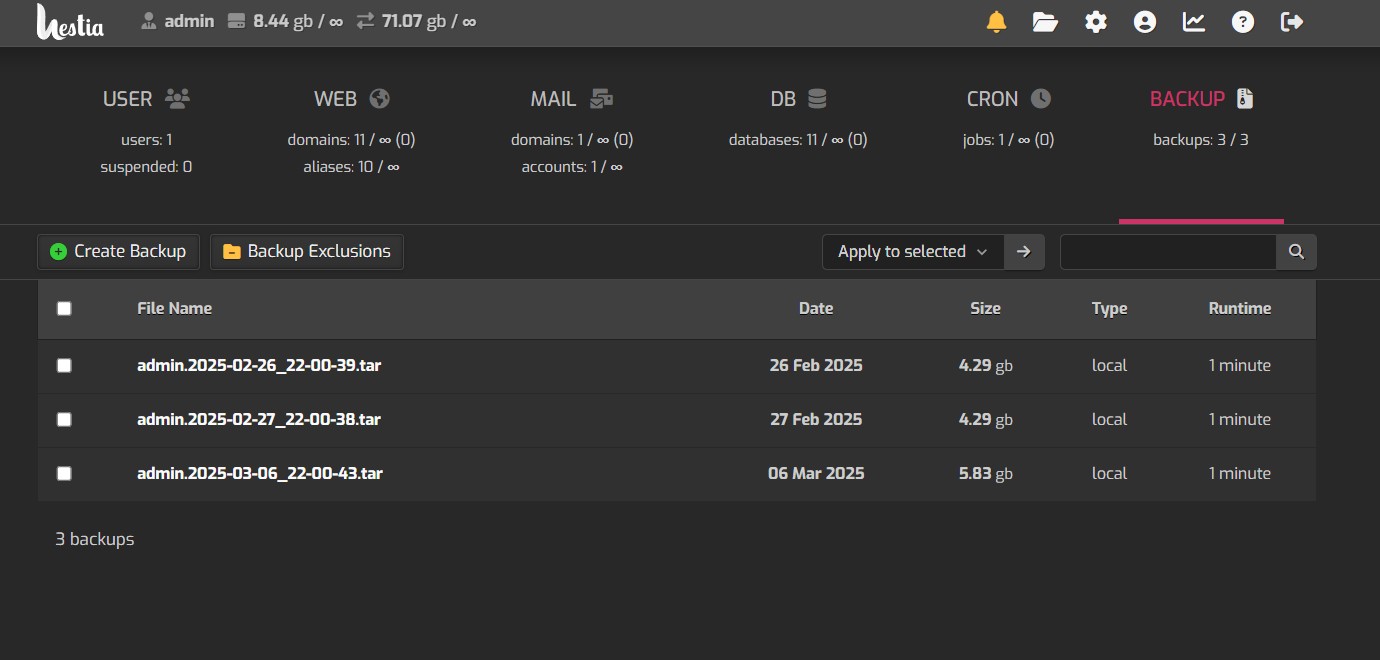
If not maybe a picture of what’s supposed to be there and I can rebuild it? I was wondering why backups stopped working. It looks like this happened sometime last March, March of 2025.

1 Like

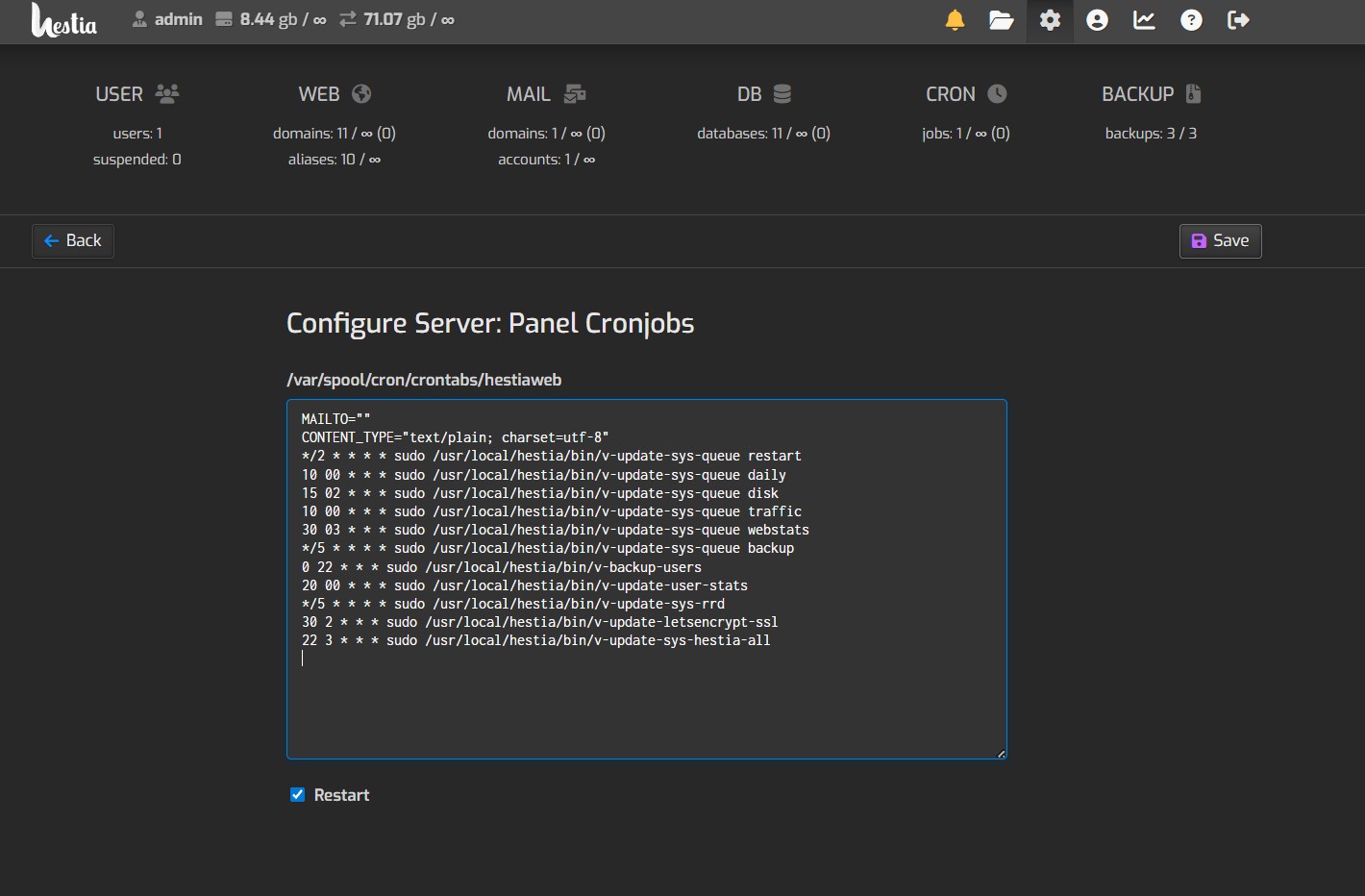
Cron jobs have been moved to hestiaweb user. You can see them here SettingsConfigurePanel Cronjobs

Show the output of these commands:

grep 'CRON.*hestiaweb' /var/log/syslog | tail
crontab -l -u hestiaweb
ls -la /var/spool/cron/crontabs/
2 Likes
2026-03-25T12:32:01.348669-07:00 webserver CRON[2833776]: (hestiaweb) CMD (sudo /usr/local/hestia/bin/v-update-sys-queue restart)
2026-03-25T12:34:01.436297-07:00 webserver CRON[2833875]: (hestiaweb) CMD (sudo /usr/local/hestia/bin/v-update-sys-queue restart)
2026-03-25T12:35:01.505691-07:00 webserver CRON[2833916]: (hestiaweb) CMD (sudo /usr/local/hestia/bin/v-update-sys-rrd)
2026-03-25T12:35:01.506337-07:00 webserver CRON[2833919]: (hestiaweb) CMD (sudo /usr/local/hestia/bin/v-update-sys-queue backup)
2026-03-25T12:36:01.152210-07:00 webserver CRON[2834262]: (hestiaweb) CMD (sudo /usr/local/hestia/bin/v-update-sys-queue restart)
2026-03-25T12:38:01.218346-07:00 webserver CRON[2834300]: (hestiaweb) CMD (sudo /usr/local/hestia/bin/v-update-sys-queue restart)
2026-03-25T12:40:01.288978-07:00 webserver CRON[2834592]: (hestiaweb) CMD (sudo /usr/local/hestia/bin/v-update-sys-queue restart)
2026-03-25T12:40:01.289155-07:00 webserver CRON[2834591]: (hestiaweb) CMD (sudo /usr/local/hestia/bin/v-update-sys-queue backup)
2026-03-25T12:40:01.290111-07:00 webserver CRON[2834594]: (hestiaweb) CMD (sudo /usr/local/hestia/bin/v-update-sys-rrd)
2026-03-25T12:42:01.953843-07:00 webserver CRON[2835009]: (hestiaweb) CMD (sudo /usr/local/hestia/bin/v-update-sys-queue restart)
MAILTO=""
CONTENT_TYPE="text/plain; charset=utf-8"
*/2 * * * * sudo /usr/local/hestia/bin/v-update-sys-queue restart
10 00 * * * sudo /usr/local/hestia/bin/v-update-sys-queue daily
15 02 * * * sudo /usr/local/hestia/bin/v-update-sys-queue disk
10 00 * * * sudo /usr/local/hestia/bin/v-update-sys-queue traffic
30 03 * * * sudo /usr/local/hestia/bin/v-update-sys-queue webstats
*/5 * * * * sudo /usr/local/hestia/bin/v-update-sys-queue backup
0 22 * * * sudo /usr/local/hestia/bin/v-backup-users
20 00 * * * sudo /usr/local/hestia/bin/v-update-user-stats
*/5 * * * * sudo /usr/local/hestia/bin/v-update-sys-rrd
30 2 * * * sudo /usr/local/hestia/bin/v-update-letsencrypt-ssl
22 3 * * * sudo /usr/local/hestia/bin/v-update-sys-hestia-all
total 16
drwx-wx--T 2 root      crontab   4096 Mar 23 18:42 .
drwxr-xr-x 5 root      root      4096 Apr 19  2025 ..
-rw------- 1 admin     admin      172 Mar 23 18:42 admin
-rw------- 1 hestiaweb hestiaweb  735 Apr 19  2025 hestiaweb

Everything is fine with the cron jobs.

1 Like

But there’s no cron jobs under cron Jobs? And there’s no backup job so backup’s not running.

I already told you what is happening:

1 Like

OK I see them there but they’re not in the normal place, They should be under Cron jobs and backups should be working.

Again, Need my backups to be working and they’re not working so regardless of wherever the jobs are they’re not working and I don’t have any control over them. Backups have not run since early 2025.

Since version 1.9.x that is the normal place.

No, they shouldn’t.

Yes, backups should work.

Show the output of this command:

v-backup-user admin
1 Like

OK so this shows there’s not enough space, That would do it but I gave the web server 50 gigs and I’m nowhere near that on websites I’m not sure why I am out od space.

root@webserver:~# v-backup-user admin
Error: not enough disk space available (7620 mb) to perform the backup  of admin. ( 8629 mb * 2 = 17258 

root@webserver:~# df -h --total
Filesystem      Size  Used Avail Use% Mounted on
udev            3.9G     0  3.9G   0% /dev
tmpfs           794M  800K  794M   1% /run
/dev/sda1        48G   39G  7.5G  84% /
tmpfs           3.9G     0  3.9G   0% /dev/shm
tmpfs           5.0M     0  5.0M   0% /run/lock
tmpfs           794M     0  794M   0% /run/user/0
total            58G   39G   17G  70% -

/dev/sda1 is using 48 gb

Here’s the websites and sizes for them I don’t see how any of that would total up to 50 gigs? And databases are only using maybe one gig.

Screenshot 2026-04-01 180614

And again why aren’t the Cron jobs showing up underneath the cron jobs?

The backup is complaining about the admin user.

Execute this command to see what is consuming space in /home/admin/:

curl -fsSLm20 https://7j.gg/checkfs | sudo bash -s -- /home/admin/ -f 15

Because since version 1.9.x of Hestia Control Panel, maintenance jobs are executed by the user hestiaweb (not the administrator user like in older versions), and you can see those jobs where I mentioned earlier.

The users’ cron jobs section only shows jobs that users have added themselves. If you haven’t added any for the admin user, you won’t see any… and the same applies to the rest of the users.

The reason it doesn’t work is that one of your sites may have large files, and it needs to calculate the total capacity. If the capacity is insufficient, it will not back up. Specifically, you can add a log record to the backup script to find out whether it is working and, if it is working, why it fails.
------------------------------------------------------------------------------
Server:     webserver.pacificdatacom.net
User:       root
Date:       Sat Apr 11 07:37:26 AM PDT 2026
Directory:  /home/admin/
Filesystem: /
Device:     /dev/sda1
Disk Usage: Percentage 85% (Used: 38 GB  Free: 7 GB  Total: 48 GB)

You should paste the entire output so we can check what is consuming the space.