Hi everyone,
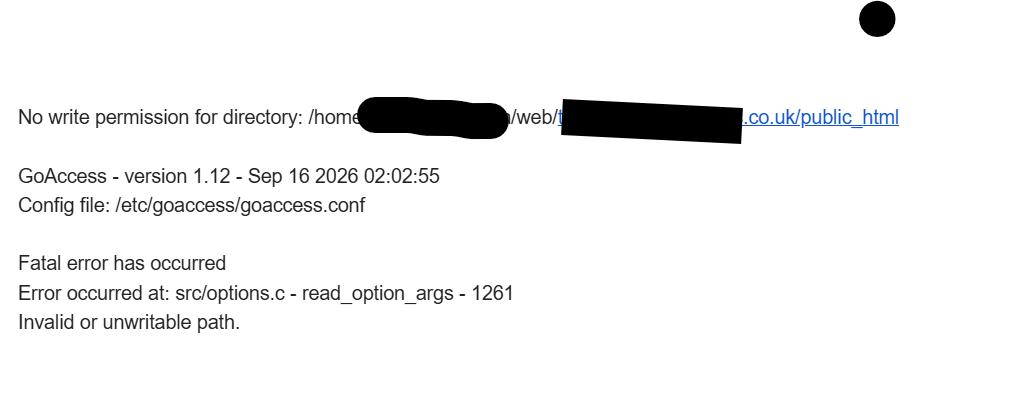
I am trying to create a cronjob via the hestiacp interface, I pasted this command below there. But I get permission errors wheneven the job runs. How can I fix this please? I am trying to add a job for goaccess.io .
goaccess /var/log/nginx/domains/domain.com.log /var/log/apache2/domains/domain.com.log --log-format=COMBINED -o /home/user/web/domain.com/public_html/report.html
sahsanu
October 29, 2026, 11:45am
2
You don’t paste the exact error but you should use the full path where you have goaccess, example:
/usr/bin/goaccess /var/log/nginx/domains/domain.com.log /var/log/apache2/domains/domain.com.log --log-format=COMBINED -o /home/user/web/domain.com/public_html/report.html
Double check that this log exists /var/log/nginx/domains/domain.com.log because it shouldn’t if you are using Nginx+Apache2.
thanks.
Can a normal user who is not an admin add this same cron or would they need a permission?
sahsanu
October 29, 2026, 12:47pm
5
Show the output of this command (replace the user and domain with the actual ones):
namei -l /home/user/web/domain.com/public_html/report.html
drwxr-xr-x root root /domain.co.uk
Those perms allow the nonadminuser write the report.html. Are you adding the cron job as nonadminuser?
I am adding the cronjob as the admin user. I though the admin user should be able to write the report also?
No, the admin user doesn’t have the perms, you must add the cron job to nonadminuser
I added the job to the nonadmin user, and I have another error with permission.
GoAccess - version 1.12 - Sep 16 2026 02:02:56
Fatal error has occurreddomain.co.uk .log’. Permission denied
Looks like nonadmin user is not permitted to access the log. It’s more like a catch 22 situation now.
By the way, I am using Apache +Nginx and this log exists.
/var/log/nginx/domains/domain.co.uk.log
Update: I removed the nginx log from the job and the job worked successfully. I can view the report now. But I guess only the apache log is being analyzed in the report and the nginx log is left out.
sahsanu
October 29, 2026, 1:21pm
13
If you didn’t modify the templates used and the web domain is not suspended, nginx left the log in the same file apache does.
Thanks alot @sahsanu I appreciate.
One more thing please? Can you give me the cron job task snippet for goaccess real time view? Thanks!
sahsanu
October 29, 2026, 1:58pm
15
You are welcome.
Sorry but I don’t use goaccess.