Apologies if this topic has already been covered, I’ve been reading for several days and my head is about to explode…
I’m configuring Hestia to migrate one of my sites, see how it goes, and then migrate the others.
Since this is new to me, I’m reading up on it first, and at this hour, like I said, my head is about to explode
I have Hestia running Debian 12, and I have IPv6 connectivity, but… nothing about IPv6 appears in the firewall settings. Is the firewall that comes with Hestia compatible with IPv6?
As I said, sorry if this topic has already been discussed, but I haven’t found any threads that clarify this for me…
Excuse me, this might be a bit off-topic in this thread. I came to ask about the possibility of iptables/firewall working with IPv6. You informed me that Hestia doesn’t support IPv6, okay.
I came here because of this thread:
I understand that with this system, users would access the site via IPv6 through Nginx (it’s the same system I use in another panel I’m currently using and plan to abandon). Am I mistaken, or is this correct?
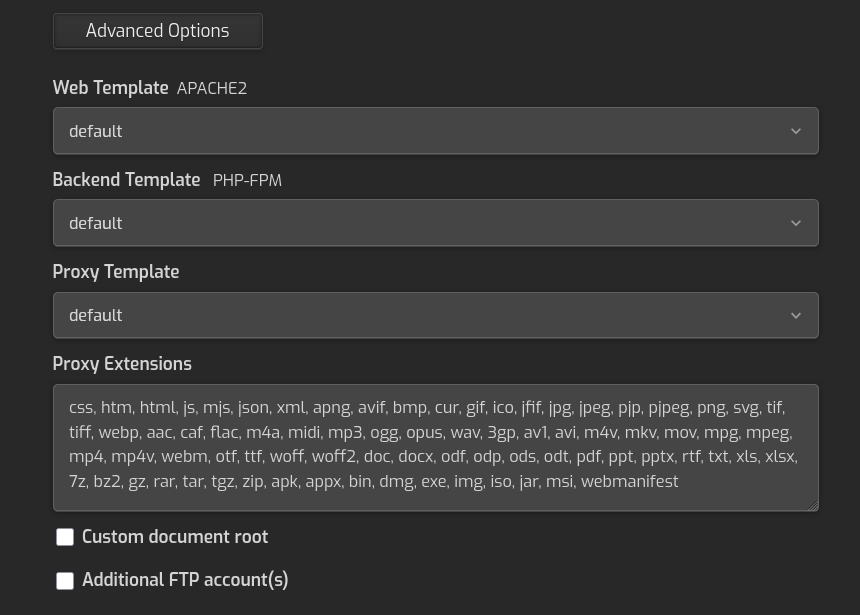
What I don’t see here is how to select one template or the other (default.tpl or ipv6.tpl once it’s copied and edited, of course). It would be a way to test this without affecting the site in any way.
Yes, you can use a specific IPv6 address, no problem.
You don’t need to modify the Apache templates; the only web server accessed using your public IPs is Nginx.
For the mail domain, there is no way to add a specific template, but you can modify the current one.
For Nginx + Apache2, edit the default.tpl and default.stpl templates located in /usr/local/hestia/data/templates/mail/nginx/ and create the mail domain or rebuild it if already exists.
Keep in mind that you may need to modify these mail templates again after the next Hestia upgrade.
Yes, you can use a specific IPv6 address, no problem.[/quote]
Okay, perfect
[quote=“sahsanu, post:9, topic:20702”]
You don’t need to modify the Apache templates; the only web server accessed using your public IPs is Nginx.[/quote]
Thanks for the clarification. I understand that everything is handled by nginx, and that’s the only place I need to modify.
Okay, but I don’t think I explained myself well. Correct me if I’m wrong, but this is so that webmail and Roundcube can also be accessible/listen via IPv6. If so, I’ll make those changes, and in the next Hestia upgrade, I’ll remember to make the change.
I meant that Exim/SMTP should be able to work with IPv6 (Gmail wants to receive mail via IPv6 as well). I’ve been looking into it and I’ve seen that the file /etc/exim4/exim4.conf.template has this field:
disable_ipv6 = true
It would be a matter of changing it to false.
And the file:
/etc/dovecot/dovecot.conf already has:
listen = *, ::
Which is necessary for IPv6.
Hmm… I wasn’t aware of this parameter… okay, I’ll mention it.
Anyway, I’m already running tests and it’s sending the site via IPv6, but I was unaware of this parameter. I come from the Red Hat/Postfix world, so this is all a bit new to me…
Ok, then, all good
Thank you so much! You can’t imagine how grateful I am for these answers, the forum, etc.
Thanks
PS: I just changed the DNS settings and they’re pointing to the new server with Hestia, working perfectly on the first try (after some initial configuration, readings, etc.).