I am using v1.9.4 on a Debian 12 VPS.
I installed my WP website, enabled SSL and everything worked fine for about an hour.
Now all of a sudden my website stopped working and I get ERR_SSL_VERSION_OR_CIPHER_MISMATCH (and rarely from time to time ERR_QUIC_PROTOCOL_ERROR)
Here are the steps I followed:
I created a new Hetsia account (non admin), added the domain, redirect the domain’s A record to my VPS’ IP on cloudflare.
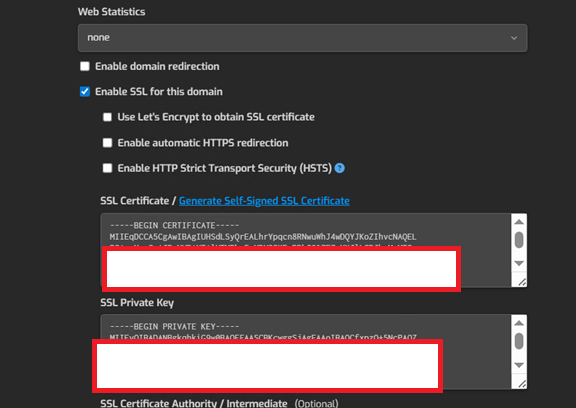
I generated a new CF origin certificate, and inserted the certificate + key values in the first two fields in hestia under “use SSL”
Usually on my other servers I enter the SSL certificate Authority fromCloudflare origin CA · Cloudflare SSL/TLS docs in the third textarea, but when I did, I got an error**
”Error: SSL intermediate chain is not valid”**
On my end I just clicked on “Enable SSL for this domain - Use let’s encrypt to obtain SSL certificate” like I always do, it’s just that all websites I did SSL certificate the next hour are down
Maybe it’s a widespread cloudflare issue or something like that happening at the moment
@jollip, did you make sure to follow the instructions from the doc? You should disable CF during let’s encrypt config, wait 5 mins, request the certs, then after it’s done enable CF proxy and set mode to Full (without strict)
@sahsanu I have used this config on many servers before and it worked fine, I am note sure what you mean?
As I mentioned in my post, I used origin certificates from CF, are there “right and wrong” certificates? There are only 2 certificates, either RSA or ECC that are available on CF.
I put a link to the instructions I followed, I faced the same bug so I followed the solution from this link
Yes, that’s the reason I’m asking. If you generated an Origin Certificate with RSA for your domain, you must use the Cloudflare Root CA RSA. If you generated an Origin Certificate with ECC for your domain, you must use the Cloudflare Root CA ECC.
Could both of you please show the output of these commands? Note: Replace example.net with the actual domain name and 203.0.113.1 with the actual public ip of your Hestia server.
I ended up disabling everything and I used the CLI and it worked just fine.
The origin cert/keys I created were RSA (Default setting), as for the Root CA Certificate, I followed the steps from the link above (so it was RSA CA too). Should have worked, and it actually did work, for a couple of hours.
When it broke I tried the ECC CA (without changing the Cert/key RSA combination) and obviously that didn’t work neither, I kept messing around activating, de-activating, changing SSL settings, etc until I ended up disabling everything and removing the certificate from /usr/local/share/ca-certificates and from /etc/ssl/certs/