Error after server update

OS: Ubuntu 22.04.5 LTS

systemctl status nginx return:

nginx: [warn] “ssl_stapling” ignored, no OCSP responder URL in the certificate “/home/[user]/conf/web/[example].com/ssl/[example].com.pem”

systemd[1]: nginx.service: Can’t open PID file /run/nginx.pid (yet?) after start: Operation not permitted

systemctl status apache2 return:

apachectl[1173]: AH00558: apache2: Could not reliably determine the server’s fully qualified domain name, using ``hcp.[example].com``. Set the ‘ServerName’ directive globally to suppress this message

Please help and guide me.

are you able to open your websites?

and please share

nginx -v

output

Sorry for my late reply,

nginx version: nginx/1.29.4

Check this thread: Rebooted VPS, now websites are not working? - #7 by lavishsphere

Check this: "ssl_stapling" ignored, no OCSP responder URL in the certificate - #10 by sahsanu

Check these ones: V-update-web-domain-ssl not working - #5 by ajmal && https://askubuntu.com/questions/256013/apache-error-could-not-reliably-determine-the-servers-fully-qualified-domain-n

These should resolve for you, afaik.

How to fixed this web-terminal error afer reboot permanently?

Another error

Potential CSRF use detected

Please disable any plugins/add-ons inside your browser or contact your system administrator. If you are the system administrator you can run v-change-sys-config-value ‘POLICY_CSRF_STRICTNESS’ ‘0’ as root to disable this check.

If you followed a bookmark or an static link please navigate to root
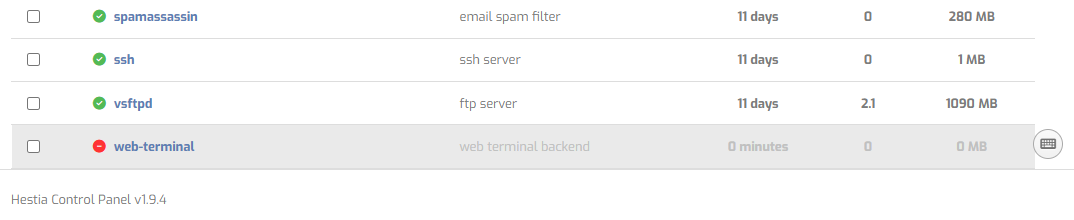
These is all happens after update

Another one:

Apache status
AH00558: apache2: Could not reliably determine the server’s fully qualified domain name, using…