FastCGI cache not works

Hello,

I enabled FastCGI on my domain using WordPress template.

I have NGINX + PHP-FPM (no Apache).

I tried to disable all WP plugins and set a native WP theme.

Cache doens’t work.

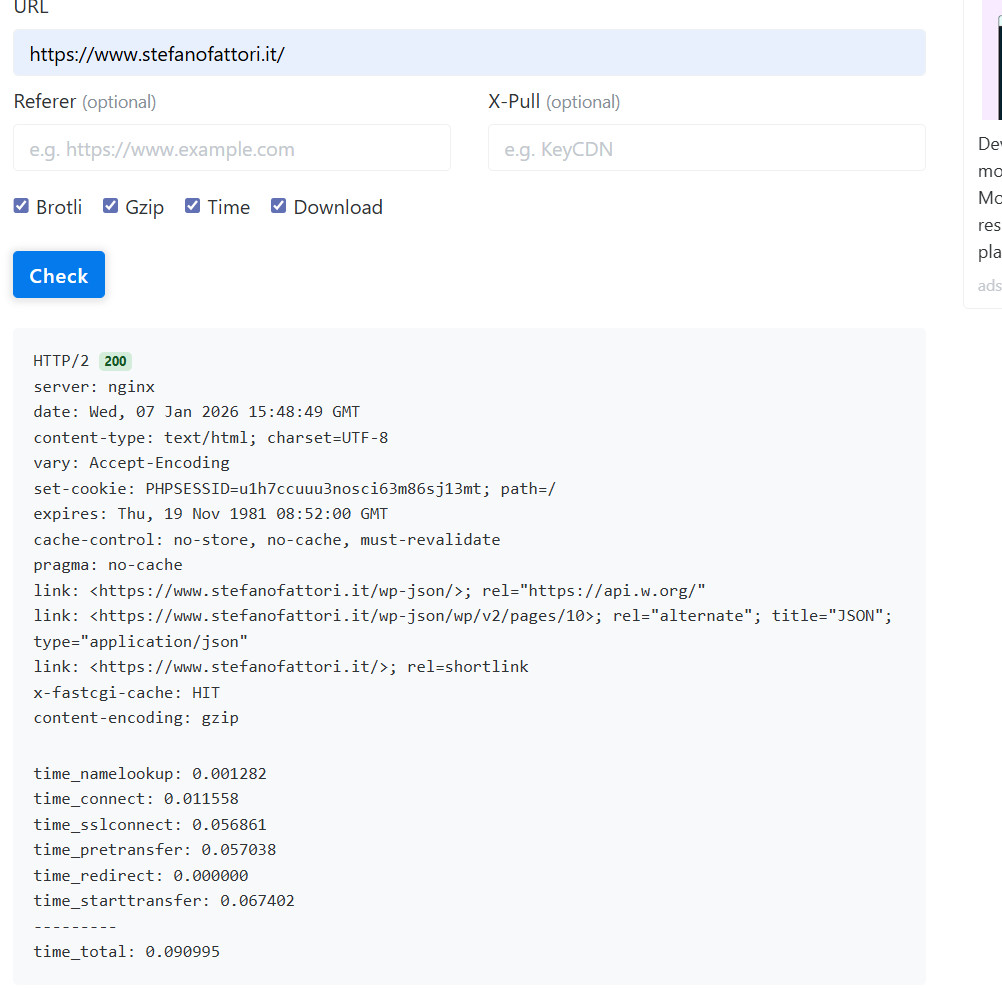
Here my HTTP header:

Please can someone help me to understand where is the problem?

Thanks

FastCGI is only for PHP requests and there is no header added by Nginx to show it.

You could edit the Nginx conf for your domain and add:

add_header X-FastCGI-Cache $upstream_cache_status;

Reload/restart Nginx and try again. If FastCGI works, you will see the header with a MISS/HIT/etc. value.

1 Like

Can I edit that for all domains, global?

FastCGI cache serves only HTML file? or also static file like css, js and images?

Thanks

In the meantime I edit it on domain template.

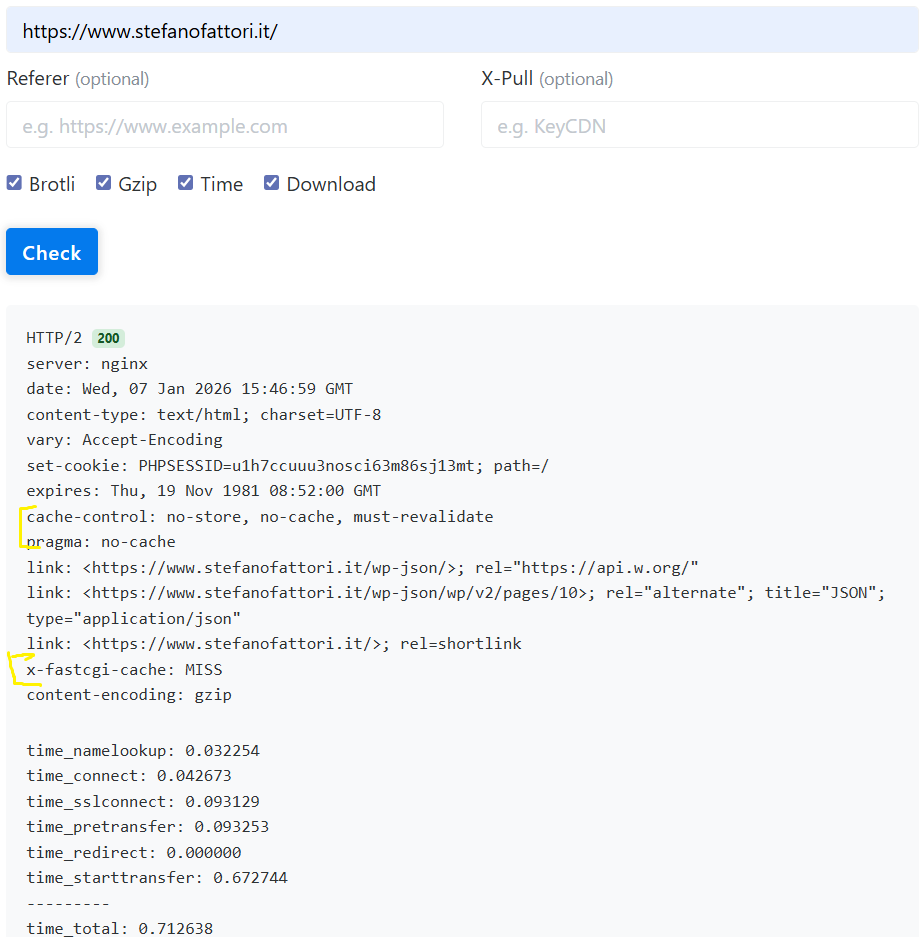
First load MISS

Second load HIT

But on Chrome DevTool I always have: BYPASS

and I always see:
cache-control: no-store, no-cache, must-revalidate
pragma: no-cache

FastCGI cache in Nginx only caches PHP responses. To efficiently cache WordPress pages, it’s recommended to use a plugin or configure caching rules to control what gets stored and when.

2 Likes

@sahsanu and for this do you know how it always shows BYPASS?

Usually because you are connected to your site and Chrome is sending session cookies. Try to view the headers using private/incognito mode in Chrome.

2 Likes

I’m not logged in in wordpress.

I tried with incognito mode, same. BYPASS

That’s because this conf is in the template. These ones are too aggressive (comment_author and wordpress_[a-f0-9]+).

    if ($http_cookie ~* "comment_author|wordpress_[a-f0-9]+|wp-postpass|wordpress_no_cache|wordpress_logged_in|woocommerce_items_in_cart|woocommerce_cart_hash|PHPSESSID") {
        set $no_cache 1;
    }

You could replace it with this:

    if ($http_cookie ~* "wordpress_logged_in_|wp-postpass_|wordpress_no_cache|woocommerce_items_in_cart|woocommerce_cart_hash") {  
        set $no_cache 1;  
    }

Restart Nginx and try again.

1 Like

Tried. Nothing changed. BYPASS

But doesn’t Hestia already come with FastCGI working correctly out of the box?

The problem here is that your site is always sending a cookie header using PHPSESSID. I suspect the issue is caused by a plugin, because by default WordPress doesn’t send that kind of cookie for anonymous users.

Headers on your site, without sending the PHPSESSID cookie, show the FastCGI cache as a HIT:

❯ curl -IsSL https://www.stefanofattori.it/
HTTP/2 200
server: nginx
date: Thu, 08 Jan 2026 14:40:43 GMT
content-type: text/html; charset=UTF-8
vary: Accept-Encoding
vary: Accept-Encoding, Cookie
set-cookie: PHPSESSID=bb7etjr4brkiq0gv218vd0tntb; path=/
expires: Thu, 19 Nov 1981 08:52:00 GMT
cache-control: no-store, no-cache, must-revalidate
pragma: no-cache
link: <https://www.stefanofattori.it/wp-json/>; rel="https://api.w.org/"
link: <https://www.stefanofattori.it/wp-json/wp/v2/pages/10>; rel="alternate"; title="JSON"; type="application/json"
link: <https://www.stefanofattori.it/>; rel=shortlink
x-fastcgi-cache: HIT

Headers on your site, when sending the PHPSESSID cookie, show the FastCGI cache as BYPASS.:

❯ curl -IsSL -H 'Cookie: PHPSESSID=1234567890' https://www.stefanofattori.it/
HTTP/2 200
server: nginx
date: Thu, 08 Jan 2026 14:41:16 GMT
content-type: text/html; charset=UTF-8
vary: Accept-Encoding
vary: Accept-Encoding, Cookie
expires: Thu, 19 Nov 1981 08:52:00 GMT
cache-control: no-store, no-cache, must-revalidate
pragma: no-cache
link: <https://www.stefanofattori.it/wp-json/>; rel="https://api.w.org/"
link: <https://www.stefanofattori.it/wp-json/wp/v2/pages/10>; rel="alternate"; title="JSON"; type="application/json"
link: <https://www.stefanofattori.it/>; rel=shortlink
x-fastcgi-cache: BYPASS

So, in your case, I would remove only PHPSESSID and keep the others that are used for logged-in users. I don’t know which plugins are using that cookie, so you should test it just in case.

if ($http_cookie ~* "comment_author|wordpress_[a-f0-9]+|wp-postpass|wordpress_no_cache|wordpress_logged_in|woocommerce_items_in_cart|woocommerce_cart_hash") {
        set $no_cache 1;
    }
2 Likes

Found the plugin….. “BookingPress Appointment Booking“.

How can I fix it keeping the plugin? contacting developers?

Thank you so much!

1 Like

As I said, you can remove PHPSESSID from Nginx configuration but I don’t know how it could affect to the plugin:

if ($http_cookie ~* "comment_author|wordpress_[a-f0-9]+|wp-postpass|wordpress_no_cache|wordpress_logged_in|woocommerce_items_in_cart|woocommerce_cart_hash") {
        set $no_cache 1;
    }
1 Like

Too risky, I might end up with something that doesn’t work. Basically, it’s pointless to have the fastCGI cache if it can be bypassed so easily by something we have no control over.
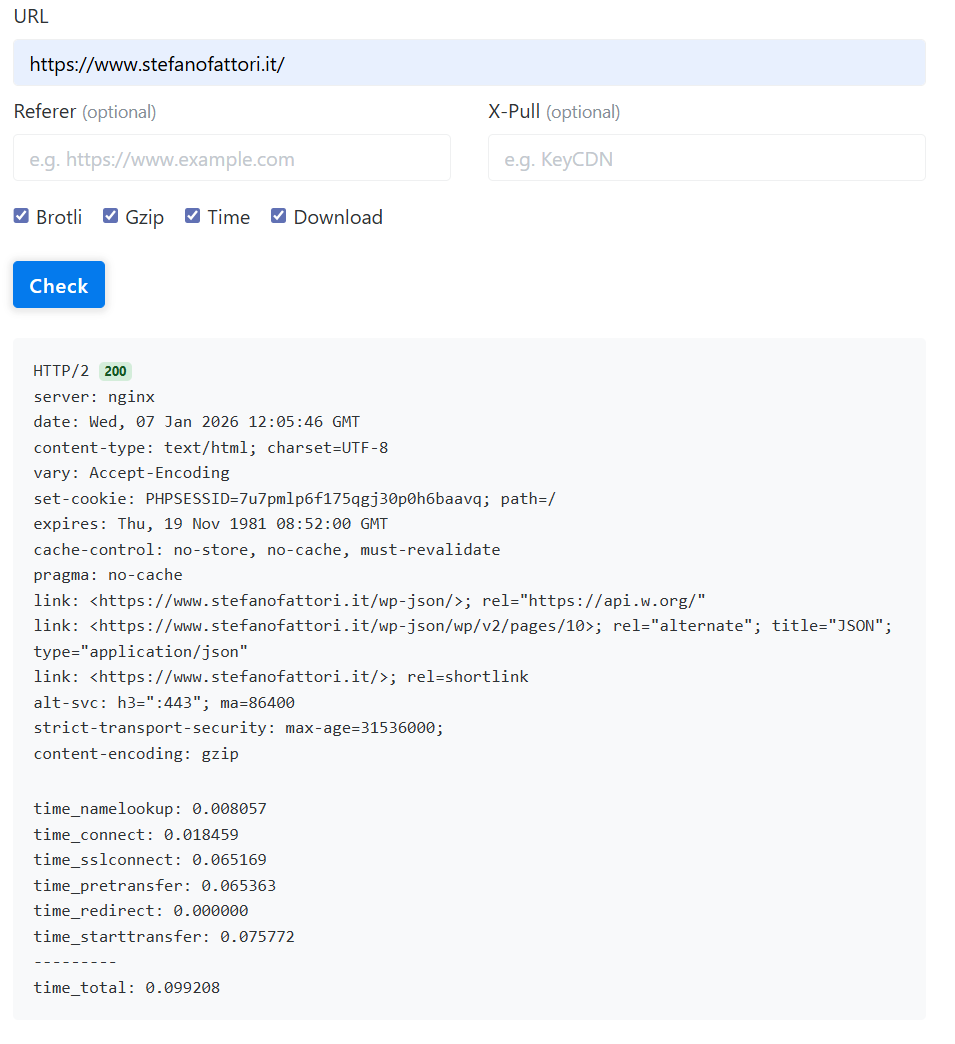
Thanks for your help

1 Like