Hi, I have just installed FOSSBilling on an Oracle Cloud Free Tier instance running HestiaCP.
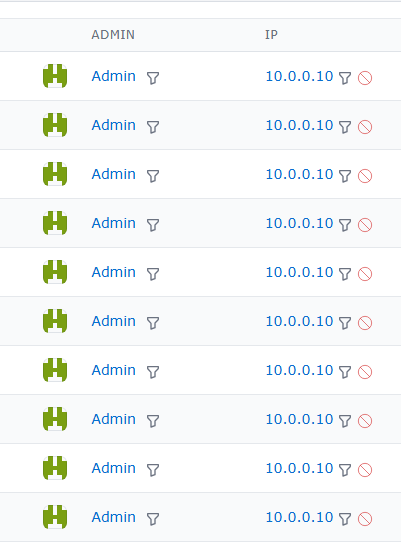
I noticed that FOSSBilling’s admin login/activity log is recording a private IP address instead of the client’s public/WAN IP address.
The server itself has a private OCI VCN IP with a public IP associated with it. I would like FOSSBilling to correctly record the actual client IP rather than the internal/private IP.
Currently using HestiaCP default tpl for the fossbilling installation, please help and advice.
Not sure about the trusted proxy settings, but I believe I’ve seen them somewhere. I’m using Nginx + Apache as my web server, and I noticed a similar issue with WordPress, where all visitor comments show the commenter’s IP as a private subnet address (10.0.0.x).
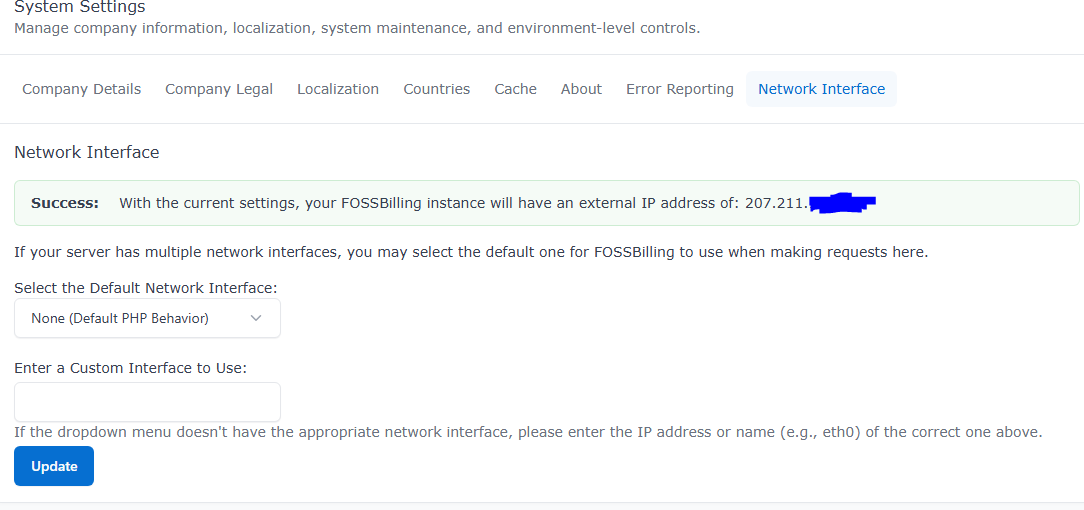
Additional info: The Network Interface section in Settings shows the correct public IP, but in the logs and other sections, everything is being recorded as a private IP (10.0.0.x).
Thanks for the clarification! Since both FOSSBilling and WordPress are logging the 10.0.0.x IP, the issue is definitely on the web server side (Apache), not the applications.
In a HestiaCP Nginx + Apache setup behind Oracle Cloud’s NAT, Apache sees Nginx’s or the internal network’s IP instead of the visitor’s real IP.
You can try this:
Step 1. Connect to the server via SSH and enable mod_remoteip in Apache. Run in your console: a2enmod remoteip
Step 2. Open the module’s configuration file using a file editor like nano. Use this command: sudo nano /etc/apache2/mods-available/remoteip.conf
then delete everything from this file and add this:
Now my config are like these: <IfModule mod_remoteip.c> RemoteIPHeader X-Forwarded-For RemoteIPInternalProxy 127.0.0.1 10.0.0.10 10.0.0.12 </IfModule>
And it’s working now, but could having both mod_remoteip and mod_rpaf enabled and processing X-Forwarded-For cause any conflicts or unexpected client IP detection? Thank you @Blats
Great to hear it’s working! To answer your question: Yes, having both enabled at the same time can absolutely cause conflicts or unexpected IP detection issues.
Both mod_remoteip and mod_rpaf try to do the exact same job: they read the X-Forwarded-For header and overwrite the REMOTE_ADDR variable.
mod_remoteip is the modern, official module built into Apache 2.4+ while .mod_rpaf is an older, third-party module from the Apache 2.2 era. If both process the same request, they might overwrite each other, append duplicate data, or cause security tools (like fail2ban or Cloudflare integrations) to misread the client IP. Since mod_remoteip is now doing the job perfectly on your setup, i recommend you to disable mod_rpaf to keep your server configuration clean and stable.