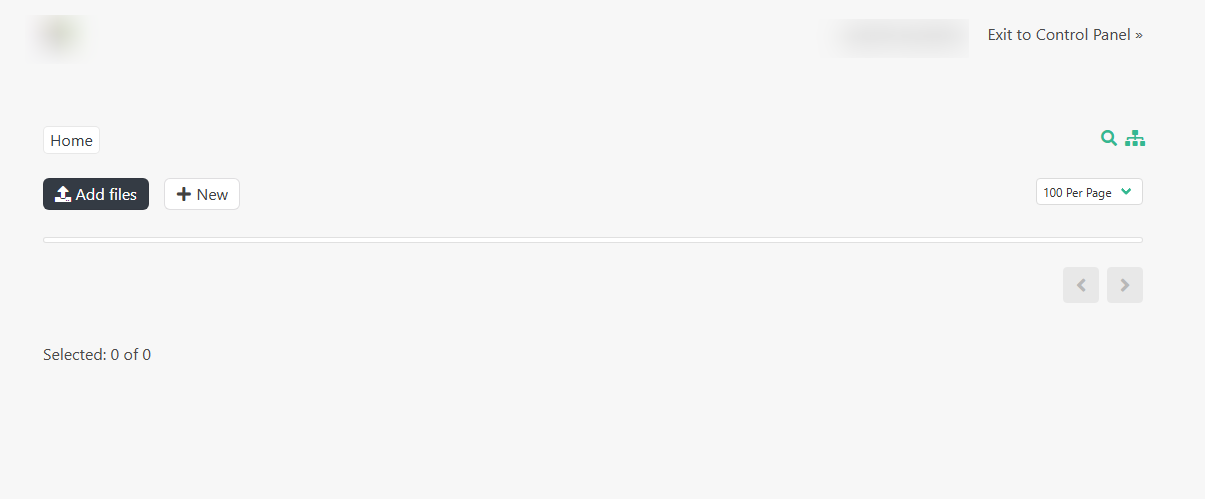
When I open File Manager in HestiaCP, it only shows “Exit to Control Panel”, “Home”, “Add files”, “+ New”, “100 Per Page”, and “Selected: 0 of 0”. No files or folders appear. The main content area is empty.
Does it happen to all the users?
Try to use the file manager again and check the log file for errors:
tail -n20 /var/log/hestia/nginx-error.log
Yes, this issue happens to all users on the server.
I tried accessing the File Manager again and checked the Nginx error log. Below are the latest entries (IP, domain, and username masked for privacy):
root@server:~# tail -n20 /var/log/hestia/nginx-error.log

2026/04/17 14:27:14 [error] FastCGI sent in stderr: "PHP message: PHP Warning:
ini_set(): Session ini settings cannot be changed when a session is active
in /usr/local/hestia/web/fm/vendor/symfony/http-foundation/Session/Storage/Handler/NativeFileSessionHandler.php on line 53"
client: xxx.xxx.xxx.xxx, request: "GET /fm/ HTTP/2.0",
host: "cp.webdomain.online:2182", referrer: "https://cp.webdomain.online:2182/list/web/"

2026/04/17 14:27:14 [error] FastCGI sent in stderr: "PHP message: PHP Warning:
ini_set(): Session ini settings cannot be changed when a session is active
in /usr/local/hestia/web/fm/vendor/symfony/http-foundation/Session/Storage/Handler/NativeFileSessionHandler.php on line 53"
client: xxx.xxx.xxx.xxx, request: "GET /fm/?r=/getconfig HTTP/2.0",
host: "cp.webdomain.online:2182", referrer: "https://cp.webdomain.online:2182/fm/"

2026/04/17 14:27:15 [error] FastCGI sent in stderr: "PHP message: PHP Warning:
ini_set(): Session ini settings cannot be changed when a session is active
in /usr/local/hestia/web/fm/vendor/symfony/http-foundation/Session/Storage/Handler/NativeFileSessionHandler.php on line 53"
client: xxx.xxx.xxx.xxx, request: "GET /fm/?r=/getuser HTTP/2.0",
host: "cp.webdomain.online:2182", referrer: "https://cp.webdomain.online:2182/fm/"
Jumping here. Is the permission correctly set for file manager?
Those are warnings, it should work fine. Don’t you have any other errors not related to Session ini?
I have the same problem.
@John you should also check the log to know what’s the error to be able to solve it:
OK. now is working fine many thanks.
How? Magic? 
yes AI is magic  I used
 tail -n20 /var/log/hestia/nginx-error.log
so I put to AI she resolved my problem About Prestashop 9 as well
It’s not magic and you should be careful about their answers.
Anyway, you should share the error and the solution so others could fix their issue.
my problem was here File Manager error 500 After new installed so I This error occurs because HestiaCP overwrites the original SessionStorage.php file from FileGator with its own version, which does not include the required migrate() method. This causes a fatal PHP error because the class does not implement all the methods defined in the interface.
To fix this issue on your server,
follow the steps below as root user:
Log in via SSH to your server.
Go to the FileGator session adapters directory in HestiaCP:
bash
cd /usr/local/hestia/web/fm/backend/Services/Session/Adapters/
Use code wisely.
Make a backup of the current, faulty file:
bash
mv SessionStorage.php SessionStorage.php.bak
Use code wisely.
Download the corrected version of the file that contains the missing migrate() method:
bash
curl -fssLm20 https://raw.githubusercontent.com/sahsanu/hestiacp/90e175baed239cccab8761dbfdc693bc9642c066/install/deb/filemanager/filegator/backend/Services/Session/Adapters/SessionStorage.php -o SessionStorage.php
Use code wisely.
Make sure the permissions are correct (optional, usually the file downloaded by curl will keep the standard permissions):
bash
chown hestiaweb:hestiaweb SessionStorage.php
Use code wisely.
Hestia Control Panel
After executing these commands, File Manager should start working properly without having to restart the entire server.
This problem mainly affects newer HestiaCP installations on systems such as Ubuntu 22.04/24.04 or Debian 12.
And start working fine for me