Hello. Please help me with this problem. How can I activate Cronjob?
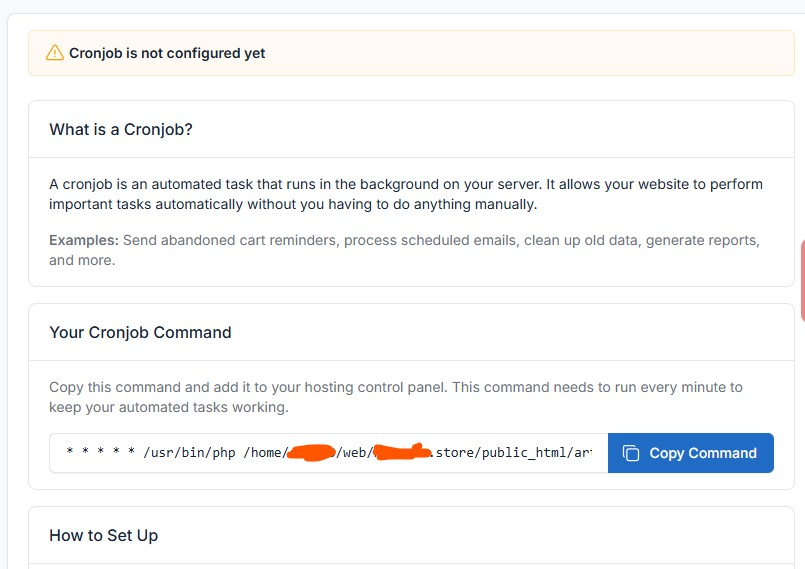
This is instruction from the script.
Your Cronjob Command.
- /usr/bin/php /home/stc200/web/domain.store/public_html/artisan schedule:run >> /dev/null 2>&1
Setup cronjob
Command:
- /usr/local/bin/php /path-to-your-project/artisan schedule:run >> /dev/null 2>&1
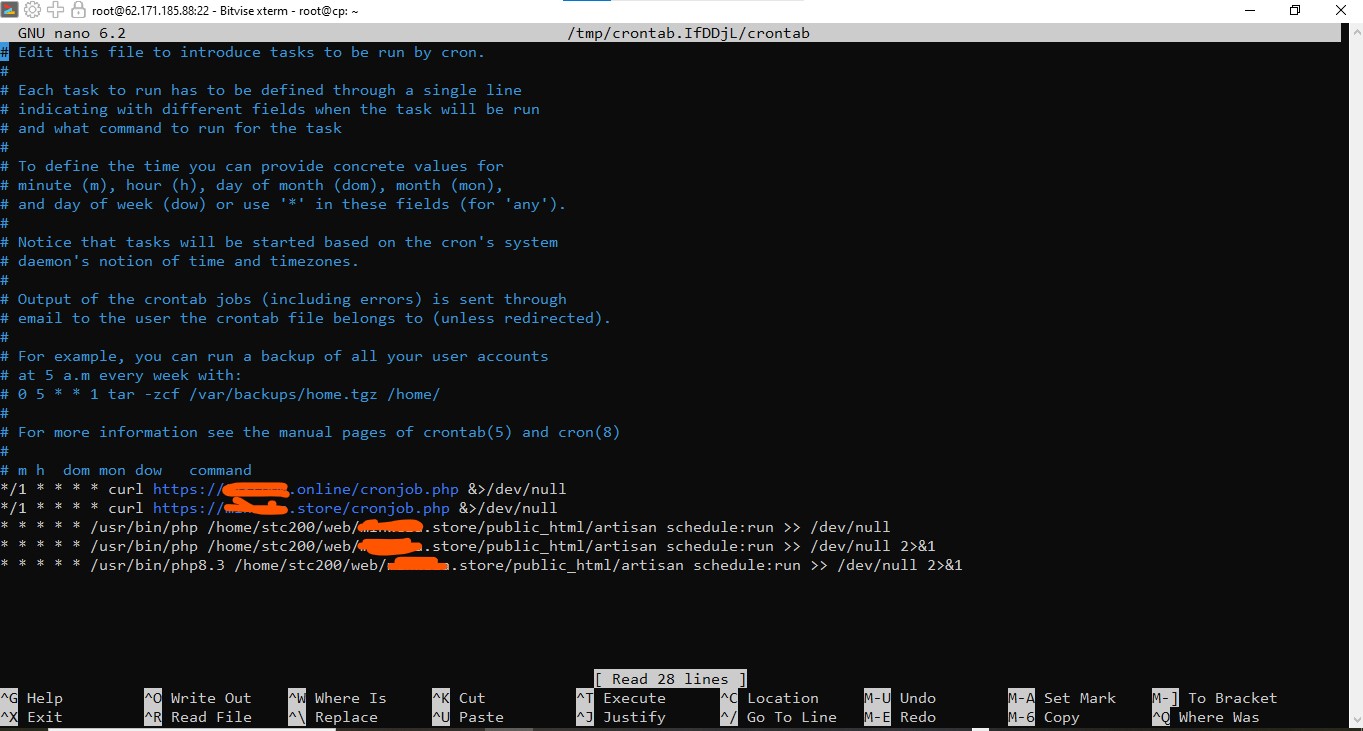
This is an image from SSH/Terminal
I don’t know how this matter is going, as it took me a lot of time to activate.
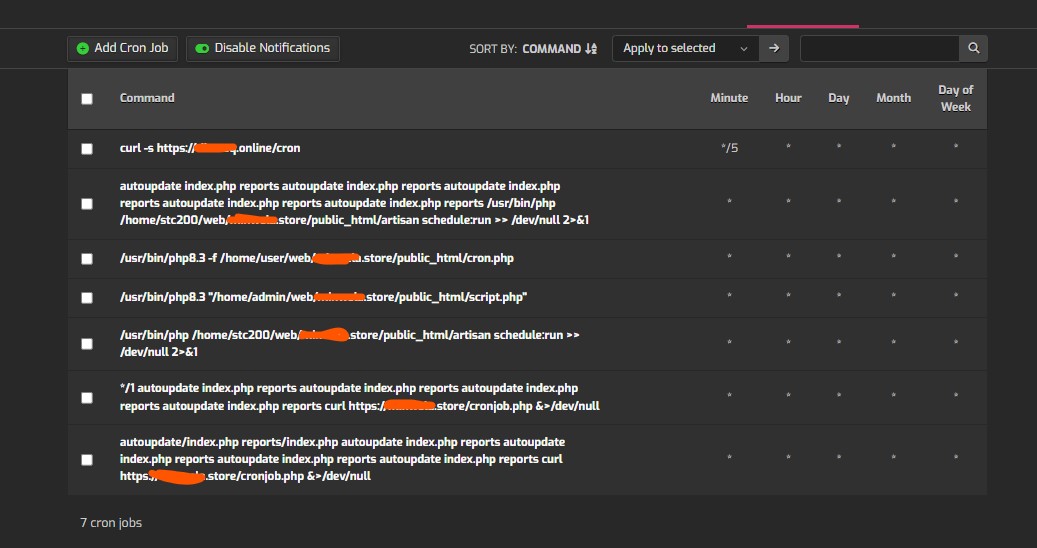
What’s the question? Because you already activated it (but you should remove a few of them that are duplicated).
Thank you for your reply. Please, where exactly should I remove some duplicate copies?
Where can I remove the “هل” option in SSH/Terminal?
Or those in hestiacp
I don’t know which one is correct. Please explain further.
Sorry, I don’t know what you mean.
The correct one is:
/usr/bin/php /home/YOURUSER/web/YOURDOMAIN/public_html/artisan schedule:run >> /dev/null 2>&1
I sent you a private message, I hope I haven’t bothered you.
Is there a solution to this? Please help. The scheduled task has not yet been created.
Cronjob is not configured yet
I suppose you’ll have more luck if you ask in a Laravel community.
Anyway, have you configured config/app.php to use the same timezone as your server?