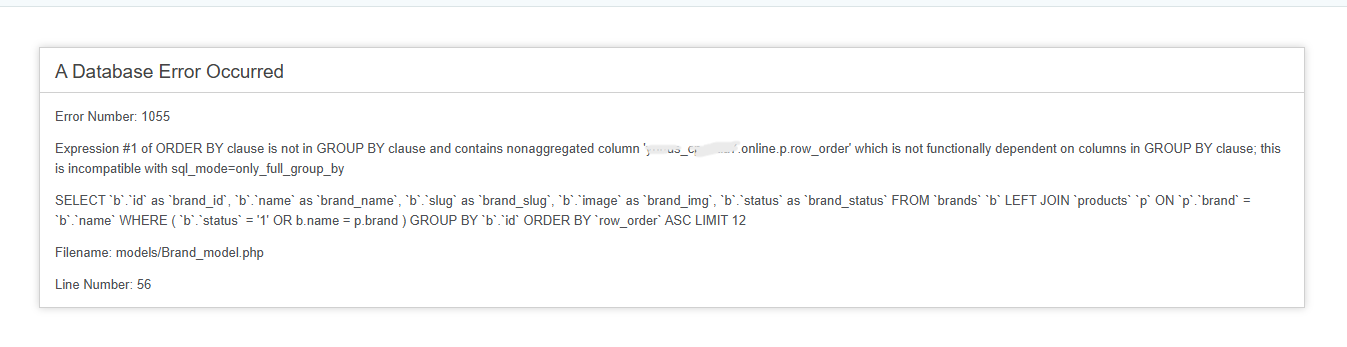
Hello my good friends. Please, I want help in disrupting only_full_group_by.
I contacted the script developer told me to disable this, how I can disable.
How can I disable this online_Full_group_by
Hi,
Next time, please, copy and paste the error, it’s ok to provide the screenshot but provide also the plain text.
First, check if ONLY_FULL_GROUP_BY is enabled in sql_mode directive:
grep -ri ONLY_FULL_GROUP_BY /etc/mysql
If it is there, edit the file containing it, remove ONLY_FULL_GROUP_BY from the sql_mode directive and restart MariaDB.
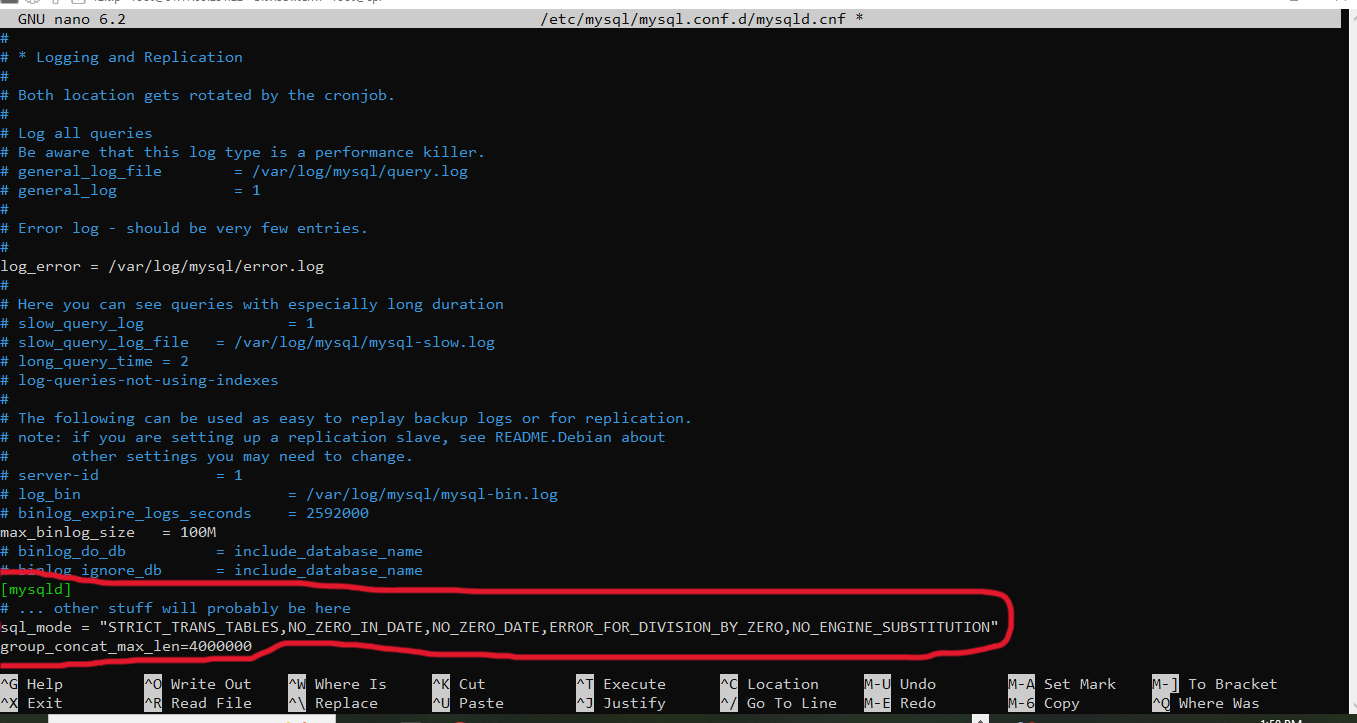
In fact, I did this in this place before the problem occurred. When I followed the instructions from one of the sites, the problem I’m experiencing occurred.
Now I have a big problem because of this explanation that I am suffering from and I cannot solve this problem.
This is the message I received via my email.
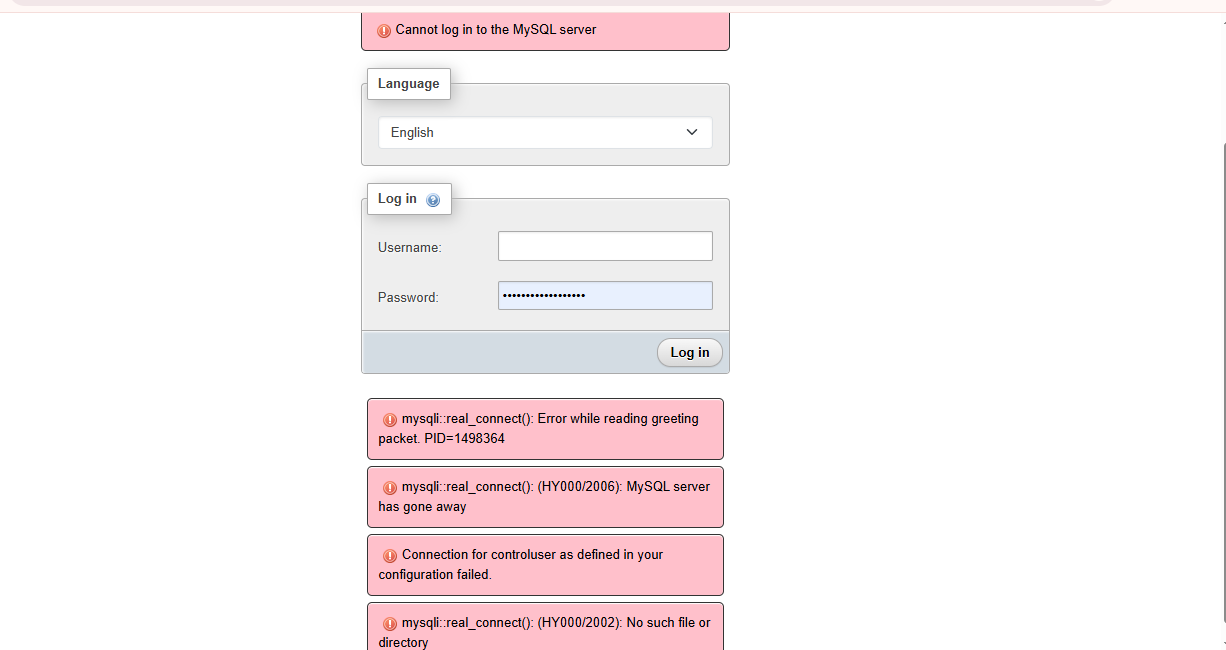
Can’t connect to MySQL localhost:3306
ERROR 2002 (HY000): Can’t connect to local MySQL server through socket ‘/var/run/mysqld/mysqld.sock’ (2)
I can’t even make any backup via Download Database.
I made a mistake because of my recklessness without thinking and what happened to me happened. I do not know how I can solve this problem.
root@cp:~# systemctl status mysql
● mysql.service - MySQL Community Server
Loaded: loaded (/lib/systemd/system/mysql.service; enabled; vendor preset: enabled)
Active: activating (start-pre) since Tue 2025-09-02 13:33:31 CEST; 2ms ago
Cntrl PID: 1590695 ((md-start))
Tasks: 1 (limit: 14279)
Memory: 128.0K
CPU: 1ms
CGroup: /system.slice/mysql.service
└─1590695 “[(md-start)]”
Sep 02 13:33:31 cp.haraj-sooq.store systemd[1]: Starting MySQL Community Server…
root@cp:~#
And what did you change, only sql_mode? Did you start getting the errors after that change, or how/when did it happen?
Check the error log: /var/log/mysql/error.log
Yes I changed sql_mode just 2 days ago at the same time when I changed it.
This is what it looks like to me.
root@cp:~# /var/log/mysql/error.log
-bash: /var/log/mysql/error.log: Permission denied
root@cp:~#
It’s a log, you can’t execute it, you must check the content.
For example:
tail -n20 /var/log/mysql/error.log
This is what it looks like to me.
root@cp:~# tail -n20 /var/log/mysql/error.log
2025-09-02T14:41:59.612641Z 0 [System] [MY-010116] [Server] /usr/sbin/mysqld (mysqld 8.0.39-0ubuntu0.22.04.1) starting as process 1754124
2025-09-02T14:41:59.667325Z 1 [System] [MY-013576] [InnoDB] InnoDB initialization has started.
2025-09-02T14:42:01.784833Z 1 [System] [MY-013577] [InnoDB] InnoDB initialization has ended.
2025-09-02T14:42:02.804215Z 0 [Warning] [MY-010068] [Server] CA certificate ca.pem is self signed.
2025-09-02T14:42:02.804327Z 0 [System] [MY-013602] [Server] Channel mysql_main configured to support TLS. Encrypted connections are now supported for this channel.
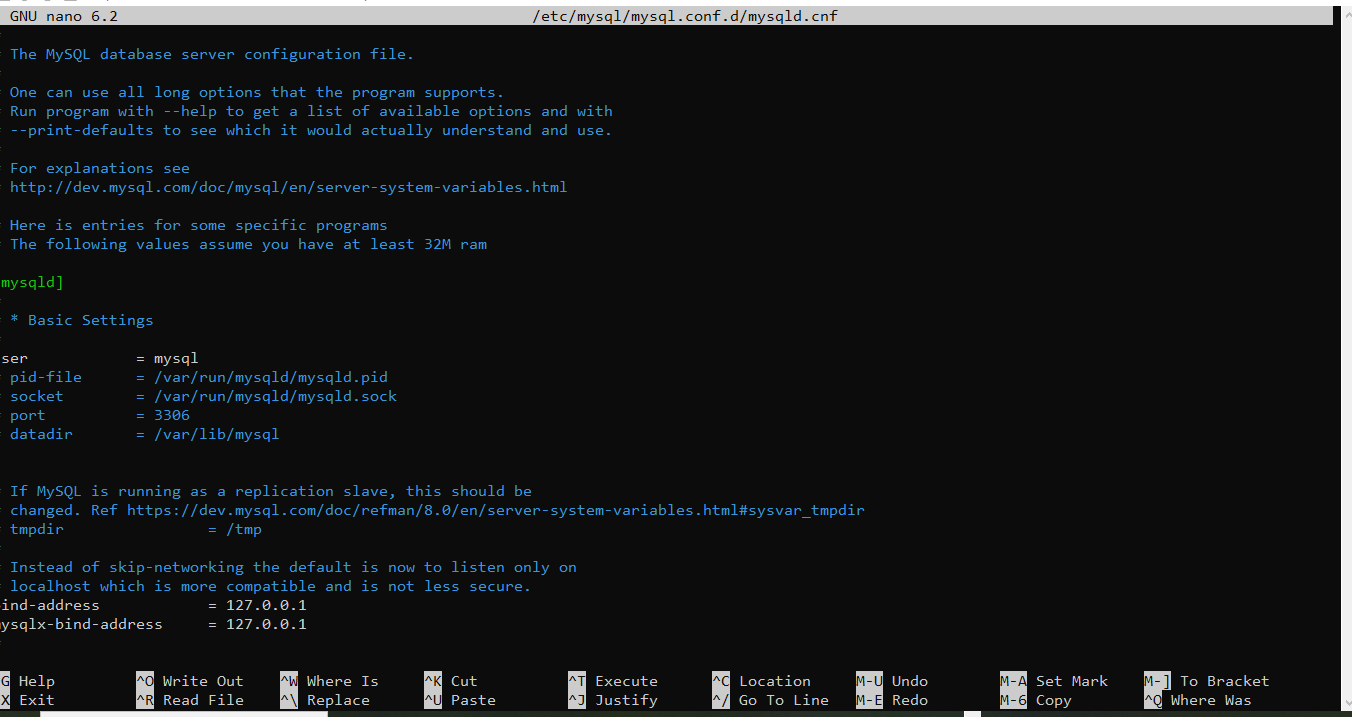
2025-09-02T14:42:02.817038Z 0 [ERROR] [MY-000068] [Server] unknown option ‘–GNU nano 6.2 /etc/mysql/mysql.conf.d/mysqld.cnf’.
2025-09-02T14:42:02.817220Z 0 [ERROR] [MY-010119] [Server] Aborting
2025-09-02T14:42:04.267653Z 0 [System] [MY-010910] [Server] /usr/sbin/mysqld: Shutdown complete (mysqld 8.0.39-0ubuntu0.22.04.1) (Ubuntu).
2025-09-02T14:42:05.111499Z 0 [Warning] [MY-011070] [Server] ‘Disabling symbolic links using --skip-symbolic-links (or equivalent) is the default. Consider not using this option as it’ is deprecated and will be removed in a future release.
2025-09-02T14:42:05.114679Z 0 [System] [MY-010116] [Server] /usr/sbin/mysqld (mysqld 8.0.39-0ubuntu0.22.04.1) starting as process 1754198
2025-09-02T14:42:05.162986Z 1 [System] [MY-013576] [InnoDB] InnoDB initialization has started.
2025-09-02T14:42:06.722570Z 1 [System] [MY-013577] [InnoDB] InnoDB initialization has ended.
2025-09-02T14:42:07.500542Z 0 [Warning] [MY-010068] [Server] CA certificate ca.pem is self signed.
2025-09-02T14:42:07.500630Z 0 [System] [MY-013602] [Server] Channel mysql_main configured to support TLS. Encrypted connections are now supported for this channel.
2025-09-02T14:42:07.513581Z 0 [ERROR] [MY-000068] [Server] unknown option ‘–GNU nano 6.2 /etc/mysql/mysql.conf.d/mysqld.cnf’.
2025-09-02T14:42:07.513774Z 0 [ERROR] [MY-010119] [Server] Aborting
2025-09-02T14:42:09.053790Z 0 [System] [MY-010910] [Server] /usr/sbin/mysqld: Shutdown complete (mysqld 8.0.39-0ubuntu0.22.04.1) (Ubuntu).
2025-09-02T14:42:09.819843Z 0 [Warning] [MY-011070] [Server] ‘Disabling symbolic links using --skip-symbolic-links (or equivalent) is the default. Consider not using this option as it’ is deprecated and will be removed in a future release.
2025-09-02T14:42:09.823440Z 0 [System] [MY-010116] [Server] /usr/sbin/mysqld (mysqld 8.0.39-0ubuntu0.22.04.1) starting as process 1754248
2025-09-02T14:42:09.874496Z 1 [System] [MY-013576] [InnoDB] InnoDB initialization has started.
root@cp:~#
In this file /etc/mysql/mysql.conf.d/mysqld.cnf you have incorrectly added this line –GNU nano 6.2 /etc/mysql/mysql.conf.d/mysqld.cnf. Edit the file again, delete the line and restart the database.
Do I add this using the command prompt or is it in the admin panel hestiacp?
From the command line, but you must delete that line, not add it.
Yes it works fine finally this problem is solved.Thank you so much from the bottom of my heart. You are a helpful person.
Now tell me how can I cancel this only_full_group_by
Show this output:
sudo -i
mysql -uroot -e "SELECT @@SESSION.sql_mode;SELECT @@GLOBAL.sql_mode;SHOW VARIABLES LIKE 'sql_mode';"
This is what it looks like to me.
root@cp:~# sudo -i
mysql -uroot -e "SELECT @@SESSION.sql_mode;SELECT @@GLOBAL.sql_mode;SHOW VARIABLES LIKE ‘sql_mode’;"root@cp:~# mysql -uroot -e “SELECT @@SESSION.sql_mode;SELECT @@GLOBAL.sql_mode;SHOW VARIABLES LIKE ‘sql_mode’;”
mysql: [ERROR] unknown variable ‘sql-mode=ERROR_FOR_DIVISION_BY_ZERO,NO_AUTO_CREATE_USER,NO_ENGINE_SUBSTITUTION’.
root@cp:~#
Don’t copy/paste both commands at the same time, first one and then the other one.
Do you mean this way?
root@cp:\~# sudo -i
mysql -uroot -e “SELECT @@SESSION.sql_mode;SELECT @@GLOBAL.sql_mode;SHOW VARIABLES LIKE ‘sql_mode’;”

root@cp:\~# mysql -uroot -e “SELECT @@SESSION.sql_mode;SELECT @@GLOBAL.sql_mode;SHOW VARIABLES LIKE ‘sql_mode’;”
mysql: \[ERROR\] unknown variable ‘sql-mode=ERROR_FOR_DIVISION_BY_ZERO,NO_AUTO_CREATE_USER,NO_ENGINE_SUBSTITUTION’.
root@cp:\~#
That should work, well, I’m using MariaDB so don’t know if thats different for your MySQL version.
Anyway, the last command shows that sql_mode is using ERROR_FOR_DIVISION_BY_ZERO,NO_AUTO_CREATE_USER,NO_ENGINE_SUBSTITUTION so ONLY_FULL_GROUP_BY is no active, at least in a global way.
grep -Ri ONLY_FULL_GROUP_BY /etc/mysql/
Also, check if the app you are ussing is activating it for the session (replace YourUser and YourDomain with the actual user and domain):
grep -Ri ONLY_FULL_GROUP_BY /home/YourUser/web/YourDomain/public_html/
This is what it looks like to me.
root@cp:\~# grep -Ri ONLY_FULL_GROUP_BY /home/yunus/web/artia7.online/public_html/
/home/yunus/web/artia7.online/public_html/application/logs/log-2025-08-30.php:ERROR - 2025-08-30 04:56:03 → Query error: Expression #1 of ORDER BY clause is not in GROUP BY clause and contains nonaggregated column ‘yunus_web.cp.artia7.online.p.row_order’ which is not functionally dependent on columns in GROUP BY clause; this is incompatible with sql_mode=only_full_group_by - Invalid query: SELECT `b`.`id` as `brand_id`, `b`.`name` as `brand_name`, `b`.`slug` as `brand_slug`, `b`.`image` as `brand_img`, `b`.`status` as `brand_status`
/home/yunus/web/artia7.online/public_html/application/logs/log-2025-08-30.php:ERROR - 2025-08-30 04:56:06 → Query error: Expression #1 of ORDER BY clause is not in GROUP BY clause and contains nonaggregated column ‘yunus_web.cp.artia7.online.p.row_order’ which is not functionally dependent on columns in GROUP BY clause; this is incompatible with sql_mode=only_full_group_by - Invalid query: SELECT `b`.`id` as `brand_id`, `b`.`name` as `brand_name`, `b`.`slug` as `brand_slug`, `b`.`image` as `brand_img`, `b`.`status` as `brand_status`
/home/yunus/web/artia7.online/public_html/application/logs/log-2025-08-30.php:ERROR - 2025-08-30 04:56:57 → Query error: Expression #1 of ORDER BY clause is not in GROUP BY clause and contains nonaggregated column ‘yunus_web.cp.artia7.online.p.row_order’ which is not functionally dependent on columns in GROUP BY clause; this is incompatible with sql_mode=only_full_group_by - Invalid query: SELECT `b`.`id` as `brand_id`, `b`.`name` as `brand_name`, `b`.`slug` as `brand_slug`, `b`.`image` as `brand_img`, `b`.`status` as `brand_status`
/home/yunus/web/artia7.online/public_html/application/logs/log-2025-08-30.php:ERROR - 2025-08-30 04:57:45 → Query error: Expression #2 of SELECT list is not in GROUP BY clause and contains nonaggregated column ‘yunus_web.cp.artia7.online.orders.date_added’ which is not functionally dependent on columns in GROUP BY clause; this is incompatible with sql_mode=only_full_group_by - Invalid query: SELECT SUM(final_total) AS total_sale, DATE_FORMAT(date_added, “%b”) AS month_name
/home/yunus/web/artia7.online/public_html/application/logs/log-2025-08-30.php:ERROR - 2025-08-30 04:57:45 → Query error: Expression #32 of SELECT list is not in GROUP BY clause and contains nonaggregated column ‘yunus_web.cp.artia7.online.ot.courier_agency’ which is not functionally dependent on columns in GROUP BY clause; this is incompatible with sql_mode=only_full_group_by - Invalid query: SELECT `o`.\*, `ot`.`courier_agency`, `ot`.`tracking_id`, `ot`.`url`, `u`.`username`, `db`.`username` as `delivery_boy`
/home/yunus/web/artia7.online/public_html/application/logs/log-2025-08-30.php:ERROR - 2025-08-30 04:58:13 → Query error: Expression #1 of ORDER BY clause is not in GROUP BY clause and contains nonaggregated column ‘yunus_web.cp.artia7.online.p.row_order’ which is not functionally dependent on columns in GROUP BY clause; this is incompatible with sql_mode=only_full_group_by - Invalid query: SELECT `b`.`id` as `brand_id`, `b`.`name` as `brand_name`, `b`.`slug` as `brand_slug`, `b`.`image` as `brand_img`, `b`.`status` as `brand_status`
/home/yunus/web/artia7.online/public_html/application/logs/log-2025-08-30.php:ERROR - 2025-08-30 05:45:54 → Query error: Expression #1 of ORDER BY clause is not in GROUP BY clause and contains nonaggregated column ‘yunus_web.cp.artia7.online.p.row_order’ which is not functionally dependent on columns in GROUP BY clause; this is incompatible with sql_mode=only_full_group_by - Invalid query: SELECT `b`.`id` as `brand_id`, `b`.`name` as `brand_name`, `b`.`slug` as `brand_slug`, `b`.`image` as `brand_img`, `b`.`status` as `brand_status`
/home/yunus/web/artia7.online/public_html/application/logs/log-2025-08-30.php:ERROR - 2025-08-30 05:56:47 → Query error: Expression #1 of ORDER BY clause is not in GROUP BY clause and contains nonaggregated column ‘yunus_web.cp.artia7.online.p.row_order’ which is not functionally dependent on columns in GROUP BY clause; this is incompatible with sql_mode=only_full_group_by - Invalid query: SELECT `b`.`id` as `brand_id`, `b`.`name` as `brand_name`, `b`.`slug` as `brand_slug`, `b`.`image` as `brand_img`, `b`.`status` as `brand_status`
/home/yunus/web/artia7.online/public_html/application/logs/log-2025-08-30.php:ERROR - 2025-08-30 05:56:48 → Query error: Expression #1 of ORDER BY clause is not in GROUP BY clause and contains nonaggregated column ‘yunus_web.cp.artia7.online.p.row_order’ which is not functionally dependent on columns in GROUP BY clause; this is incompatible with sql_mode=only_full_group_by - Invalid query: SELECT `b`.`id` as `brand_id`, `b`.`name` as `brand_name`, `b`.`slug` as `brand_slug`, `b`.`image` as `brand_img`, `b`.`status` as `brand_status`
/home/yunus/web/artia7.online/public_html/application/logs/log-2025-08-30.php:ERROR - 2025-08-30 05:56:49 → Query error: Expression #1 of ORDER BY clause is not in GROUP BY clause and contains nonaggregated column ‘yunus_web.cp.artia7.online.p.row_order’ which is not functionally dependent on columns in GROUP BY clause; this is incompatible with sql_mode=only_full_group_by - Invalid query: SELECT `b`.`id` as `brand_id`, `b`.`name` as `brand_name`, `b`.`slug` as `brand_slug`, `b`.`image` as `brand_img`, `b`.`status` as `brand_status`
/home/yunus/web/artia7.online/public_html/application/logs/log-2025-08-30.php:ERROR - 2025-08-30 05:56:50 → Query error: Expression #1 of ORDER BY clause is not in GROUP BY clause and contains nonaggregated column ‘yunus_web.cp.artia7.online.p.row_order’ which is not functionally dependent on columns in GROUP BY clause; this is incompatible with sql_mode=only_full_group_by - Invalid query: SELECT `b`.`id` as `brand_id`, `b`.`name` as `brand_name`, `b`.`slug` as `brand_slug`, `b`.`image` as `brand_img`, `b`.`status` as `brand_status`
That doesn’t show any code modifying the sql_mod in your app, only the logs and those logs are from 3 days ago. Are you sure the problem is not solved?
Also, you didn’t show the output of the first command.