Hi,
I’m trying to add a custom IP set from https://raw.githubusercontent.com/stamparm/ipsum/master/ipsum.txt . I have created a script:
#!/bin/bash


curl -s https://raw.githubusercontent.com/stamparm/ipsum/master/ipsum.txt \

| awk '{print $1}' \

| grep -E '^[0-9a-fA-F:.]+(/([0-9]{1,3}))?$'
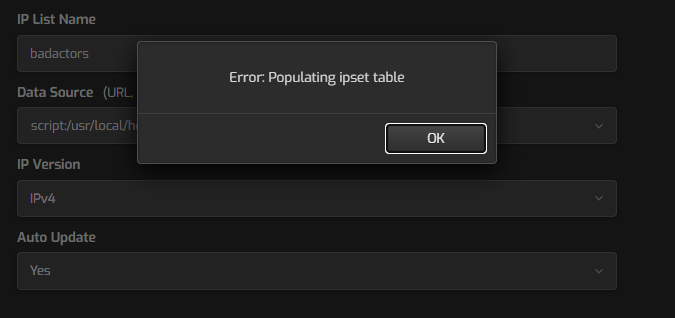
Then I try and add it as an ipset, but I get an error:
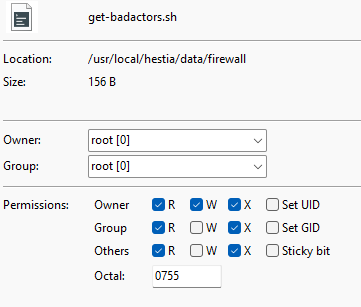
What am I missing? If I run the script from SSH, it outputs the list of IPs fine? The script chmods are:
Thanks
Andy
Your script has those new lines? Because if the script has those new lines it won’t work.
It should look like this:
#!/bin/bash


curl -s https://raw.githubusercontent.com/stamparm/ipsum/master/ipsum.txt \

| awk '{print $1}' \

| grep -E '^[0-9a-fA-F:.]+(/([0-9]{1,3}))?$'
Or this:
#!/bin/bash

curl -s https://raw.githubusercontent.com/stamparm/ipsum/master/ipsum.txt | awk '{print $1}' | grep -E '^[0-9a-fA-F:.]+(/([0-9]{1,3}))?$'
Show the output of this command:
cat -A /usr/local/hestia/data/firewall/get-badactors.sh