I bought a software and in the server requirements I need gmp. I searched around in the forum and apparently sudo apt-get install php7.4-gmp does it. Do I run this as root?
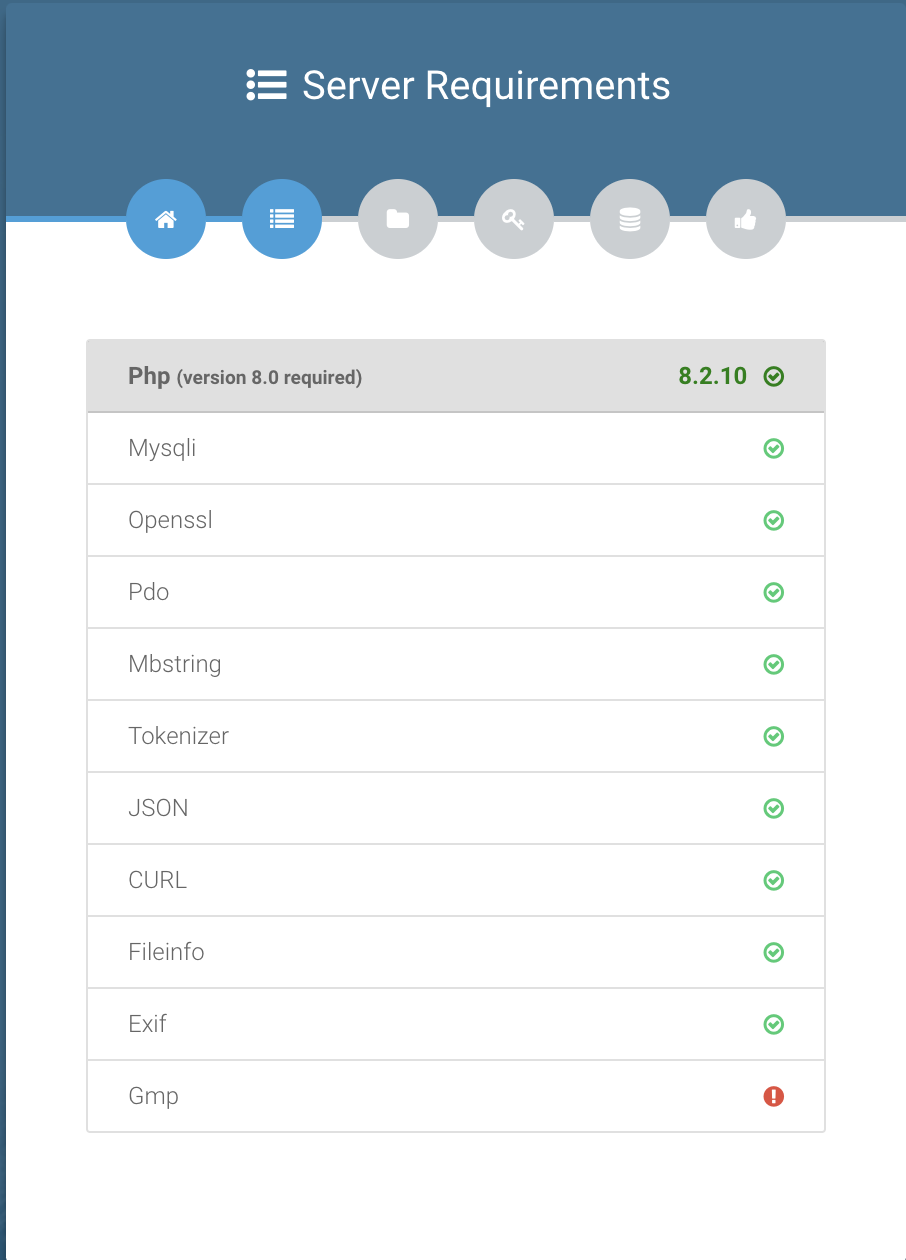
apt-get install php8.2-gmp
in this case
do I ssh in the hestiacp user accout where the domain is hosted and cd into the public html and do that account or do I do it for the main sudo account.
Use root
Hello, Eris @eris Please help
I have the same proble, the same script
I have ubuntu server 22.04 + hestia + use php 8.2.28 version and cann`t install gmp
I tried:
apt-get install -y libgmp-dev
apt-get install php8.2-gmp
or
apt-get install php8.2-gmp --fix-missing
systemctl restart php8.2-fpm
Also added - Make sure your php.ini contains the following: extension=gmp
But I have errors:
Err:1 Index of /ondrej/php/ubuntu jammy/main amd64 php8.2-gmp amd64 8.2.28-1+ubuntu22.04.1+deb.sury.org+1
404 Not Found [IP: 185.125.190.80 443]
E: Failed to fetch https://ppa.launchpadcontent.net/ondrej/php/ubuntu/pool/main/p/php8.2/php8.2-gmp_8.2.28-1%2Bubuntu22.04.1%2Bdeb.sury.org%2B1_amd64.deb 404 Not Found [IP: 185.125.190.80 443]
E: Internal Error, ordering was unable to handle the media swap
Please, help
after some actions i have answer
php8.2 -m | grep gmp
PHP Warning: PHP Startup: Unable to load dynamic library ‘gmp’ (tried: /usr/lib/php/20220829/gmp (/usr/lib/php/20220829/gmp: cannot open shared object file: No such file or directory), /usr/lib/php/20220829/gmp.so (/usr/lib/php/20220829/gmp.so: cannot open shared object file: No such file or directory)) in Unknown on line 0
also
PHP Warning: PHP Startup: Unable to load dynamic library ‘gmp’ (tried: /usr/lib/php/20230831/gmp (/usr/lib/php/20230831/gmp: cannot open shared object file: No such file or directory), /usr/lib/php/20230831/gmp.so (/usr/lib/php/20230831/gmp.so: cannot open shared object file: No such file or directory)) in Unknown on line 0
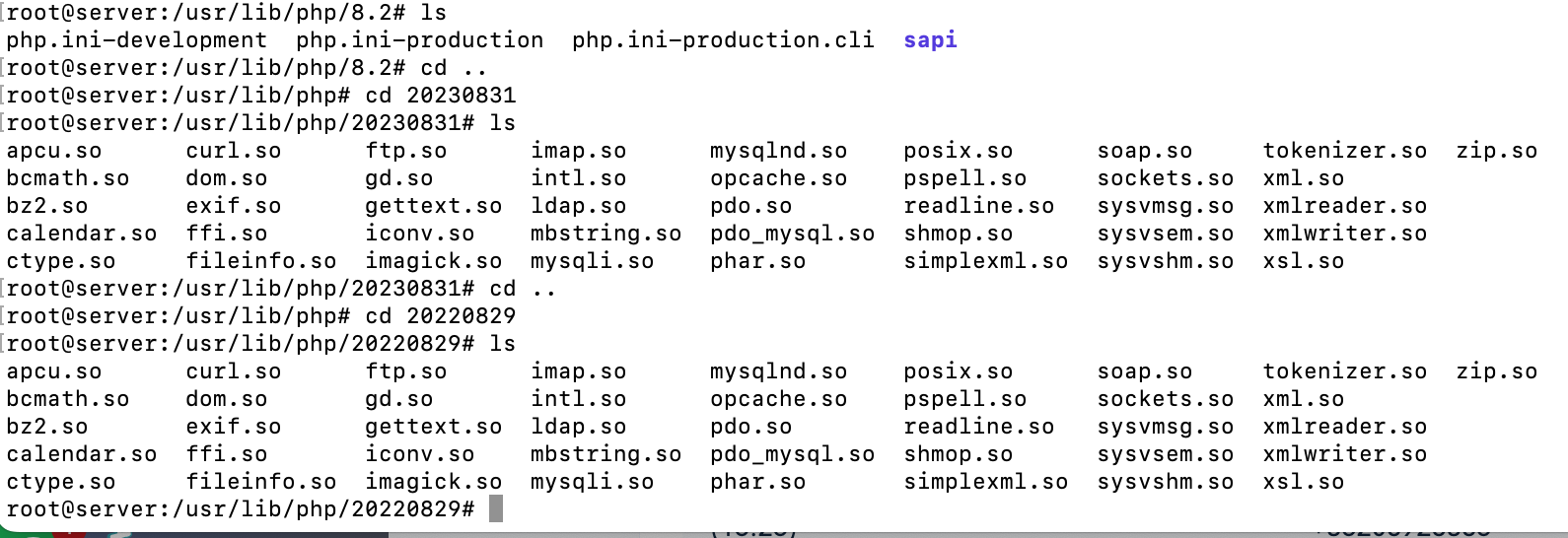
@eris Please help to fix it
Show the output of these commands:
ls -la /etc/apt/sources.list.d/
cat -A /etc/apt/sources.list.d/ondrej-ubuntu-php-jammy.list
apt update
curl -fsSLm20 https://7j.gg/hcpver | sudo bash -s --
I cann`t unserstand
But the problem was solved
Thank You