I have a VPS powered by Ubuntu 22.04, on which I have installed Hestia.
Hestia installation is successful and by default it has created a default web domain.
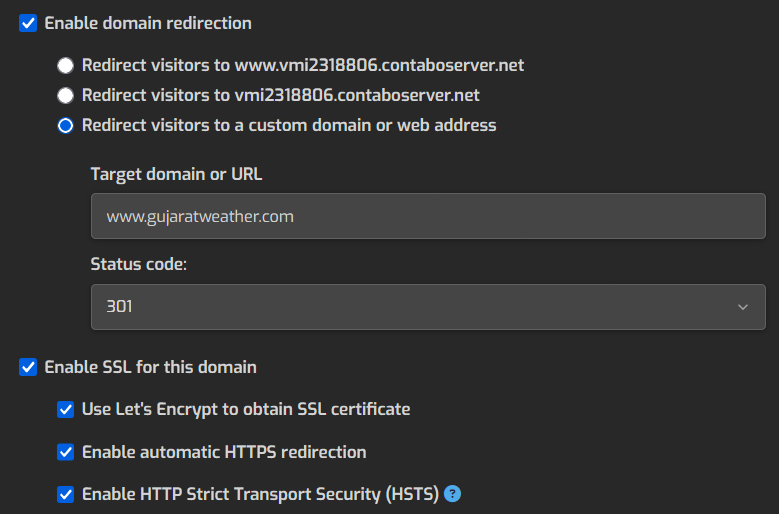
As I am new to Hestia I installed WordPress on the default web domain and everything was working but I could not change the default domain to actual domain, so I setup Aliases and Enabled Domain Redirection to the domain - www.gujaratweather.com.
Overall the website is working find but I keep getting gateway timeout error when trying to upload images or pdf files. Sometimes I get timeout error in approving user comments to various posts.
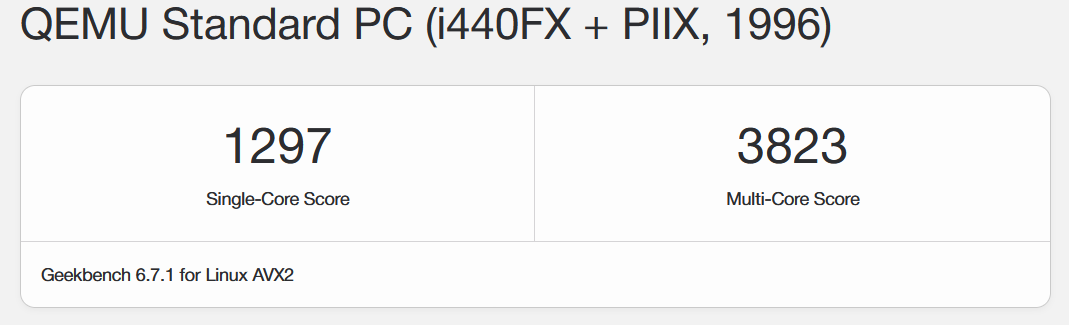
The Geek Benchmark score of my VPS is also very good.
https://browser.geekbench.com/v6/cpu/18809869
Please guide how I can resolve this issue.
Please, don’t do that. Adding a link to a search that can change every time doesn’t add any value to the forum.
Um. It has the solution most likely, and I doubt it will change significantly within the next decade. I thought it might be better than a copy/paste… Next time. All the best!
Well, let me recommend that you revert it. Once HestiaCP is installed, you should create a new user to host your first domain and so on. The default domain that belongs to the “admin” user, which usually uses your server hostname, should not be changed in this way to avoid unexpected problems, as the ones you are getting and others.
So, the correct steps, in a clean HestiaCP server, should be:
-
Add new user
-
Log in as this new user (or just click on his username in the users list to reach its own hosting environment).
-
Add a new web domain inside the new user account, not in the admin user, and not re-aliasing or resetting the default admin web domain generated during HestiaCP installation. Also, you should create a new database inside this new user and everything you need (mail, backups, etc.).
-
So, for the new domain, do everything far away from the admin user and default domain, already set during HestiaCP installation. You should upload your web content again in the new user web folder. Also for the database. Using a new user allows you to isolate them from admin or other users inside the server.
Now maybe it could be difficult to revert your previous steps and make it work again using the new user, so it is up to you to start again and rebuild the server from zero to be sure you do not mess it up again.
Try to follow any HestiaCP tutorial you can find on the net for the first basic steps when setting a new user and his domains instead of reinventing the wheel.
Hi everyone,
I’ve been optimizing my WordPress blog over the past few months. To keep this post from getting too long, I’d just like to briefly describe the changes I’ve made.
- I’m using HestiaCP in nginx-only mode (no Apache) on a Hetzner Cloud VPS. The OS is Debian Bookworm.
- I get the PHP packages from sury.org
- The Nginx version isn’t the one from the Debian repositories either. Here, I use the original Nginx version and extend it with add-ons from blendbyte (brotli and zstandard).
- I’ve also created an optimized Nginx WordPress template. In doing so, I enabled HTTP/3, set security headers, and made various minor adjustments to my WordPress installation.
- Within WordPress itself, I don’t use any optimization plugins. I only use Redis Object Cache and Hestia Nginx Cache.
- I also use the WP Code Snippets plugin. I use it to customize a few things in WordPress to further improve security and performance and to make the blog W3-compliant.
- All the images I use on my blog are in the WebP format.
All in all, I’m very satisfied with the performance, though my blog doesn’t get that much traffic.
Feel free to check out my blog and my PageSpeed scores.
Greetings from Germany
Tobi
Hi @dontobi
I’ve edited your post as we do not allow affilate links.
Thanks to everyone for insightful inputs. I feel the approach suggested by @masterguru is more appropriate for me. And I will try it out.