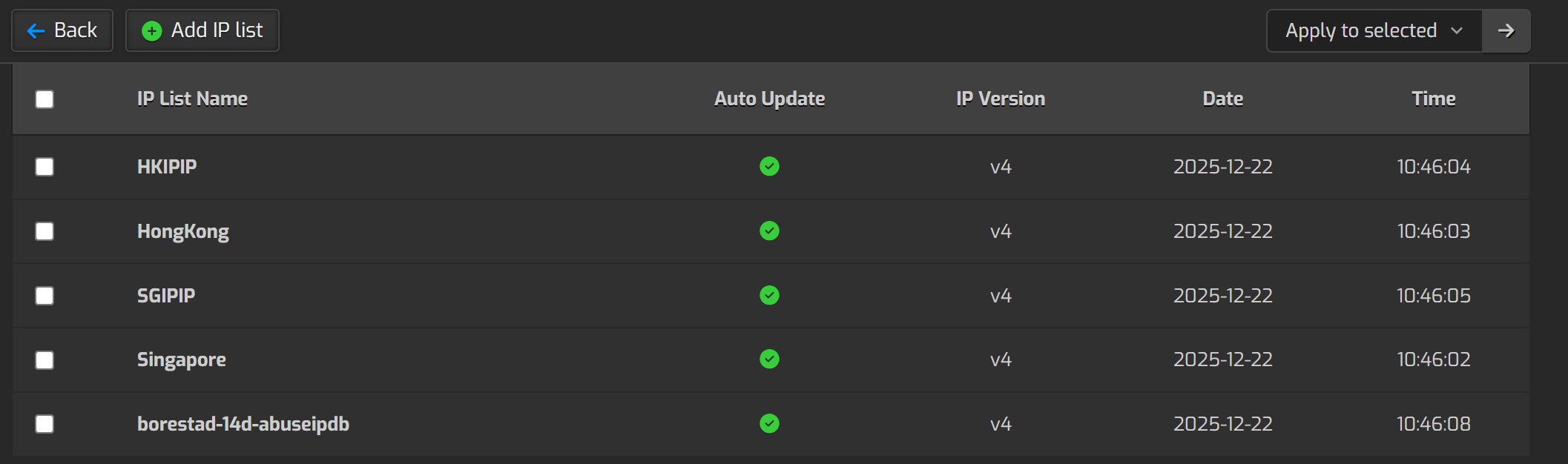
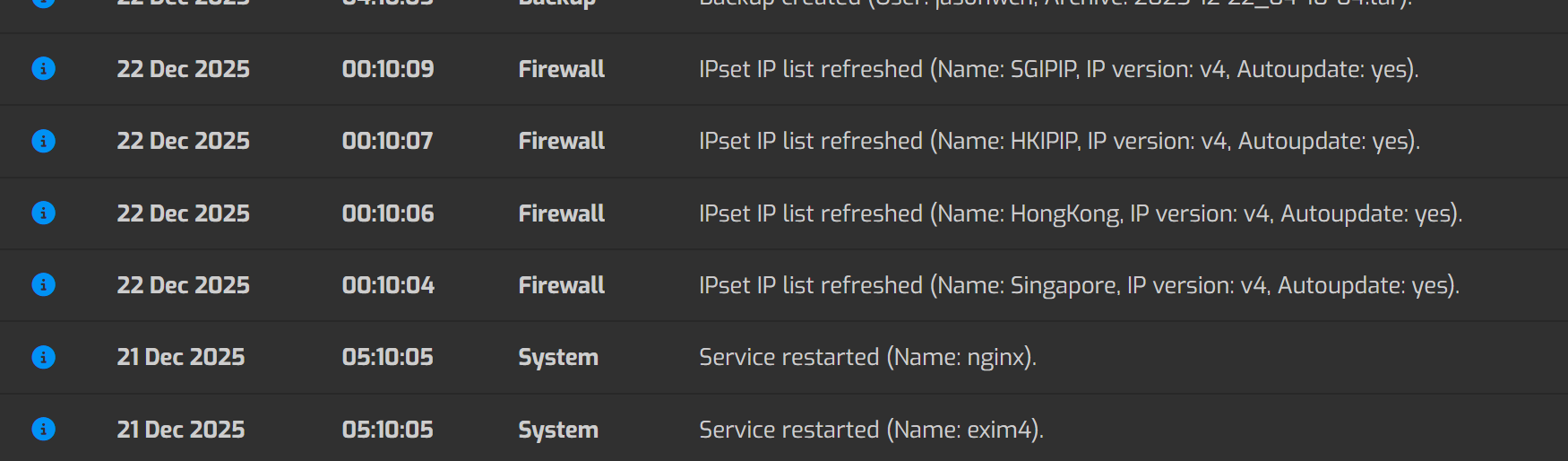
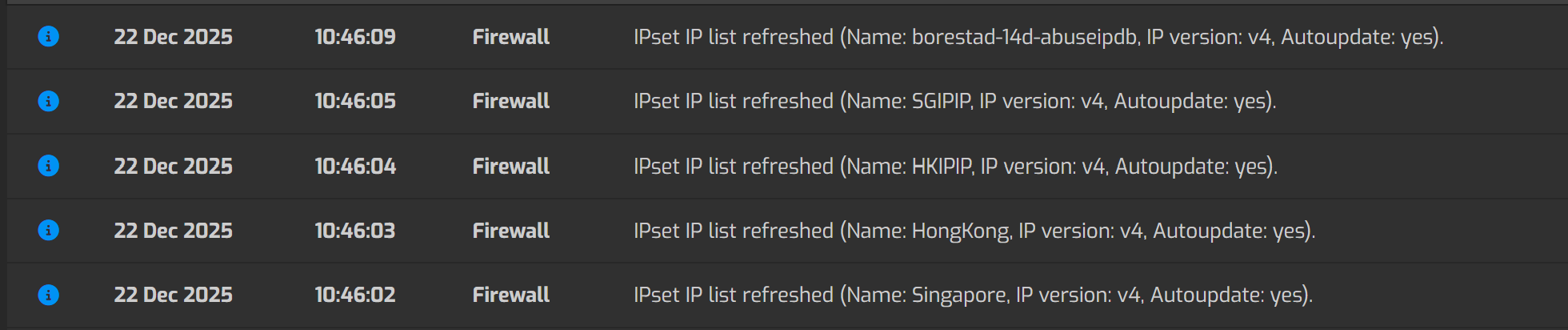
Seems like if you’ve added a custom IPSET, but do not assign to any of the rules, only use for other purpose (for my case I use custom.sh to directly insert at the top of iptables). The IPSET itself won’t be able to autoupdate at 00:10.
So I have to put in another panel cronjob to sudo /usr/local/hestia/bin/v-update-firewall-ipset yes
sahsanu
December 22, 2025, 3:47am
2
Updating an ipset is independent of the rules you add. How did you create that custom ipset?
IPSET is created through GUI. I can see the “Time updated seems correct, but the file date from /data/hestia/firewall/ipset is not up to date. Also from “Log”, it didn’t update alongside with other IPSET
If I run /usr/local/hestia/bin/v-update-firewall-ipset yes from cron task
sahsanu
December 22, 2025, 4:11am
4
The daily cron job:
❯ crontab -l -u hestiaweb | grep daily
10 00 * * * sudo /usr/local/hestia/bin/v-update-sys-queue daily
Executes this:
❯ cat $HESTIA/data/queue/daily.pipe
/usr/local/hestia/bin/v-update-firewall-ipset yes
And it’s exactly the same command you run manually.
Could you please show the entire output of this command?
grep -ri borestad /var/log/hestia/*.log
o, you seems correct, have error 4, but what can error 4 means?
/var/log/hestia/activity.log:ID='27' DATE='2025-12-22' TIME='10:35:30' LEVEL='Info' CATEGORY='Firewall' MESSAGE='IPset IP list refreshed (Name: borestad-14d-abuseipdb, IP version: v4, Autoupdate: yes).'
/var/log/hestia/activity.log:ID='32' DATE='2025-12-22' TIME='10:46:09' LEVEL='Info' CATEGORY='Firewall' MESSAGE='IPset IP list refreshed (Name: borestad-14d-abuseipdb, IP version: v4, Autoupdate: yes).'
/var/log/hestia/error.log:2025-12-21 00:11:26 v-add-firewall-ipset  'borestad-14d-abuseipdb' '' '' '' 'yes' [Error 4]
/var/log/hestia/error.log:2025-12-22 00:10:58 v-add-firewall-ipset  'borestad-14d-abuseipdb' '' '' '' 'yes' [Error 4]
/var/log/hestia/system.log:2025-12-22 10:35:30 v-add-firewall-ipset  'borestad-14d-abuseipdb' '' '' '' 'yes'
/var/log/hestia/system.log:2025-12-22 10:46:08 v-add-firewall-ipset  'borestad-14d-abuseipdb' '' '' '' 'yes'
sahsanu
December 22, 2025, 4:35am
6
Error 4 means that the object already exists.
ops, meaning the file didn’t change on 21 and 22 00:10?
sahsanu
December 22, 2025, 4:45am
8
I don’t think so but it’s strange to see the Error 4 when executing the script via cron job. Without a debug of the execution I can’t say what happened.
so weird…..But when I put in crontab it seems can update properly
It act normal yesterday, so should I see past 2 days were just connection intermittent issue?
2025-12-22 23:15:04 v-add-firewall-ipset  'Singapore' '' '' '' 'yes'
2025-12-22 23:15:05 v-add-firewall-ipset  'HongKong' '' '' '' 'yes'
2025-12-22 23:15:06 v-add-firewall-ipset  'HKIPIP' '' '' '' 'yes'
2025-12-22 23:15:08 v-add-firewall-ipset  'SGIPIP' '' '' '' 'yes'
2025-12-22 23:15:11 v-add-firewall-ipset  'borestad-14d-abuseipdb' '' '' '' 'yes'
2025-12-22 23:15:11 v-update-firewall-ipset  'yes'
2025-12-23 00:10:03 v-add-firewall-ipset  'Singapore' '' '' '' 'yes'
2025-12-23 00:10:04 v-add-firewall-ipset  'HongKong' '' '' '' 'yes'
2025-12-23 00:10:06 v-add-firewall-ipset  'HKIPIP' '' '' '' 'yes'
2025-12-23 00:10:07 v-add-firewall-ipset  'SGIPIP' '' '' '' 'yes'
2025-12-23 00:10:11 v-add-firewall-ipset  'borestad-14d-abuseipdb' '' '' '' 'yes'
2025-12-23 00:10:11 v-update-firewall-ipset  'yes'