Do you use the IP to connect to Hestia Web UI?
yes
example http://237.198.238.89/phpmyadmin/
It was removed from the board and downloaded again in this way.
apt-get install phpmyadmin -y
Hestia doesn’t allow to access phpMyAdmin using the IP, use the hostname instead.
That was a bad move, you have screwed phpMyAdmin installation, search the forum to fix it.
Is it possible for you to help me fix it? Please do so, or send me a link, as I’m new here.
As root, run this command:
/usr/local/hestia/install/upgrade/manual/migrate_phpmyadmin.sh
## PMA Hestia-SSO plugin has been successfully removed/disabled
\[ \* \] Backing up old configuration files…
\[ \* \] Marking phpmyadmin as held in apt…
phpmyadmin set on hold.
\[ \* \] Removing old folders…
\[ \* \] Creating new folders…
rm: cannot remove ‘/etc/apache2/conf.d/phpmyadmin.conf’: No such file or directory
\[ \* \] Installing phpMyAdmin version v5.2.2…
\[ \* \] Creating localhost configuration…
\[ \* \] Dropping database (could throw an error if successful)…
/usr/local/hestia/install/upgrade/manual/migrate_phpmyadmin.sh: line 141: mysql: command not found

## CREATE USER ‘pma’@‘localhost’ IDENTIFIED BY ‘pDXRwoZpVPjhLiYs’

## ERROR 1396 (HY000) at line 1: Operation CREATE USER failed for ‘pma’@‘localhost’

## CREATE DATABASE phpmyadmin

ERROR 1007 (HY000) at line 1: Can’t create database ‘phpmyadmin’; database exists
/usr/local/hestia/install/upgrade/manual/migrate_phpmyadmin.sh: line 193: mysql: command not found
PMA Hestia-SSO plugin has been successfully installed
root@server:\~#
Show the output of this command:
type mariadb mysql
root@server:~# type mariadb mysql
mariadb is /usr/bin/mariadb
mysql is /usr/bin/mysql
root@server:~#
How did you run the script?
via root via ssh
I mean the migrate script
I executed it by typing the full absolute path directly in the terminal, like this:
/usr/local/hestia/install/upgrade/manual/migrate_phpmyadmin.sh
I didn’t use bash or sh before it, just the direct path as root.
And now it works normal
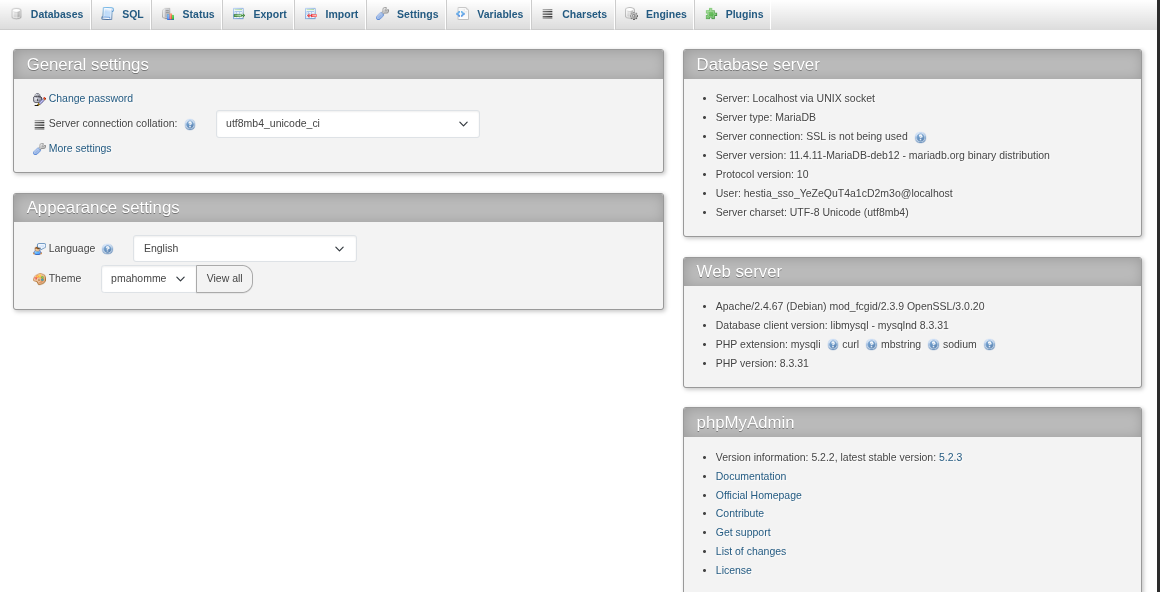
Ok, if it works now fine, but the script shows two errors when trying to execute the mysql command:
/usr/local/hestia/install/upgrade/manual/migrate_phpmyadmin.sh: line 141: mysql: command not found
ERROR 1007 (HY000) at line 1: Can’t create database ‘phpmyadmin’; database exists
/usr/local/hestia/install/upgrade/manual/migrate_phpmyadmin.sh: line 193: mysql: command not found
So I don’t know whether the DB for phpmyadmin is the right one.
Repeat the process doing this:
cd /usr/local/hestia/install/upgrade/manual
sed -E -i.ori 's|\tmysql -u|\t/usr/bin/mariadb -u|' migrate_phpmyadmin.sh
./migrate_phpmyadmin.sh
chown -R hestiamail:hestiamail /usr/share/phpmyadmin/tmp
You are totally right. It opens the login page, but I want to make sure everything is 100% correct and stable.
Should I drop the existing phpmyadmin database and delete the pma user manually, then run the migrate script again? If yes, please guide me with the right commands.
and
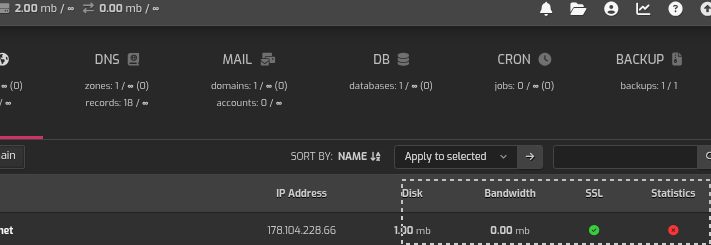
I uploaded a website that’s about 1.5 megabytes in size, but here it shows about 1 megabyte in the numbers, and the instructions for running the statistics have an error mark next to them.

No. Execute the commands in my last post.
That’s not an error, that means that you didn’t enable statistics for your web domain.
Could you please provide me with the link?