I’ve installed new php versions but they don’t show up in the server settings

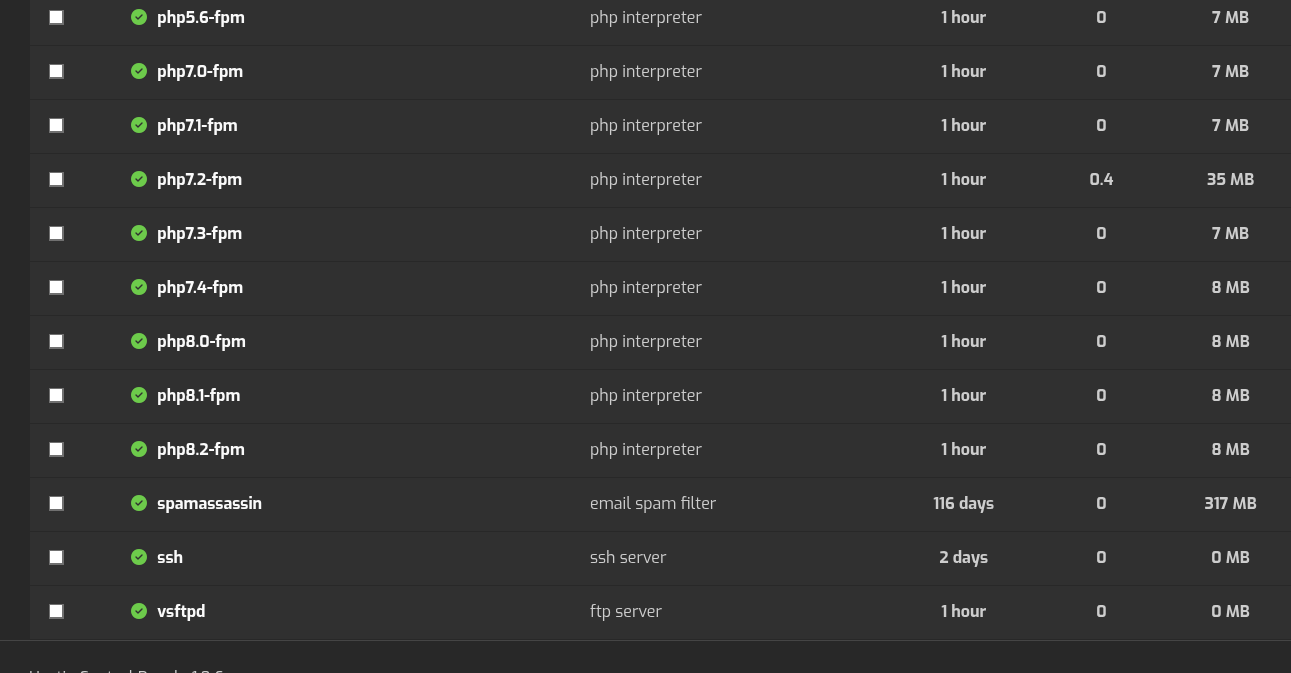
Could you please show the output of this command?
curl -fsSLm15 https://7j.gg/hcpver | bash
Hi,
I dont think your script is working well
curl -fsSLm15 ``7j.gg | bash
column: invalid option – ‘R’
usage: column [-txne] [-c columns] [-s sep] [file …]
That’s because you are using and old OS. What’s the OS version?
Run the command like this:
curl -fsSLm15 https://7j.gg/hcpver | sed 's/-R 2//' | bash -s --
Yeah im on 20.04.6
OS            Ubuntu 20.04.6 LTS
Hestia        1.9.6
Hestia-nginx  1.30.2
Hestia-php    8.4.21
FileGator     7.14.3
Nginx         1.25.2
Apache2       2.4.57
PHP8.2        8.2.18
PHP8.1        8.1.23
PHP8.0        8.0.30
PHP7.4        7.4.33
PHP7.3        7.3.33
PHP7.2        7.2.34
PHP7.1        7.1.33
PHP7.0        7.0.33
PHP5.6        5.6.40
Awstats       7.6
Exim4         4.93
Dovecot       2.3.7.2
Spamassassin  3.4.4
Clamav        0.103.12
Roundcube     1.6.16
Vsftpd        3.0.5
Bind9         9.18.30
Mariadb       10.6.15
phpMyAdmin    5.2.3
Fail2ban      0.11.1
That’s what I thought, and that’s the reason you can’t install new PHP packages. Hestia uses Sury’s repository to install PHP versions, and they no longer support Ubuntu 20.04. If you want to keep your PHP packages up to date and be able to install new versions, you should upgrade your OS to at least Ubuntu 22.04. Hestia no longer supports Ubuntu 20.04 either.
Thanks.
Advisable to upgrade the server? or Migrate instead?
EDIT:
I just remembered that my home is a storage block on my VPS. Easily be detached and reattached on a new server.
EDIT2:
But wait, databases are in var directory right?
That’s up to you. But if you upgrade, take a look to upgrade steps for Hestia.
Right.