Hi guys, please help
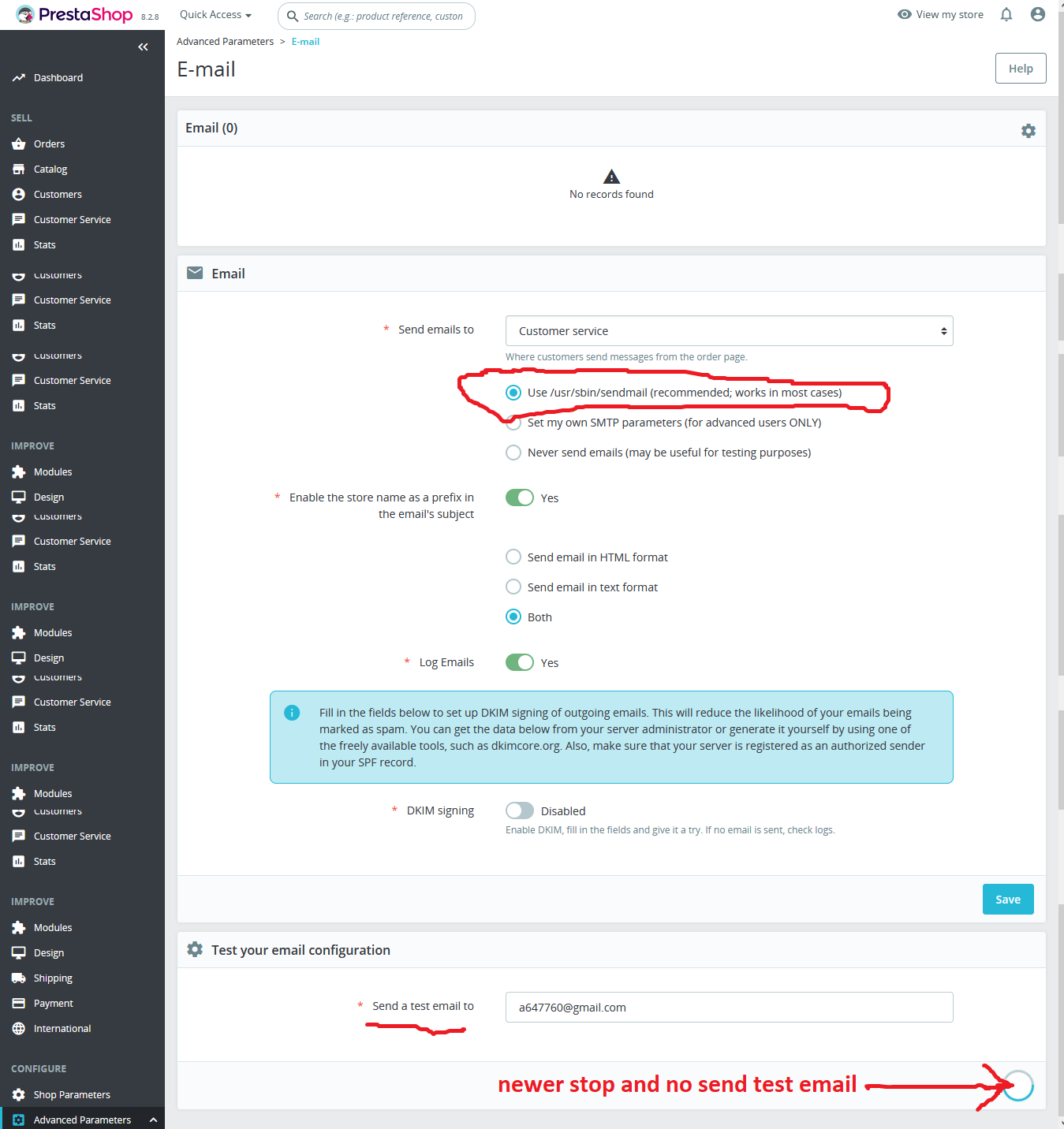
Qvick install prestashop 8 .2.8 if Use /usr/sbin/sendmail (recommended; works in most cases) NO WORK ! see pics, please help! it’s drive me crazy. I can pay for fix it.
Hi,
The problem is that PrestaShop uses the php function proc_open to use sendmail and this function is disabled in PHP 8.1.
Two options:
1.- Use SMTP instead of sendmail, this is what I recommend.
2.- Enable the proc_open function but I don’t recommend it. To enable it and as you are using php 8.1, edit /etc/php/8.1/fpm/php.ini, locate the directive disable_functions and remove proc_open from the list. Once done, restart php 8.1.
If you don’t want to do it manually, execute these two commands and test the mail again.
sed -i.bak-$(date +%F) -E '/^disable_functions/ { s/(^|[=, ])proc_open,/\1/; s/,proc_open[[:space:]]*$// }' /etc/php/8.1/fpm/php.ini
systemctl restart php8.1-fpm
Th…you very much WORK NOW! want PHP VERSION support sendmail with out fix it, or for all version need use code
You’re welcome.
You must do that for all php versions you want to enable proc_open function, just replace 8.1 with the php version you want to modify.
Keep in mind that I don’t recommend removing proc_open from disabled functions.
ok, I undesten bi use it code for version were use prestashop.
one more, I try like before separate gomain,server.emkolbaski.net and server.emkolbaski.net.
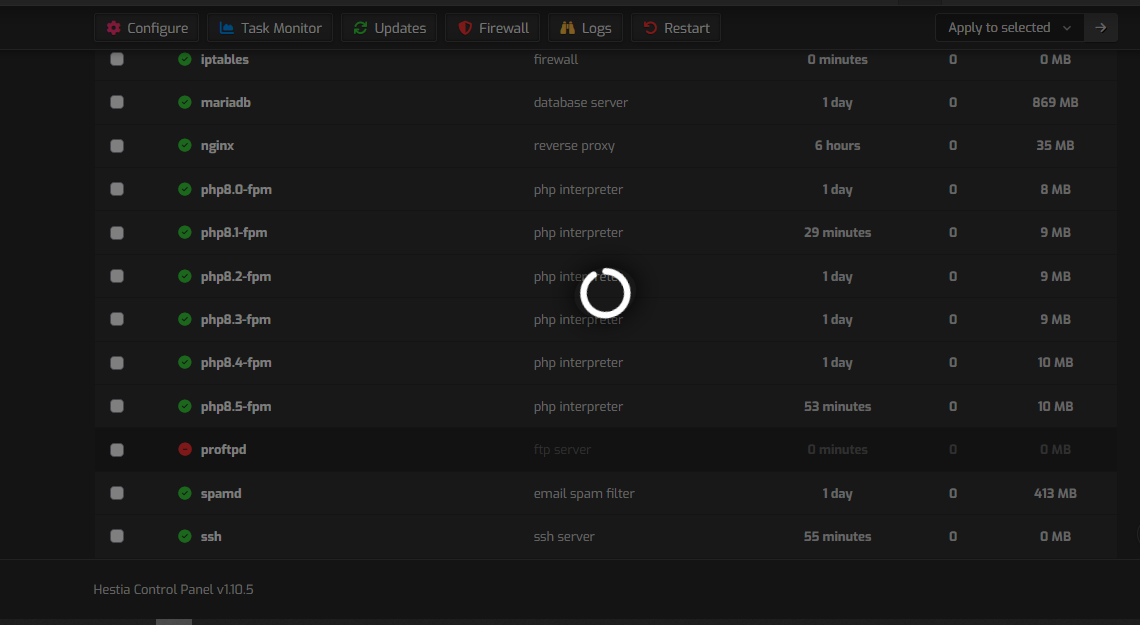
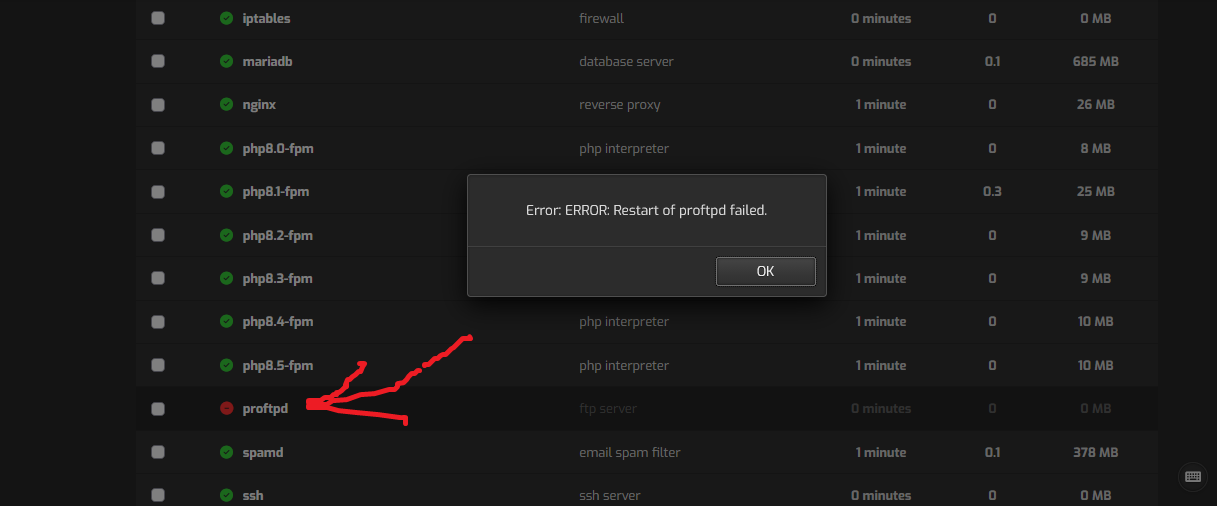
change dns same like you. but restart VPD and stay 45 minets, how I can stop it
root@server:~# systemctl status proftpd --no-pager -l
× proftpd.service - ProFTPD FTP Server
     Loaded: loaded (/usr/lib/systemd/system/proftpd.service; enabled; preset: e                                                                                       nabled)
     Active: failed (Result: exit-code) since Thu 2026-10-08 00:15:11 UTC; 4min                                                                                        16s ago
 Invocation: aa9f7b89e4a44f12b21793b9c9a0265a
       Docs: man:proftpd(8)
    Process: 16203 ExecStartPre=/usr/sbin/proftpd --configtest -c $CONFIG_FILE $                                                                                       OPTIONS (code=exited, status=1/FAILURE)
   Mem peak: 2.4M
        CPU: 16ms

Oct 08 00:15:11 server.emkolbaski.net proftpd[16203]: Checking syntax of configu                                                                                       ration file
Oct 08 00:15:11 server.emkolbaski.net proftpd[16203]: 2026-10-08 00:15:11,600 se                                                                                       rver.emkolbaski.net proftpd[16203]: fatal: TLSRSACertificateFile: '/usr/local/he                                                                                       stia/ssl/certificate.crt' does not exist or does not contain a certificate on li                                                                                       ne 33 of '/etc/proftpd/tls.conf'
Oct 08 00:15:11 server.emkolbaski.net proftpd[16203]: 2026-10-08 00:15:11,600 se                                                                                       rver.emkolbaski.net proftpd[16203]: warning: unable to include '/etc/proftpd/tls                                                                                       .conf': Operation not permitted
Oct 08 00:15:11 server.emkolbaski.net proftpd[16203]: 2026-10-08 00:15:11,600 se                                                                                       rver.emkolbaski.net proftpd[16203]: fatal: TLSRSACertificateKeyFile: unable to u                                                                                       se '/usr/local/hestia/ssl/certificate.key':
Oct 08 00:15:11 server.emkolbaski.net proftpd[16203]:   (1) error:8000000D:syste                                                                                       m library::Permission denied [calling fopen(/usr/local/hestia/ssl/certificate.ke                                                                                       y, r)]
Oct 08 00:15:11 server.emkolbaski.net proftpd[16203]:   (2) error:10080002:BIO r                                                                                       outines::system lib
Oct 08 00:15:11 server.emkolbaski.net proftpd[16203]:   (3) error:0A080002:SSL r                                                                                       outines::system lib on line 8 of '/etc/proftpd/proftpd.conf'
Oct 08 00:15:11 server.emkolbaski.net systemd[1]: proftpd.service: Control proce                                                                                       ss exited, code=exited, status=1/FAILURE
Oct 08 00:15:11 server.emkolbaski.net systemd[1]: proftpd.service: Failed with r                                                                                       esult 'exit-code'.
Oct 08 00:15:11 server.emkolbaski.net systemd[1]: Failed to start proftpd.servic                                                                                       e - ProFTPD FTP Server.
r
Looks like you didn’t add the zone for emkolbaski.net
I don’t know the reason for it. Send me the login info via private message and I’ll take a look.
Regarding the proftpd issue, the output is not complete so I can’t see the error.
Just for the record.
For proftpd, I had to add two capabilities (dac_read_search and dac_override) to apparmor profile, looks like something changed between Ubuntu 26.04 and 26.04.1. I’ll take a look and open a PR.
If anyone is interested, this is what I added:
cat >> /etc/apparmor.d/local/proftpd << 'EOF'
capability dac_read_search,
capability dac_override,
EOF
apparmor_parser -r /etc/apparmor.d/proftpd
systemctl restart proftpd
For DNS zones:
One zone had a CNAME and A record for webmail and if you use CNAME you can’t add any other record.
The other zone didn’t have the CAA record properly closed. It had 0 issue "letsencrypt.org' instead of 0 issue "letsencrypt.org".