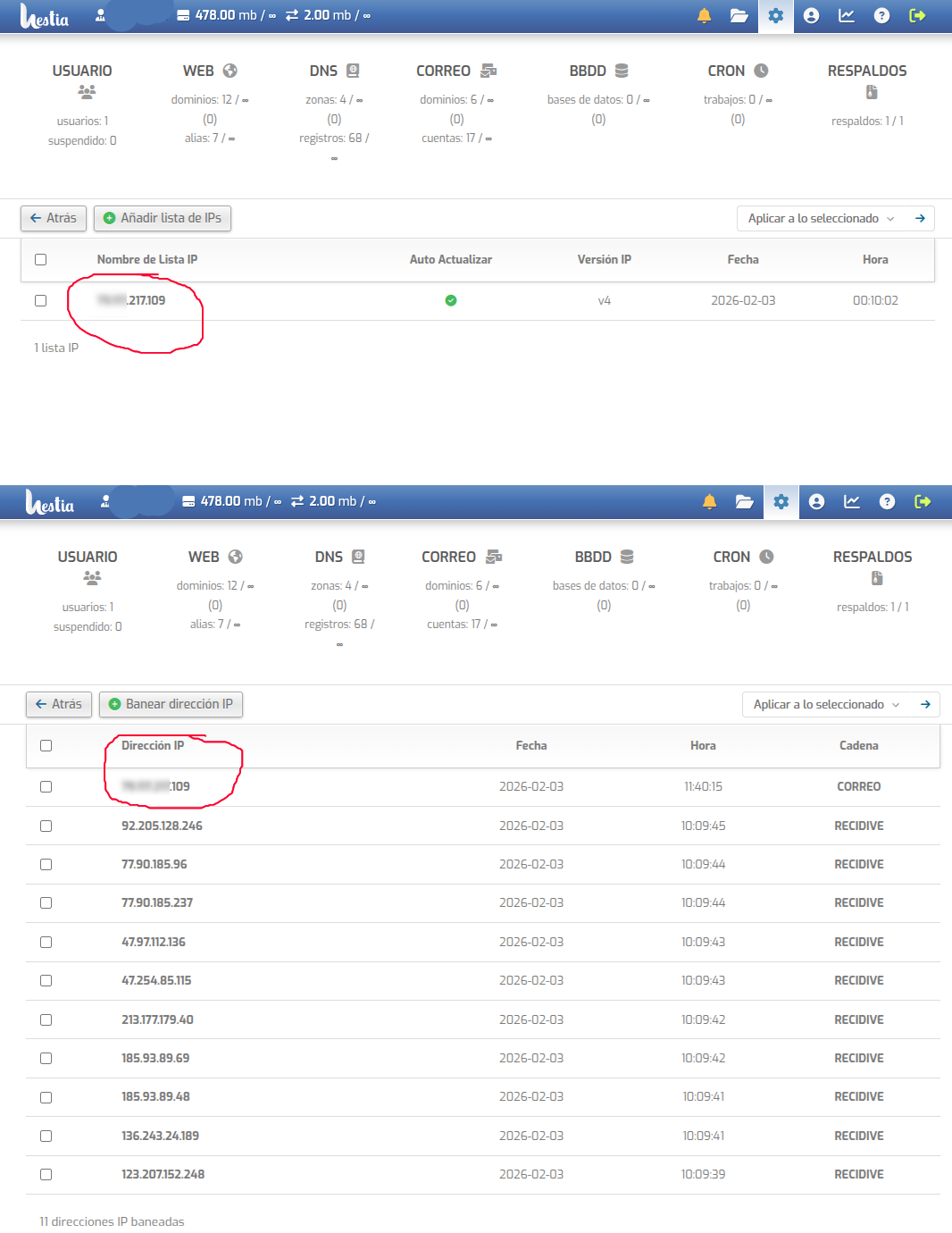
My email client installed on Linux Mint (Thunderbird) constantly causes a ban on the HestiaCP firewall.
I accessed HestiaCP and added my IP address to the whitelist. I added my country.
I accessed the server’s SSH and added my IP address to Fail2ban.
I restarted.
After a few hours, my IP address is banned again. I have to log into the Panel and remove the ban to check my email. I also use Mailnag on my Linux Mint to get notifications when Thunderbird is not running.
If my IP address is on the whitelist, why is it banned? I don’t understand.
Thank you very much for your help. It seems this has worked for now, and my IP can access the email without getting banned every five minutes. However, I had to restart my router, which caused my IP to change, so I had to repeat the process all over again. I’m concerned about having to do this every time my router gets a new IP. Is there a more reliable option? Something like… instead of whitelisting my IP, perhaps allowing the router’s ID or something similar? I also ran the commands you mentioned, but there were so many results that I had to record a video. I’m sending it to you via private message since it contains sensitive data. Thanks again for your assistance.