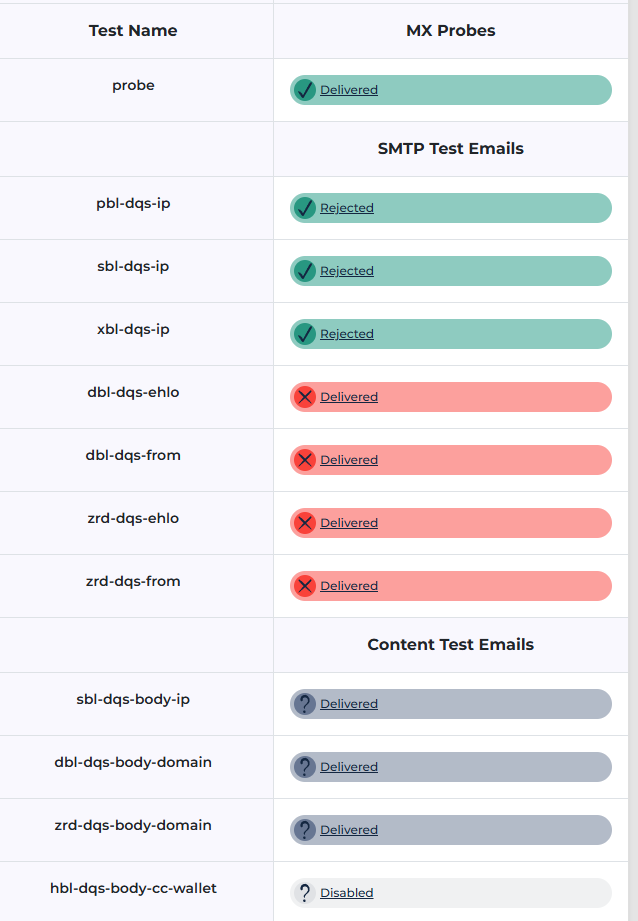
I know this was discussed in a previous post, however, is this true?
"Alternative HestiaCP Method
If using a newer version of HestiaCP, you can use the built-in command to add the DQS key without manually editing templates, as the system automatically prevents key leakage: v-add-sys-mail-dnsbl yourkey.zen.dq.spamhaus.net"
I am going to try it, but how to verify it? Does it simply update the required exim4 files?
That’s true if your installation is relatively new, you should check your current exim conf:
grep spamhaus /etc/exim4/exim4.conf.template
If above command doesn’t show any output, you must edit /etc/exim4/exim4.conf.template and replace this:
deny message = Rejected because $sender_host_address is in a black list at $dnslist_domain\n$dnslist_text
with this:
deny message = Rejected because $sender_host_address is in a black list at ${if match{$dnslist_domain}{^[^.]+[.](.+dq[.]spamhaus.*)}{$1}{$dnslist_domain}}\n$dnslist_text
If you add the dns block list with your key, remember to remove zen.spamhaus.org:
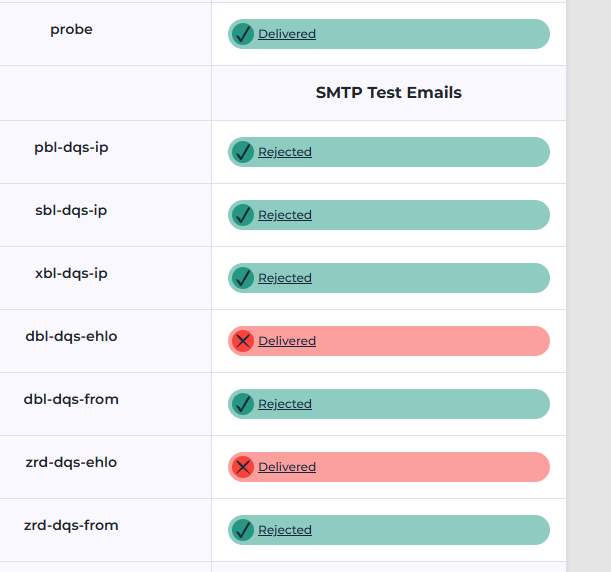
ok that checks out, however, it still receives the dbl-dqs-ehlo and so forth so it seems incomplete. Spamhaus has always scared me so I am inclined just to remove it altogether as it is obvious they do not care enough to provide a decent solution unless any can comment otherwise?
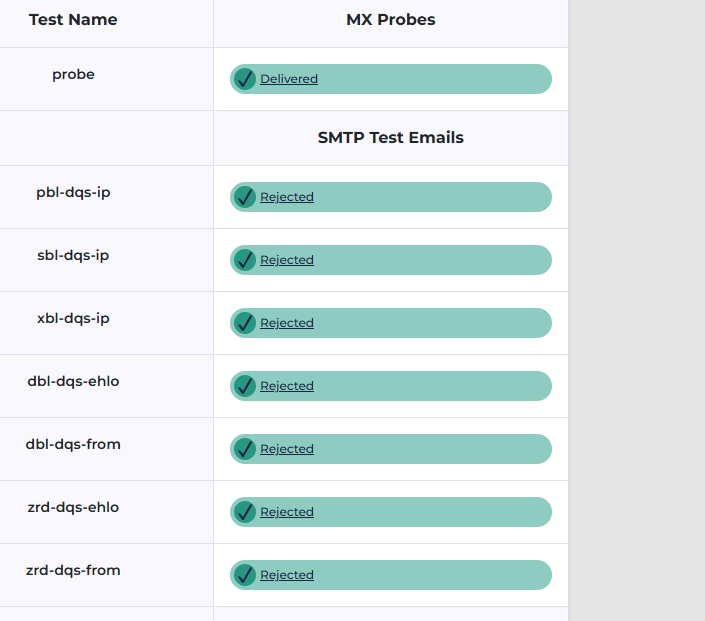
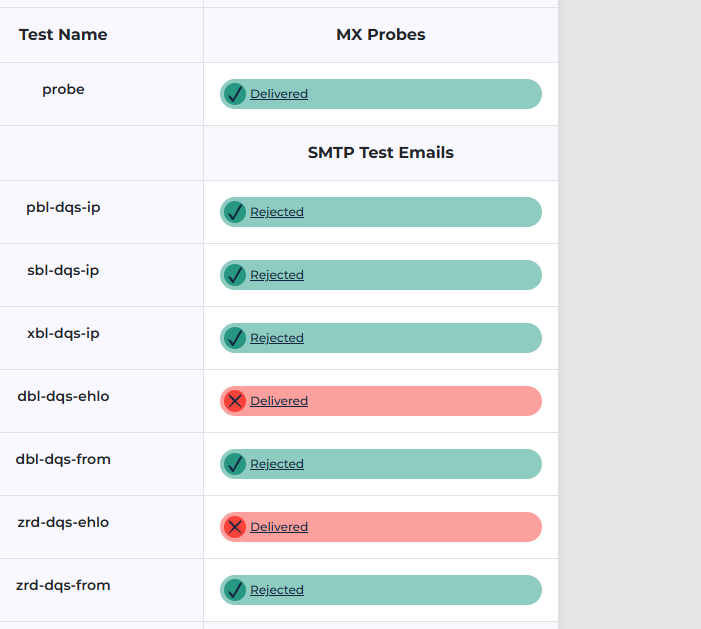
Oh, I see, for anyone doing this interested I had to check the reject spam in the edit mail domain THEN do v-add-mail-domain-antivirus user domain from the command line to have this work.
Did you follow again the steps in my post? I’ve also modified in exim4.conf.template SPAM_REJECT_SCORE = 100 to SPAM_REJECT_SCORE = 80
But to know what’s the score Spamassassin is adding to the mail, check the mail that passed and look the headers (there you should see the Spamassassin report)
Double check that the mail domain has enabled “reject spam”.
Show the output of this command:
grep -E '^SPAM' /etc/exim4/exim4.conf.template
Also, to understand what’s going on, it’s important to check the headers of those delivered emails. There, you can see the SpamAssassin report and check the scores assigned to each message.
I prepped a brand new server, migrated the sites to it and it is behaving fine, I have NO clue as to what went wrong on that old server or why a spamassassin complete reinstall making sure no files were left behind doesn’t set it the same, I even tried copying the exact files from the new working server…so one or two more days just remove that server and forget it.
I appreciate it, however, none of these are in the working versions I have running so I am simply going to remove that instance and move on. I have two instances running with the fresh install and tested on spamhaus so pretty confident I can reproduce that any time. Having good backups is a luxury.