I am new here so forgive me if there is a post out there about this, I didn’t find it when googling and looking.
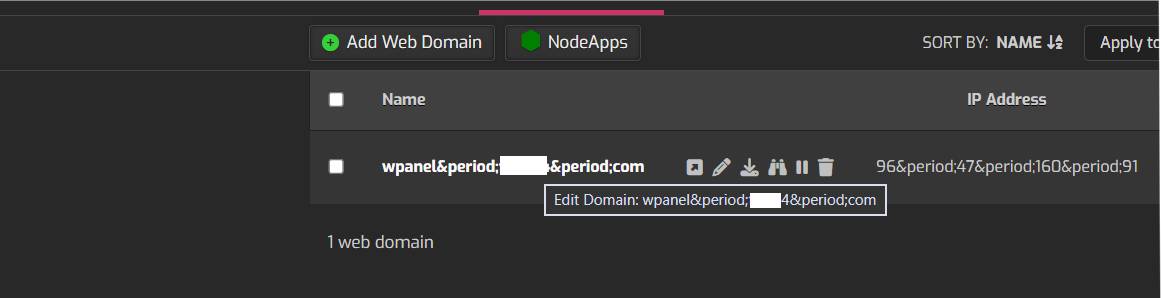
I have this corruption or something I guess we can call it to where all the text / links for users and so on is all scrambled and showing special characters in places they don’t belong. This happen after this last update, I do have nodeapp added could this be why this is going on?
Indeed it does and thanks for the find, I guess my Google ninja skills are slipping or i was just not think of the right key words to use. Thanks for the link it fixed my problem with one line of code
 or i was just not think of the right key words to use. Thanks for the link it fixed my problem with one line of code