bodev
August 18, 2025, 1:03pm
1
I can’t scan the barcode to enable 2-factor authentication. The barcode itself doesn’t load (I’m attaching a screenshot). I’ve done a lot of things:
Tried using different browsers (Google, Firefox)
Tried taking the line after data:image/png;base64 from HTML and converting it to a barcode (it gives an error).
Disabled POLICY_CSRF_STRICTNESS
Checked and installed the qrencode package
Rebooted the server
After all the steps, the barcode still doesn’t work, it’s not displayed for scanning…
nu01
August 18, 2025, 1:39pm
2
I may be wrong here, but it does not seem to be related to your server. The canvas image data has be to accessed by the browser to load such images. Check that once mate.
bodev
August 18, 2025, 2:02pm
3
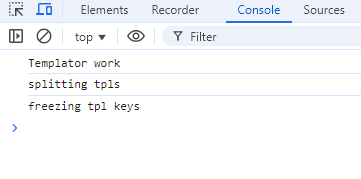
Probably the problem is not in the browser. There are no errors in the console (screenshot)
eris
August 18, 2025, 2:13pm
4
What do you see when you run:
it depends currently on third party service to create the QR code
bodev
August 18, 2025, 2:50pm
5
After entering I get: sudo: /usr/local/hestia/bin/v-list-user-2fa: command not found
eris
August 18, 2025, 6:11pm
6
bodev:
v-list-user-2fa
That command doesn’t exists
root@web07:/usr/local/hestia/bin# ls v-list-user-*
v-list-user-auth-log v-list-user-backup-restic v-list-user-files-restic v-list-user-notifications v-list-user-packages
v-list-user-backup v-list-user-backups v-list-user-ips v-list-user-ns v-list-user-ssh-key
v-list-user-backup-exclusions v-list-user-backups-restic v-list-user-log v-list-user-package v-list-user-stats
bodev
August 19, 2025, 9:48am
7
In the end, with the help of Gemini, I came to the decision to install 2-factor directly through the command. Everything worked out. I’m closing the topic.