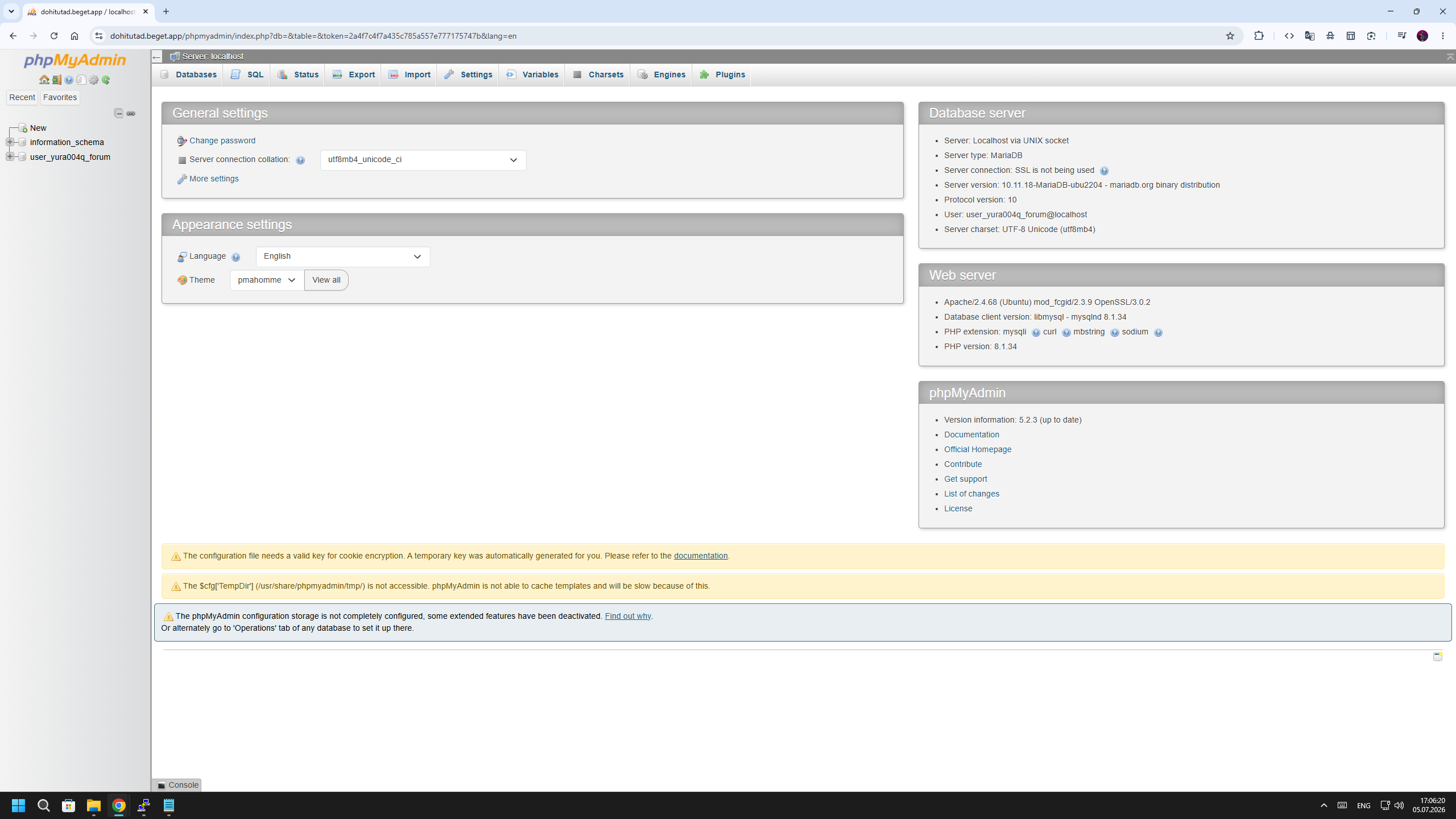
I saw threads about it on this forum but nothing helped. Owner of folder is hestiamail:www-data, full rights, in openbasedir php_admin_value[open_basedir] = /home/user/.composer:/home/user/web/forum.happypc.ru/public_html:/home/user/web/forum.happypc.ru/private:/home/user/web/forum.happypc.ru/public_shtml:/home/user/tmp:/tmp:/var/www/html:/bin:/usr/bin:/usr/local/bin:/usr/share:/opt:/usr/share/phpmyadmin/tmp
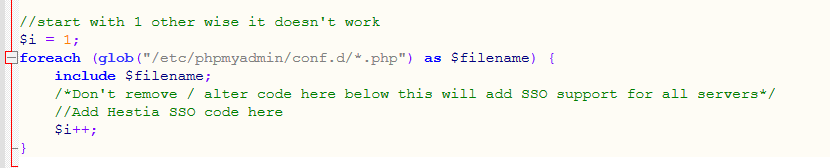
root@wolf:\~# grep -A10 -B2 foreach /etc/phpmyadmin/config.inc.php
//start with 1 other wise it doesn't work
$i = 1;
foreach (glob("/etc/phpmyadmin/conf.d/\*.php") as $filename) {
include $filename;
/*Don't remove / alter code here below this will add SSO support for all servers*/
//Add Hestia SSO code here
$i++;
}
root@wolf:\~#
Could you please double check the file /etc/phpmyadmin/config.inc.php? Because I see the * is escaped here foreach (glob("/etc/phpmyadmin/conf.d/\*.php") and I don’t know whether it is because of the copy/paste or it is really escaping the wildcard \*
root@wolf:\~# dpkg -l | grep apache2-mod-php
ii  libapache2-mod-php7.4                1:7.4.33-28+ubuntu22.04.1+deb.sury.org+                                                                                                                                                                                                                                             1         amd64        server-side, HTML-embedded scripting language (Apache 2 m                                                                                                                                                                                                                                             odule)
ii  libapache2-mod-php8.1                8.1.34-8+ubuntu22.04.1+deb.sury.org+1                                                                                                                                                                                                                                                         amd64        server-side, HTML-embedded scripting language (Apache 2 m                                                                                                                                                                                                                                             odule)


root@wolf:\~# apache2ctl -M | grep -Ei 'php|mpm'
AH00558: apache2: Could not reliably determine the server's fully qualified doma                                                                                                                                                                                                                                             in name, using 127.0.0.1. Set the 'ServerName' directive globally to suppress th                                                                                                                                                                                                                                             is message
mpm_prefork_module (shared)


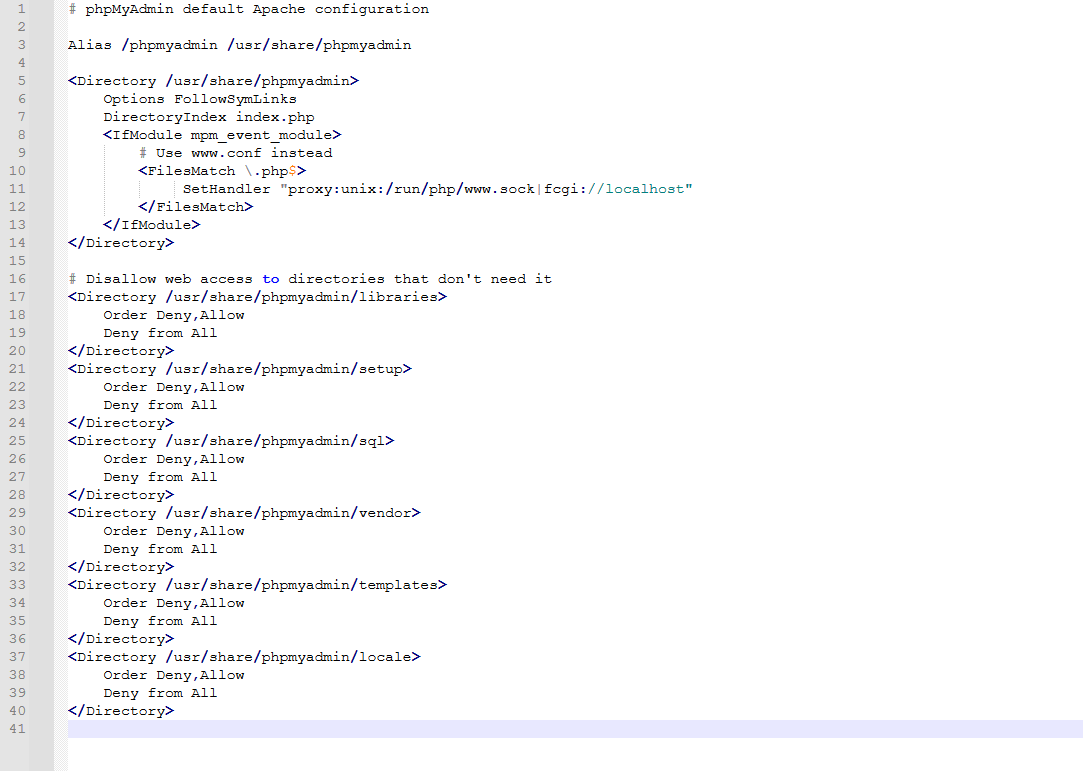
root@wolf:\~# cat /etc/apache2/conf.d/phpmyadmin.inc

# phpMyAdmin default Apache configuration

Alias /phpmyadmin /usr/share/phpmyadmin

<Directory /usr/share/phpmyadmin>
Options FollowSymLinks
DirectoryIndex index.php

# Use www.conf instead
<FilesMatch .php$>
SetHandler "proxy:unix:/run/php/www.sock|fcgi://localhost"


# Disallow web access to directories that don't need it

<Directory /usr/share/phpmyadmin/libraries>
Order Deny,Allow
Deny from All

<Directory /usr/share/phpmyadmin/setup>
Order Deny,Allow
Deny from All

<Directory /usr/share/phpmyadmin/sql>
Order Deny,Allow
Deny from All

<Directory /usr/share/phpmyadmin/vendor>
Order Deny,Allow
Deny from All

<Directory /usr/share/phpmyadmin/templates>
Order Deny,Allow
Deny from All

<Directory /usr/share/phpmyadmin/locale>
Order Deny,Allow
Deny from All

root@wolf:\~#
Your Apache is using mpm_prefork instead of mpm_event. Also, even though you installed libapache2-mod-php, it doesn’t seem to be enabled, at least it doesn’t appear in the apache2ctl output, which is unusual.
In addition, the output of phpmyadmin.inc is incomplete. I’m not sure what happened during the copy/paste but it’s not showing the full output.
I would suggest enabling mpm_event, but I don’t have enough information about your current conf.
Before I tell you the commands to switch to mpm_event, can you first confirm whether this command does not show php module in the output? I need to be sure.
apache2ctl -M | grep -Ei 'php|mpm'
I also need the output of these commands:
ls -l /etc/apache2/conf.d/
grep '^Include' /etc/apache2/apache2.conf