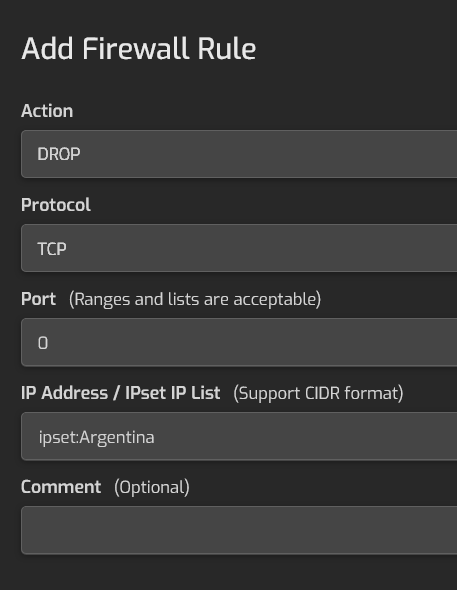
Hestia has iptables. You can try to ban the addresses of the country you need. To do this, it is possible to create a list of IP addresses of the required country.
The main problem is that it doesn’t work. Why then was this done, it is not clear?
What can be done in such a situation?
Create the necessary IP address sheets for the countries you want to block.
Create a folder for custom scripts
mkdir -p /usr/local/hestia/custom-scripts
Copy all the text below to a file on your PC, such as Notepad:
#!/bin/bash

# HestiaCP GeoIP блокировка по странам

# List of countries to block (file names .v4.iplist в /usr/local/hestia/data/firewall/ipset/)

BLOCK_COUNTRIES=(
“Russia”
“China”
“Iran”
“Algeria”
)

IPSET_NAME=“geo_blacklist”

if ipset list $IPSET_NAME >/dev/null 2>&1; then
ipset flush $IPSET_NAME
else
ipset create $IPSET_NAME hash:net
fi

for country in “${BLOCK_COUNTRIES\[@\]}”; do
LIST_FILE=“/usr/local/hestia/data/firewall/ipset/${country}.v4.iplist”
if \[\[ -f “$LIST_FILE” \]\]; then
echo “Adding IP from $country…”
while read ip; do
\[\[ “$ip” =\~ ^#|^$ \]\] && continue
ipset add $IPSET_NAME $ip 2>/dev/null
done < “$LIST_FILE”
else
echo “⚠️  File $LIST_FILE not found.”
fi
done

if ! iptables -C INPUT -m set --match-set $IPSET_NAME src -j DROP 2>/dev/null; then
iptables -I INPUT 10 -m set --match-set $IPSET_NAME src -j DROP
echo “Added blocking rule via iptables.”
else
echo “The iptables rule already exists.”
fi

netfilter-persistent save
echo “✅ GeoIP blocking has been updated and saved.”
Transfer the file /usr/local/hestia/custom-scripts/geo-block.sh
File Permissions 755
Fixing line breaks
apt update
apt install dos2unix -y
dos2unix /usr/local/hestia/custom-scripts/geo-block.sh
Run the script
/usr/local/hestia/custom-scripts/geo-block.sh
If everything went correctly, you will see something like:
Adding IP from Russia...
Adding IP from China...
Added blocking rule via iptables.
✅ GeoIP blocking updated and saved.
Now the block list will work.
If you need to edit the list of countries, repeat the procedure again.