HugoASB
January 28, 2026, 12:25am
1
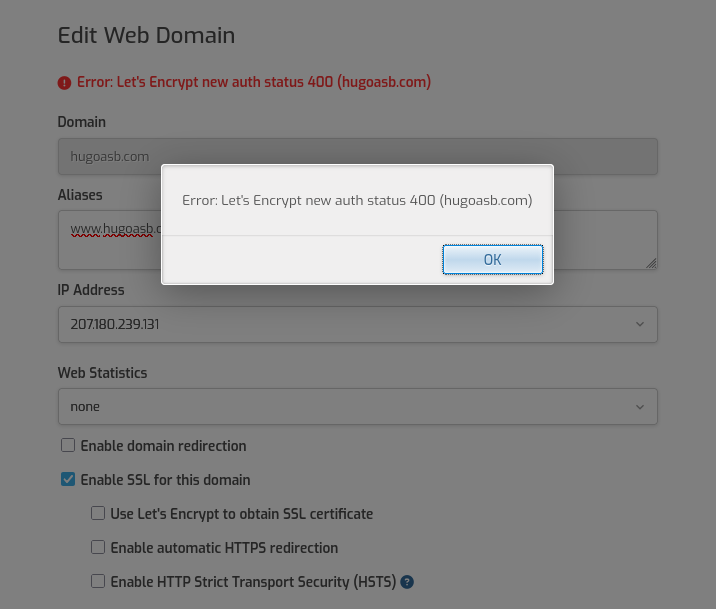
I updated my Ubuntu VPS after a loooooong time and HestiaCP updated. All my websites started showing “Invalid SSL certificate Error code 526” through Cloudflare. I tried deactivating one of my domains SSL to generate a new one and now I’m getting this:
Error: Let’s Encrypt validation status 400 (domain.com ). Details: 403:“2606:4700:3031::ac43:838b: Invalid response from http://domain.com/.well-known/acme-challenge/nJlsMnq2Eo8axK4VuOHtHg_SLnOHSvzIysqCTLgojTQ: 404”
Saw some other people with same issue, restarted nginx but nothing word. Help please.
Help? I tried several issues, nothing yet.
What’s your actual domain name?
You shouldn’t try to renew/issue a certificate until you see a valid response trying to reach this url http://example.com/.well-known/acme-challenge/HugoASB (replace example.com with the actual domain name).
Use your browser or this command:
curl -ikL http://example.com/.well-known/acme-challenge/HugoASB
You should see an output like this:
HTTP/1.1 200 OK
Server: nginx
Date: Wed, 28 Jan 2026 14:27:34 GMT
Content-Type: text/plain; charset=utf-8
Content-Length: 48
Connection: keep-alive

HugoASB.aC0CllvfAS2uEjgcwG23k1xGI3cEhK46sF_0LfhcrDN
Show the output of these commands (replace example.com with the actual domain name and do the same with YourUser).
ls -lrt /etc/nginx/
cat /home/YourUser/conf/web/example.com/nginx.conf
cat /home/YourUser/conf/web/example.com/nginx.conf_letsencrypt
C:\Users\Utilizador>curl -ikL http://hugoasb.com/.well-known/acme-challenge/HugoASB
HTTP/1.1 404 Not Found
Server: nginx/1.18.0 (Ubuntu)
Date: Wed, 28 Jan 2026 14:34:41 GMT
Content-Type: text/html
Content-Length: 162
Connection: keep-alive

<html>
<head><title>404 Not Found</title></head>
<body>
<center><h1>404 Not Found</h1></center>
<hr><center>nginx/1.18.0 (Ubuntu)</center>
</body>
</html>
root@master:~# ls -lrt /etc/nginx/
total 64
-rw-r--r-- 1 root root 3071 May 30  2023 win-utf
-rw-r--r-- 1 root root  664 May 30  2023 uwsgi_params
-rw-r--r-- 1 root root  636 May 30  2023 scgi_params
-rw-r--r-- 1 root root  180 May 30  2023 proxy_params
-rw-r--r-- 1 root root 1447 May 30  2023 nginx.conf
-rw-r--r-- 1 root root 3957 May 30  2023 mime.types
-rw-r--r-- 1 root root 2223 May 30  2023 koi-win
-rw-r--r-- 1 root root 2837 May 30  2023 koi-utf
-rw-r--r-- 1 root root 1055 May 30  2023 fastcgi_params
-rw-r--r-- 1 root root 1125 May 30  2023 fastcgi.conf
drwxr-xr-x 2 root root 4096 Aug 22 12:46 modules-available
drwxr-xr-x 2 root root 4096 Jan 28 14:15 snippets
drwxr-xr-x 2 root root 4096 Jan 28 14:15 sites-enabled
drwxr-xr-x 2 root root 4096 Jan 28 14:15 modules-enabled
drwxr-xr-x 2 root root 4096 Jan 28 14:18 sites-available
drwxr-xr-x 3 root root 4096 Jan 28 14:20 conf.d
root@master:~# cat /home/hugoasb/conf/web/hugoasb.com/nginx.conf
#=========================================================================#
# Default Web Domain Template                                             #
# DO NOT MODIFY THIS FILE! CHANGES WILL BE LOST WHEN REBUILDING DOMAINS   #
# https://hestiacp.com/docs/server-administration/web-templates.html      #
#=========================================================================#

server {
        listen      207.180.239.131:80;
        server_name hugoasb.com www.hugoasb.com;
        error_log   /var/log/apache2/domains/hugoasb.com.error.log error;

        include /home/hugoasb/conf/web/hugoasb.com/nginx.forcessl.conf*;

        location ~ /\.(?!well-known\/|file) {
                deny all;
                return 404;
        }

        location / {
                proxy_pass http://207.180.239.131:8080;

                location ~* ^.+\.(css|htm|html|js|json|xml|apng|avif|bmp|cur|gif|ico|jfif|jpg|jpeg|pjp|pjpeg|png|svg|tif|tiff|webp|aac|caf|flac|m4a|midi|mp3|ogg|opus|wav|3gp|av1|avi|m4v|mkv|mov|mpg|mpeg|mp4|mp4v|webm|otf|ttf|woff|woff2|doc|docx|odf|odp|ods|odt|pdf|ppt|pptx|rtf|txt|xls|xlsx|7z|bz2|gz|rar|tar|tgz|zip|apk|appx|bin|dmg|exe|img|iso|jar|msi|webmanifest)$ {
                        try_files  $uri @fallback;

                        root       /home/hugoasb/web/hugoasb.com/public_html;
                        access_log /var/log/apache2/domains/hugoasb.com.log combined;
                        access_log /var/log/apache2/domains/hugoasb.com.bytes bytes;

                        expires    max;
                }
        }

        location @fallback {
                proxy_pass http://207.180.239.131:8080;
        }

        location /error/ {
                alias /home/hugoasb/web/hugoasb.com/document_errors/;
        }

        include /home/hugoasb/conf/web/hugoasb.com/nginx.conf_*;
}
root@master:~# cat /home/hugoasb/conf/web/hugoasb.com/nginx.conf_letsencrypt
location ~ "^/\.well-known/acme-challenge/(.*)$" {
    default_type text/plain;
    return 200 "$1.vm97nDOQVSAsvOkbmQaFEd90vOVpmvo5M5P6EXWeCdg";
}
You are using an old Nginx version so it means you are not using the sources added by Hestia to install/update Nginx.
Anyway, show the current conf of Nginx:
cat /etc/nginx/nginx.conf
I reinstalled it, maybe that’s why? This all started after I updated hestia.
All my domais stopped working. Disabled Cloudflare SSL/proxy cloud and nothing…
root@master:~# cat /etc/nginx/nginx.conf
user www-data;
worker_processes auto;
pid /run/nginx.pid;
include /etc/nginx/modules-enabled/*.conf;

events {
        worker_connections 768;
        # multi_accept on;
}

http {

        ##
        # Basic Settings
        ##

        sendfile on;
        tcp_nopush on;
        types_hash_max_size 2048;
        # server_tokens off;

        # server_names_hash_bucket_size 64;
        # server_name_in_redirect off;

        include /etc/nginx/mime.types;
        default_type application/octet-stream;

        ##
        # SSL Settings
        ##

        ssl_protocols TLSv1 TLSv1.1 TLSv1.2 TLSv1.3; # Dropping SSLv3, ref: POODLE
        ssl_prefer_server_ciphers on;

        ##
        # Logging Settings
        ##

        access_log /var/log/nginx/access.log;
        error_log /var/log/nginx/error.log;

        ##
        # Gzip Settings
        ##

        gzip on;

        # gzip_vary on;
        # gzip_proxied any;
        # gzip_comp_level 6;
        # gzip_buffers 16 8k;
        # gzip_http_version 1.1;
        # gzip_types text/plain text/css application/json application/javascript text/xml application/xml application/xml+rss text/javascript;

        ##
        # Virtual Host Configs
        ##

        include /etc/nginx/conf.d/*.conf;
        include /etc/nginx/sites-enabled/*;
}


#mail {
#       # See sample authentication script at:
#       # http://wiki.nginx.org/ImapAuthenticateWithApachePhpScript
#
#       # auth_http localhost/auth.php;
#       # pop3_capabilities "TOP" "USER";
#       # imap_capabilities "IMAP4rev1" "UIDPLUS";
#
#       server {
#               listen     localhost:110;
#               protocol   pop3;
#               proxy      on;
#       }
#
#       server {
#               listen     localhost:143;
#               protocol   imap;
#               proxy      on;
#       }
#}
Yes, it is. That conf is not the one you should be using. How did you reinstall Nginx?
Show the output of these commands:
curl -fsSLm15 https://7j.gg/hcpver | bash -s --
ls -l /etc/apt/sources.list.d/
cat /etc/apt/sources.list.d/nginx.list
apt update
root@master:~# curl -fsSLm15 https://7j.gg/hcpver | bash -s --
Software                 Version
--------                 -------
OS            Ubuntu 22.04.5 LTS
Hestia                     1.9.4
Hestia-nginx              1.27.4
Hestia-php                8.3.17
FileGator                 7.13.0
Nginx                     1.18.0
Apache2                   2.4.66
PHP8.4                    8.4.17
PHP8.3                    8.3.30
PHP8.2                    8.2.30
Awstats                      7.8
Exim4                       4.95
Dovecot                   2.3.16
Spamassassin               3.4.6
Clamav                     1.4.3
Roundcube                 1.6.11
Vsftpd                     3.0.5
Bind9                    9.18.39
Mariadb                 10.11.15
phpMyAdmin                 5.2.2
Fail2ban                  0.11.2
root@master:~#
root@master:~# ls -l /etc/apt/sources.list.d/
total 28
-rw-r--r-- 1 root root  62 Jul  8  2024 apache2.list
-rw-r--r-- 1 root root  94 Jul  9  2024 corretto.list
-rw-r--r-- 1 root root 103 Jul  8  2024 hestia.list
-rw-r--r-- 1 root root 140 Jul  8  2024 mariadb.list
-rw-r--r-- 1 root root 121 Jul  8  2024 nginx.list
-rw-r--r-- 1 root root 113 Jul 10  2024 nodesource.list
-rw-r--r-- 1 root root 140 Jul  8  2024 ondrej-ubuntu-php-jammy.list
root@master:~#
root@master:~# cat /etc/apt/sources.list.d/nginx.list
deb [arch=amd64 signed-by=/usr/share/keyrings/nginx-keyring.gpg] https://nginx.org/packages/mainline/ubuntu/ jammy nginx
root@master:~#
root@master:~# apt update
Hit:1 http://asi-fs-n.contabo.net/ubuntu jammy InRelease
Hit:2 http://asi-fs-n.contabo.net/ubuntu jammy-updates InRelease
Hit:3 http://asi-fs-n.contabo.net/ubuntu jammy-backports InRelease
Hit:4 http://security.ubuntu.com/ubuntu jammy-security InRelease
Hit:5 http://ppa.launchpad.net/ondrej/apache2/ubuntu jammy InRelease
Get:6 https://apt.corretto.aws stable InRelease [10.7 kB]
Hit:7 https://deb.nodesource.com/node_22.x nodistro InRelease
Hit:9 https://ppa.launchpadcontent.net/ondrej/php/ubuntu jammy InRelease
Hit:10 https://apt.hestiacp.com jammy InRelease
Hit:11 https://nginx.org/packages/mainline/ubuntu jammy InRelease
Hit:8 https://dlm.mariadb.com/repo/mariadb-server/10.11/repo/ubuntu jammy InRelease
Err:6 https://apt.corretto.aws stable InRelease
The following signatures were invalid: EXPKEYSIG A122542AB04F24E3 Amazon Services LLC (Amazon Corretto release) <[email protected] >
Fetched 10.7 kB in 1s (20.1 kB/s)
Reading package lists... Done
Building dependency tree... Done
Reading state information... Done
All packages are up to date.
W: An error occurred during the signature verification. The repository is not updated and the previous index files will be used. GPG error: https://apt.corretto.aws stable InRelease: The following signatures were invalid: EXPKEYSIG A122542AB04F24E3 Amazon Services LLC (Amazon Corretto release) <[email protected] >
W: Failed to fetch https://apt.corretto.aws/dists/stable/InRelease The following signatures were invalid: EXPKEYSIG A122542AB04F24E3 Amazon Services LLC (Amazon Corretto release) <[email protected] >
W: Some index files failed to download. They have been ignored, or old ones used instead.
root@master:~#
sahsanu
January 28, 2026, 4:03pm
10
I’m wondering why you have Nginx 1.18 and it didn’t upgrade if you are using the right source.
ls -la /etc/apt/preferences.d/
apt-mark showhold
HugoASB
January 28, 2026, 5:28pm
11
sahsanu:
apt-mark showhold
root@master:~# ls -la /etc/apt/preferences.d/
total 24
drwxr-xr-x 2 root root 4096 Jan 27 23:56 .
drwxr-xr-x 8 root root 4096 Jul  8  2024 ..
-rw-r--r-- 1 root root   65 Jul 10  2024 nodejs
-rw-r--r-- 1 root root   65 Jul 10  2024 nsolid
-rw-r--r-- 1 root root  437 Apr 30  2024 ubuntu-pro-esm-apps
-rw-r--r-- 1 root root  429 Apr 30  2024 ubuntu-pro-esm-infra
root@master:~# apt-mark showhold
sahsanu
January 28, 2026, 5:38pm
12
Execute this and show the output:
apt install --reinstall nginx
HugoASB
January 28, 2026, 5:57pm
13
Isn’t that the Ubuntu version?
sahsanu
January 28, 2026, 6:02pm
14
That’s what I need to figure out but it should install the mainline version.
HugoASB
January 28, 2026, 6:16pm
15
root@master:~# apt install --reinstall nginx
Reading package lists... Done
Building dependency tree... Done
Reading state information... Done
The following NEW packages will be installed:
  nginx
0 upgraded, 1 newly installed, 0 to remove and 0 not upgraded.
Need to get 0 B/1,197 kB of archives.
After this operation, 3,888 kB of additional disk space will be used.
Selecting previously unselected package nginx.
(Reading database ... 135490 files and directories currently installed.)
Preparing to unpack .../nginx_1.29.4-1~jammy_amd64.deb ...
----------------------------------------------------------------------

Thanks for using nginx!

Please find the official documentation for nginx here:
* https://nginx.org/en/docs/

Please subscribe to nginx-announce mailing list to get
the most important news about nginx:
* https://nginx.org/en/support.html

Commercial subscriptions for nginx are available on:
* https://nginx.com/products/

----------------------------------------------------------------------
Unpacking nginx (1.29.4-1~jammy) ...
Setting up nginx (1.29.4-1~jammy) ...
Processing triggers for man-db (2.10.2-1) ...
root@master:~#
sahsanu
January 28, 2026, 7:18pm
16
Ok, now reconfigure Nginx:
curl -fsSLm15 https://7j.gg/ngxcf | sudo bash -s --
After that, try to reach again the Let's Encrypt challenge.
curl -ikL http://hugoasb.com/.well-known/acme-challenge/HugoASB
HugoASB
January 28, 2026, 7:20pm
17
No chance.
root@master:~# curl -fsSLm15 https://7j.gg/ngxcf | sudo bash -s --
[ * ] Configuring NGINX...
[ * ] Updating Cloudflare IP Ranges for Nginx...
[ * ] Done
root@master:~# curl -ikL http://hugoasb.com/.well-known/acme-challenge/HugoASB
HTTP/1.1 404 Not Found
Server: nginx
Date: Wed, 28 Jan 2026 19:19:37 GMT
Content-Type: text/html; charset=utf-8
Content-Length: 2898
Connection: keep-alive
Vary: Accept-Encoding
ETag: "697a6095-b52"

<!doctype html>
<html lang="en">
        <head>
                <meta charset="utf-8" />
                <meta name="viewport" content="width=device-width, initial-scale=1" />
                <title>Page Not Found</title>
                <style>
                        body {
                                background-color: #f5f5f5;
                                margin-top: 8%;
                                color: #5d5d5d;
                                font-family:
                                        -apple-system, BlinkMacSystemFont, "Segoe UI", Roboto, "Helvetica Neue", Arial,
                                        "Noto Sans", sans-serif, "Apple Color Emoji", "Segoe UI Emoji", "Segoe UI Symbol",
                                        "Noto Color Emoji";
                                text-shadow: 0px 1px 1px rgba(255, 255, 255, 0.75);
                                text-align: center;
                        }

                        h1 {
                                font-size: 2.45em;
                                font-weight: 700;
                                color: #5d5d5d;
                                letter-spacing: -0.02em;
                                margin-bottom: 30px;
                                margin-top: 30px;
                        }

                        .container {
                                width: 100%;
                                margin-right: auto;
                                margin-left: auto;
                        }

                        .animate__animated {
                                animation-duration: 1s;
                                animation-fill-mode: both;
                        }

                        .animate__fadeIn {
                                animation-name: fadeIn;
                        }

                        .info {
                                color: #5594cf;
                                fill: #5594cf;
                        }

                        .error {
                                color: #c92127;
                                fill: #c92127;
                        }

                        .warning {
                                color: #ffcc33;
                                fill: #ffcc33;
                        }

                        .success {
                                color: #5aba47;
                                fill: #5aba47;
                        }

                        .icon-large {
                                height: 132px;
                                width: 132px;
                        }

                        .description-text {
                                color: #707070;
                                letter-spacing: -0.01em;
                                font-size: 1.25em;
                                line-height: 20px;
                        }

                        .footer {
                                margin-top: 40px;
                                font-size: 0.7em;
                        }

                        @keyframes fadeIn {
                                from {
                                        opacity: 0;
                                }
                                to {
                                        opacity: 1;
                                }
                        }
                </style>
        </head>
        <body>
                <div class="container">
                        <div class="row">
                                <div class="col">
                                        <div class="animate__animated animate__fadeIn">
                                                <svg
                                                        class="info icon-large fa-question-circle"
                                                        xmlns="http://www.w3.org/2000/svg"
                                                        viewBox="0 0 512 512"
                                                >
                                                        <path
                                                                d="M504 256c0 136.997-111.043 248-248 248S8 392.997 8 256C8 119.083 119.043 8 256 8s248 111.083 248 248zM262.655 90c-54.497 0-89.255 22.957-116.549 63.758-3.536 5.286-2.353 12.415 2.715 16.258l34.699 26.31c5.205 3.947 12.621 3.008 16.665-2.122 17.864-22.658 30.113-35.797 57.303-35.797 20.429 0 45.698 13.148 45.698 32.958 0 14.976-12.363 22.667-32.534 33.976C247.128 238.528 216 254.941 216 296v4c0 6.627 5.373 12 12 12h56c6.627 0 12-5.373 12-12v-1.333c0-28.462 83.186-29.647 83.186-106.667 0-58.002-60.165-102-116.531-102zM256 338c-25.365 0-46 20.635-46 46 0 25.364 20.635 46 46 46s46-20.636 46-46c0-25.365-20.635-46-46-46z"
                                                        ></path>
                                                </svg>
                                        </div>
                                        <h1 class="animate__animated animate__fadeIn">Page Not Found</h1>
                                        <div class="description-text animate__animated animate__fadeIn">
                                                <p>Oops! We couldn't find the page that you're looking for.</p>
                                                <p>Please check the address and try again.</p>
                                                <section class="footer"><strong>Error Code:</strong> 404</section>
                                        </div>
                                </div>
                        </div>
                </div>
        </body>
</html>
root@master:~#
HugoASB
January 28, 2026, 7:21pm
18
At this point, am I better off doing a reinstall?
HugoASB
January 28, 2026, 7:22pm
19
Now I’m a bit scared that I have another 2 Ubuntu VPS with Hestia on them and if I update them, I’m screwed.
sahsanu
January 28, 2026, 7:25pm
20
Keep in mind that the error is a new one, now it is reaching out your domain.
Rebuild the web domains:
v-rebuild-web-domains hugoasb yes
Once done, try again the curl, if it doesn’t work, try to issue a new certificate for that domain from Web UI.