How can the server be upgraded without these errors?
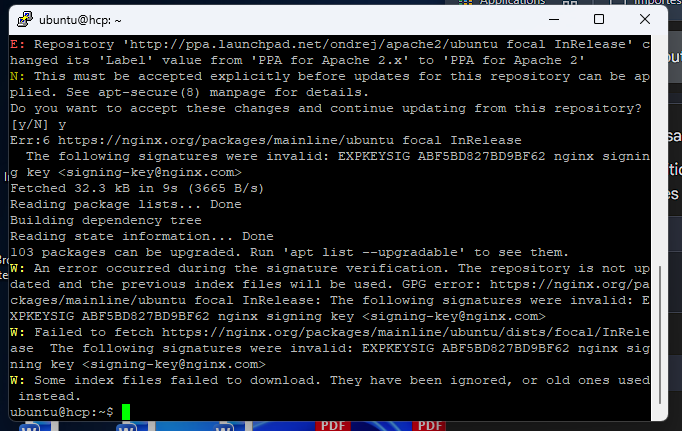
curl -s https://nginx.org/keys/nginx_signing.key | sudo gpg --dearmor > /usr/share/keyrings/nginx-keyring.gpg
apt update
thanks
ubuntu@hcp:~$ sudo gpg --dearmor > /usr/share/keyrings/nginx-keyring.gpg
-bash: /usr/share/keyrings/nginx-keyring.gpg: Permission denied
!!!
You must execute the entire command.
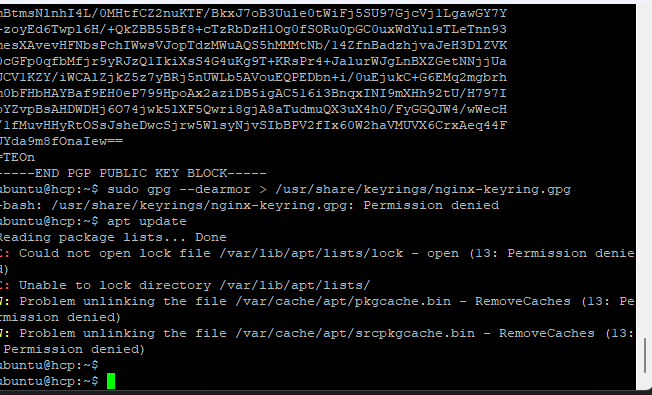
curl and sudo gpg must be in the same line:
curl -s https://nginx.org/keys/nginx_signing.key | sudo gpg --dearmor > /usr/share/keyrings/nginx-keyring.gpg
And after that, apt update as root, if you are not root, use sudo:
sudo apt update
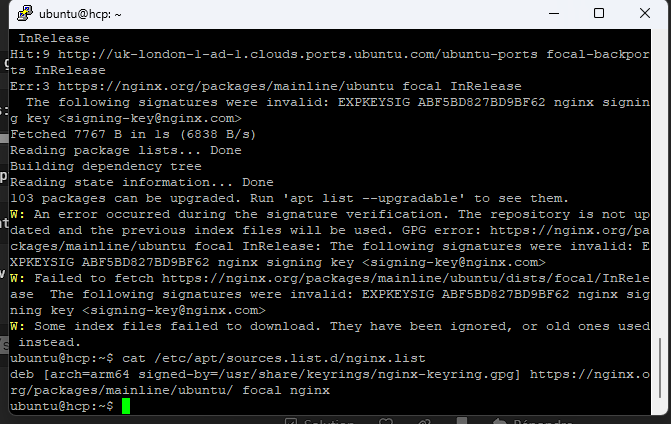
Just in case, show me also the nginx repository conf, I want to see ig you have defined the right path to the key.
cat /etc/apt/sources.list.d/nginx.list
i do but ist not work
ubuntu@hcp:~$ curl -s https://nginx.org/keys/nginx_signing.key | sudo gpg --dearmor > /usr/share/keyrings/nginx-keyring.gpg
-bash: /usr/share/keyrings/nginx-keyring.gpg: Permission denied
ubuntu@hcp:~$ sudo apt update
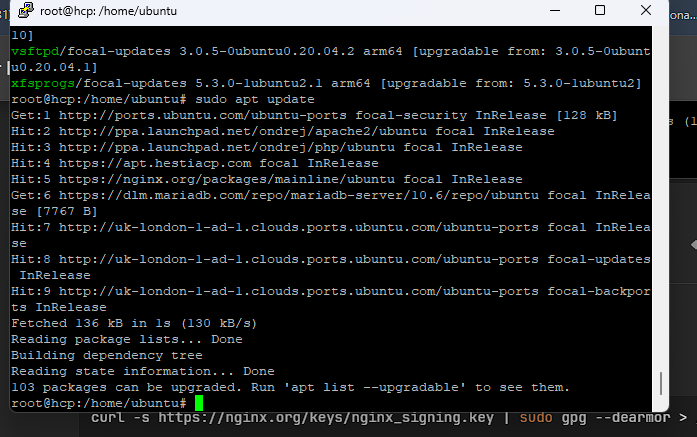
Yes, now there are no more errors regarding the wrong key for nginx repo.
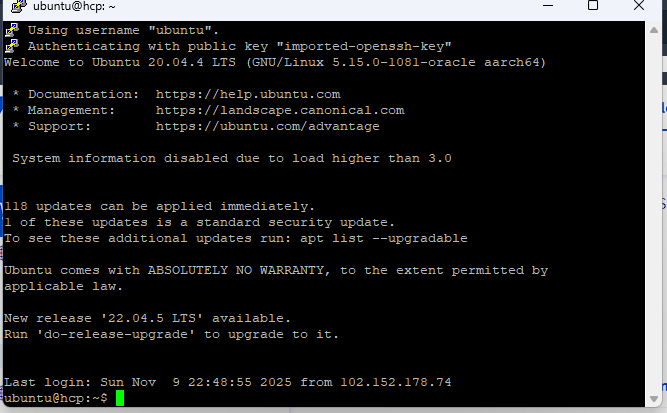
Yes, it is.
If you want to upgrade your current packages:
apt upgrade
If the upgrade process asks that there is a new conf for x package, you should always answer to keep the current conf.
Also, you are using Ubuntu 20.04 and Hestia no longer supports it.
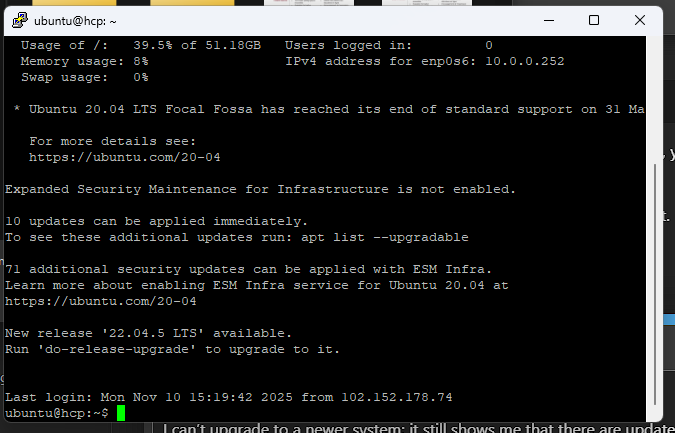
Please be sure to read this first: Please read this, before you start!
To install the latest packages, you should run apt dist-upgrade.
However, you still need to upgrade to version 22.04.
Based on your current level of experience, I wouldn’t recommend doing this upgrade on your own. Just because Hestia runs for free on the Oracle stack doesn’t mean it’s a good idea — unless you have solid system administration knowledge, it can easily go wrong.
The problem is The problem is that installing the remaining updates is not possible; there are 10 updates left. 10 Package It won’t install… Is the problem with system 20.04, which is no longer supported by the platform?
Did you read my post? run apt dist-upgrade to install remaining updates, but this will not resolve the lack of knowledge.
I’ve done this several times without success; errors keep appearing. I’ve done this several times without success; errors keep appearing in the data server.
then share the errors…
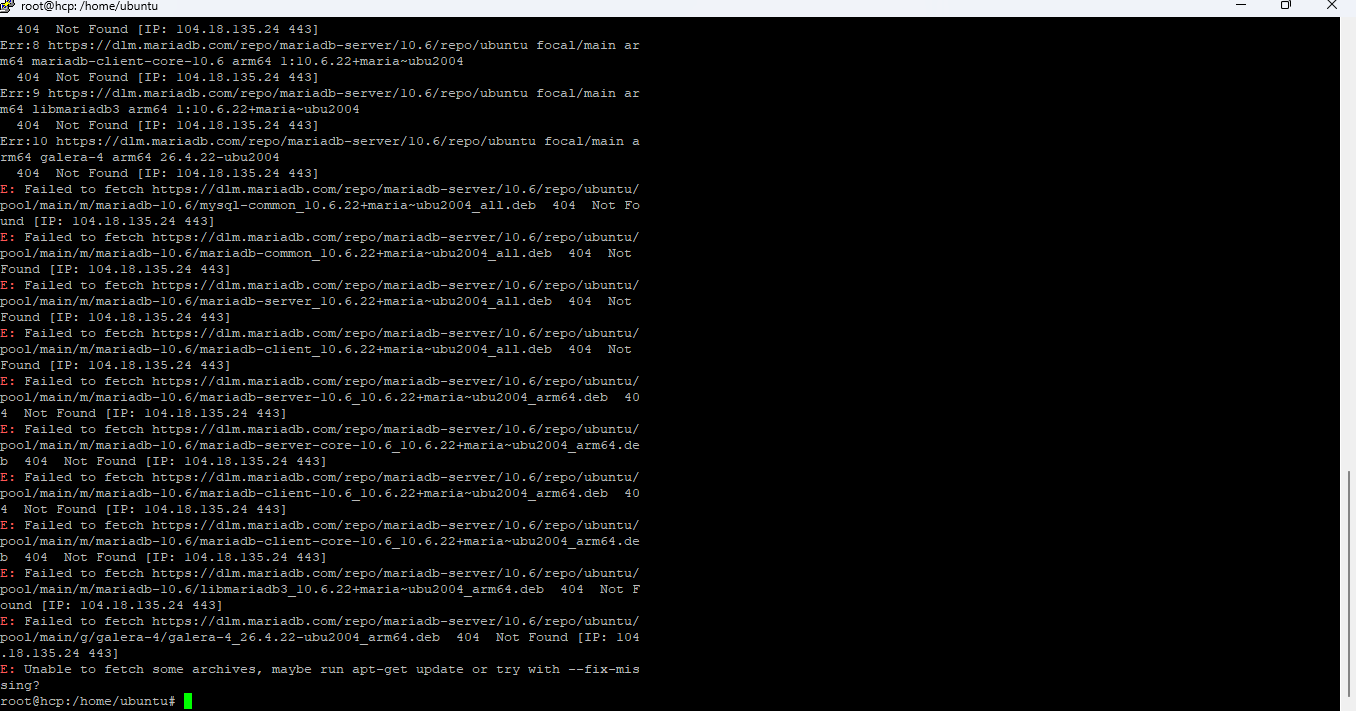
no, but as I already wrote:
I do not have enough ressources to teach you the basics about apt sources, system upgrades and further details.