Hello everyone. I have a question, please. How can I update files in my script? I have large files in the new update. When I use FTP, it takes a very long time to upload the files, but I can easily add them in cPanel. However, I can’t do it in HestiacP. Do you have a way to upload files without using FTP? I hope I’ve made my point clear. Thank you all.
What that means? Large in the sense of x GBs or/and hundreds of files?
Did you try to use the file manager in Hestia?
Yes, I tried using the file manager in Hestia, but it doesn’t work.
I’m overwhelmed by so much detail 
It’s okay if you can’t now, you can tomorrow.
I could try to help, but you need to provide more information. I’ve asked a couple of questions but no answer. Also, it doesn’t work doesn’t tell me anything. I don’t know whether you’re getting an error message, the upload is hanging, or something else is happening.
When I extract the files in the file manager, it’s as if I haven’t done anything. I refresh the page to install the update, but it doesn’t update. I don’t see any error messages.
It’s not like in cPanel; you can simply move files in the file manager and refresh the update page to update it. But in Hestiacp, I can’t do that.
I can update via FTP once the files are uploaded. However, it takes a very long time using FTP.
So, you’re uploading a zip file using file manager. The upload completes successfully and you can see the zip file in file manager. However, when you try to extract it, no error is displayed, but the files are not extracted. Is that correct?
Sorry, but I don’t understand what are you trying to do, I don’t know what files are you uploading and don’t know what are you trying to update.
Yes, this is correct
No error appears, but the files are not extracted.
Yes, this is correct
No error appears, but the files are not extracted
The zip file is public? I would like to download it to test what’s going on.
Does either the user or the domain contain the word home?
Would you like me to send you the login details for hestiacp privately so you can see for yourself?
I need root access to the server to check it, so I prefer to test it on my own server.
Don’t forget to check this:
Yes home
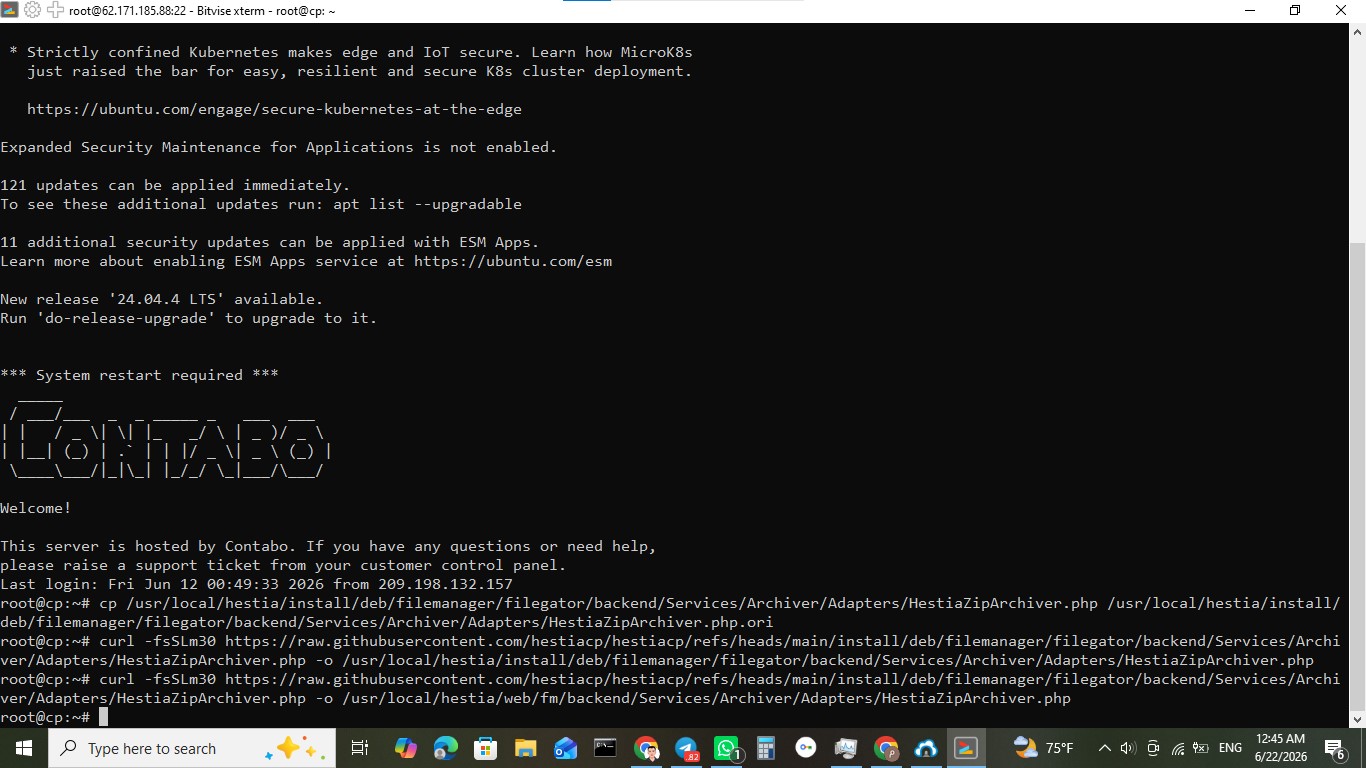
As root, execute these commands:
cp /usr/local/hestia/install/deb/filemanager/filegator/backend/Services/Archiver/Adapters/HestiaZipArchiver.php /usr/local/hestia/install/deb/filemanager/filegator/backend/Services/Archiver/Adapters/HestiaZipArchiver.php.ori
curl -fsSLm30 https://raw.githubusercontent.com/hestiacp/hestiacp/refs/heads/main/install/deb/filemanager/filegator/backend/Services/Archiver/Adapters/HestiaZipArchiver.php -o /usr/local/hestia/install/deb/filemanager/filegator/backend/Services/Archiver/Adapters/HestiaZipArchiver.php
curl -fsSLm30 https://raw.githubusercontent.com/hestiacp/hestiacp/refs/heads/main/install/deb/filemanager/filegator/backend/Services/Archiver/Adapters/HestiaZipArchiver.php -o /usr/local/hestia/web/fm/backend/Services/Archiver/Adapters/HestiaZipArchiver.php
Once done, login to the file manager and try to unzip the file again.
Could you please tell me what the user and domain name are? You can send me a private message if you don’t want to share it publicly.